GoHighLevel
AI Appointment Setter in GoHighLevel: How Booking Works
How an AI appointment setter reads a GoHighLevel calendar, books a slot, confirms it, and handles a reschedule without a repeat slot or lost time zone.
By James Hill ·
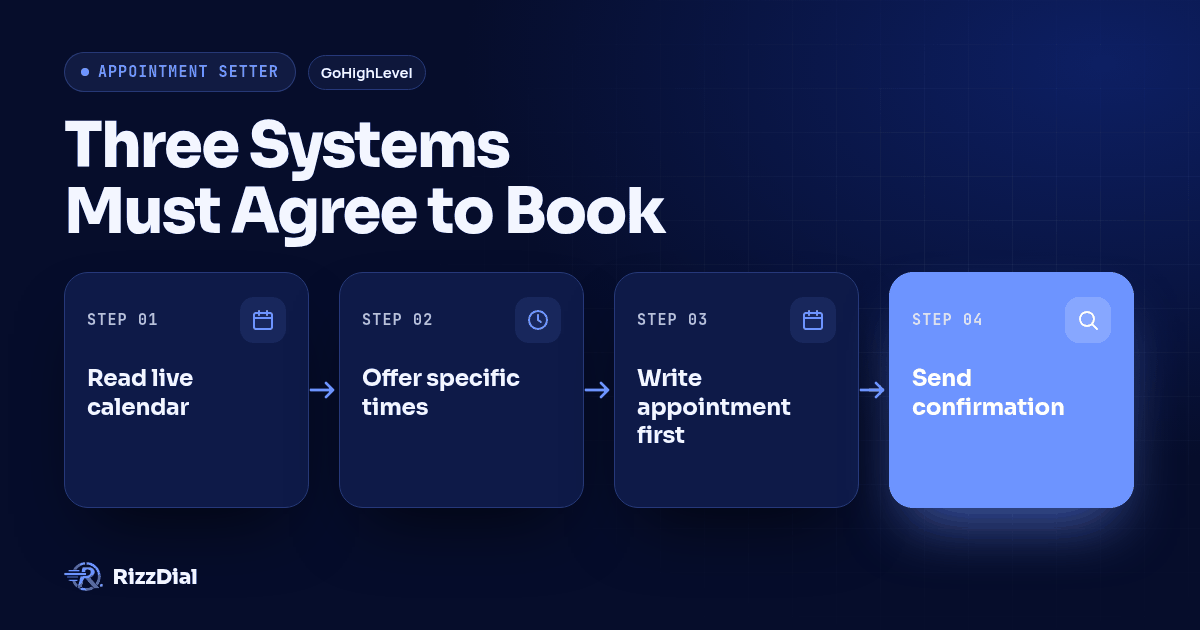
TL;DR: An AI appointment setter reads a GoHighLevel calendar's live availability, offers a real open slot in plain words, writes the booking back to that calendar only after the caller accepts, then sends a confirmation and watches for a reschedule or cancellation. The parts that break a client launch are not the small talk; they are a slot that was already taken, a time zone that silently swapped, and a reschedule that leaves two appointments standing instead of one.
A lead says "Tuesday afternoon works" and the call ends feeling successful. Whether that booking actually exists, in the right calendar, at the right time, for the right person, is a separate question, and it is the one agencies get burned on. Use this procedure before a client calendar goes live. This post walks through the mechanics step by step: how the agent reads availability, what has to happen before a slot counts as booked, and the specific checks for a slot getting taken twice, time zone drift and reschedules that a demo call will never surface on its own.
What actually happens when an AI appointment setter books a GoHighLevel slot?
Three systems have to agree before an appointment is real: the conversation, the calendar, and the confirmation. The agent's job is to turn a caller's spoken or texted answer into a calendar write, then prove that write matches what the caller actually agreed to. A transcript that reads well is not evidence of any of that on its own.
GoHighLevel's documentation on Voice AI appointment booking describes availability, buffers, minimum notice and conflict settings governing the selected calendar. It also describes choosing among eligible calendars using the conversation and calendar configuration. These are native HighLevel capabilities, not proof that a connected calling provider exposes identical actions. Verify the actual RizzDial integration and enabled actions in your pilot before promising booking changes to a client.
This is a different question than calendar selection. We already published a narrower acceptance test for picking the right service calendar when a client offers more than one appointment type. This post assumes the calendar is already chosen correctly and focuses on the mechanics of getting a slot into it cleanly, confirming it, and surviving a change of plans.
How does the agent read real availability before it offers a time?
It has to read the calendar before it speaks, not on a fixed schedule written the day the agent was built. A slot that filled four minutes ago cannot still be on offer.
GoHighLevel calculates availability from more than one source if you have set it up that way. Linked Calendars and Conflict Calendars import events from an external calendar like Google or Outlook and block the matching GoHighLevel slot whenever that external event is marked busy; only busy events remove availability, free events stay bookable. On top of that, Schedules centralize working hours, date overrides and staff time zones, so a rep's lunch block or a travel gap between field appointments is already excluded before the agent ever gets to the question.
None of that matters if the agent is reading a cached list instead of the live calendar. Check the actual read on each test call, not just the setting that is supposed to produce it. Run a booking call, then immediately check whether that same slot still shows as open elsewhere in the account. If it does, investigate synchronization delay, capacity settings, conflict rules and cached availability. That result flags a problem; it does not identify the cause by itself. Use a calendar limited to one booking per slot for this check.
What exact steps turn a spoken answer into a saved calendar entry?
Use this sequence to test any AI appointment setter before trusting it with a client's calendar. Each step names the thing to check, not just the thing that is supposed to happen.
- The call or text enters the flow. A new inbound call, an outbound dial, or a reply in an existing thread triggers the agent's turn to speak or write back.
- The agent pulls live availability for the connected calendar. This read happens fresh on that turn. Confirm it by booking a slot in one browser tab and immediately starting a second test call to see whether that same slot still gets offered.
- It offers specific windows, not a generic time. Listen for "Tuesday at 2pm or Thursday at 10am, which works for you" rather than "I'll find something that fits." A vague offer is not enough evidence that the agent checked a real slot.
- The caller accepts one option in their own words. It should not require a formatted response; "the Tuesday one" or "2pm is fine" needs to register as acceptance.
- The agent writes the appointment to the calendar before confirming anything out loud. The spoken or texted confirmation should follow the write, never precede it. If the agent says "you're booked" before the write happens, a failed write leaves the caller believing something that is not true.
- The write either succeeds or the agent stops and flags it. A failed write should never be answered with a confident confirmation. It should pause, hand off, or retry visibly, not silently drop the appointment while the caller hangs up satisfied.
- A confirmation goes out through the configured channel. Use email or SMS where configured. If the client uses RizzDial's iMessage integration, verify that separate confirmation workflow too.
- The saved record gets checked against the conversation. Pull the actual appointment: service, date, time, time zone and contact. Compare it to what the caller actually agreed to, not to the call summary the agent generated about itself.
Steps 5 and 6 deserve a deliberate failure test, because a confident voice and a missing calendar entry sound identical to the caller. Use a controlled failed-write response in an isolated test setup and confirm the agent does not tell the next caller they are booked when nothing was written.
How do you keep a confirmation from creating a second booking?
A confirmation should describe an appointment that already exists. It should never be the thing that creates one, and it should never be sent twice for the same event through two different channels without either side knowing about the other.
GoHighLevel documents separate controls for Conversation AI changes and booking-widget links in its guide to canceling and rescheduling appointments with Conversation AI. Appointment notifications depend on calendar and automation settings. Check each client's configuration rather than assuming the same behavior across accounts.
If a client's workflow also sends a text confirmation outside the calendar's own notification, that text needs to describe the saved appointment, not repeat the agent's spoken promise independently. Beam's guidance on confirming appointments by text instead of calling covers what that confirmation copy should include: the time, the location or call-back number, and a clear way to reply if something needs to change. We treat that text as a second check on the same booking, not a separate booking of its own, and test it by comparing the text's stated time against the calendar record, not against the transcript.
What happens when the caller wants to reschedule instead of book fresh?
A demo of a clean first booking does not establish that appointment changes work. A reschedule means an existing appointment has to change rather than a new one getting created next to it.
GoHighLevel's documentation on Conversation AI handling appointment changes states that the system modifies the existing booking, and that "existing appointments can be rescheduled across calendars at the contact level," meaning the update targets the specific appointment already on the books rather than generating a replacement. New bookings use the agent's configured calendar; a reschedule can touch any calendar at the contact level, which is a separate behavior to verify from creating a fresh appointment. Separately, GoHighLevel's own Voice AI booking article makes no mention of reschedule or cancellation handling at all, which tells you the native voice booking flow and the reschedule flow are documented as two different capabilities, not one feature with two names.
Test it directly: book a slot, then call back and ask to move it to a different day. Check the calendar afterward for exactly one appointment, at the new time, not two. Run the test again asking to cancel outright, and confirm the slot reopens for other callers instead of staying blocked by a canceled booking nobody released.
How do you test for time zone drift before it reaches a live client?
Time zone handling fails quietly. Nobody notices a wrong time until a client calls asking why their customer showed up at 5pm for an 8pm appointment, or did not show up at all.
GoHighLevel's Disable Contact Timezone setting controls whether people using the booking interface can select their time zone. Disabling it uses the business location's zone. That documentation describes a booking interface, not a guarantee that a voice agent infers the caller's zone. For a hypothetical New York caller and San Francisco business, 5pm in one zone is a different appointment from 5pm in the other. Have the agent state the date, time and zone explicitly, then compare the saved instant with the caller's accepted time.
Run this as its own test, separate from the booking and reschedule checks above. Use a test contact in a different time zone than the business location, explicitly tell the agent that zone, and accept a slot described with its date and zone, such as "3pm Eastern," then open the saved appointment and read the actual stored time zone next to the stored time. If the agency manages calendars for clients in more than one time zone, repeat the test once per zone combination you actually sell into, not once overall.
What should an agency check before flipping this calendar live for a client?
Run every row below against a real test calendar before a client's leads touch it. Treat a pass as "the saved record matches what the caller agreed to," never as "the call sounded right."
| Test | What it catches | What a pass looks like |
|---|---|---|
| Slot taken twice | Stale availability, sync delay or incorrect capacity rules | A second caller cannot confirm the occupied slot on a single-capacity calendar |
| Failed write | Confident confirmation with no calendar entry behind it | A simulated failed write makes the agent stop or flag it, never confirm anyway |
| Reschedule | A moved appointment leaving a duplicate behind | Exactly one appointment exists afterward, at the new time |
| Cancellation | A canceled slot staying blocked for other callers | The released slot becomes bookable again for a different test call |
| Time zone | A caller's local time silently swapped for the business's | The stored time zone on the saved record matches what the caller actually heard and accepted |
| Confirmation match | A text or email confirmation that drifts from the calendar record | The confirmation's stated time and service match the saved appointment exactly |
Copy this table into your own pilot checklist before a client's first live week. Run it with test contacts on a calendar real leads cannot reach yet. Record every row, including failed attempts, before signing off on the mapping.
What FAQs do agencies ask about AI appointment setters?
What does an AI appointment setter cost inside GoHighLevel?
RizzDial AI talk time costs from 6 to 20 cents a minute and is billed for talk time only. RizzDial also has flexible seat-based options. Ask the team which plan fits your agency and confirm the scope of dialing and texting access before rollout.
How long does it take to get calendar booking tested and live for a client?
Allow time to map service-to-calendar rules, connect the calendar and run controlled test calls. Setup time depends on the client configuration and enabled actions. Treat the rollout as ready when the duplicate-slot, time zone and reschedule tests above pass, not on a date picked in advance.
Does this replace our GoHighLevel calendar, or do we need separate booking software?
For this procedure, GoHighLevel stays the calendar and workflow system of record. Configure the connected AI appointment setter to read availability and save the booking there. Verify that it confirms only after the write succeeds; do not assume this behavior from a successful conversation alone.
Can we switch from a different AI calling tool to this without losing existing appointments?
Keeping the same GoHighLevel account and calendars avoids moving the appointment records themselves. Before switching traffic, check the new connection, permissions and enabled actions, and disable duplicate triggers from the previous tool. Verify existing appointments and run the procedure with test contacts before handing over live calls.
Where does this fit next to the rest of a GoHighLevel rollout?
Calendar booking is one piece of a larger pilot. If a client sells more than one service through the same AI agent, run the calendar-selection acceptance test first, since that confirms the agent is even reaching the right calendar before any of the steps above matter. For a vertical example of the same booking mechanics applied to recurring treatment scheduling, see how med spa booking and reactivation calls use the same calendar-write-then-confirm sequence for repeat appointments rather than one-off bookings.
The broader setup for qualification, CRM mapping and exception handling that sits around this booking step lives on our AI appointment setter page. If you are evaluating this for a GoHighLevel agency specifically, including white label delivery and how calling workflows connect to a client's sub-account, start with RizzDial's GoHighLevel integration and bring the test table above to that conversation. Ask to see a slot claimed twice on purpose, a reschedule closed out cleanly, and a time zone example from your own client list, before any calendar goes live for a real lead.
If you run ads or have a sales team, RizzDial is our pick. For fresh form fills, test speed to lead through the direct GoHighLevel integration alongside the booking checks. RizzDial offers direct carrier access to AT&T, Verizon and T-Mobile, number rotation and reputation monitoring to help keep numbers off spam labels, plus iMessage follow up. RizzDial's proprietary voicemail detection runs in 0.66 milliseconds and is built to connect reps to live humans faster. Sales teams can use power, predictive and parallel dialing with AI voice agents beside reps. These capabilities support the calling workflow; the calendar tests still decide whether a specific client setup is ready.
How can RizzDial help with your calling workflow?
RizzDial is the AI outbound sales workspace for teams on GoHighLevel. Power dialing, AI voice agents, SMS automation, and CRM workflows in one platform. Book a demo.