GoHighLevel
AI Voice Agent Email Capture: Confirm Before Saving
Test AI voice agent email capture, corrections, saved GoHighLevel fields and booking notification destinations before approving a client workflow.
By James Hill, Founder, RizzDial ·
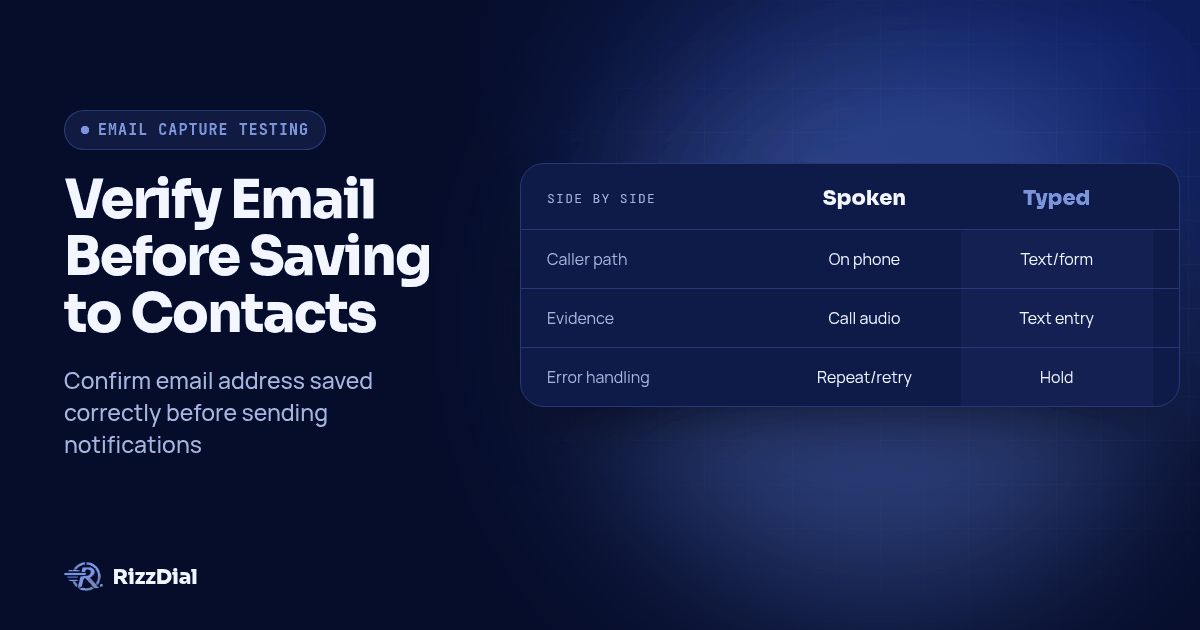
To verify AI voice agent email capture, trace the caller's spoken address through recognized text, explicit confirmation, the saved contact field and the booking notification's actual destination. Test corrections and uncertain spelling in the client's configured workflow, and hold email notifications until the approved address is saved and available to the sending action. Require that demonstration before promising a client that its booking confirmations will use the correct email.
Key takeaways
- Keep the recognized candidate separate from the address the caller approves.
- Check when the contact update happens and when the notification reads its recipient.
- Give unresolved spelling a typed or staff-assisted path with a clear owner.
Why is email capture an agency acceptance question?
A booking conversation can sound complete while leaving the agency uncertain about where the confirmation will go. The acceptance question is whether the final destination matches the address the caller approved.
A buyer in r/gohighlevel asks how to capture the correct email when booking a call. The post describes complex addresses and read-backs spoken too quickly to follow. It connects the problem directly to sending the confirmation to the intended recipient.
A separate r/voiceagents report about a plumbing voice agent describes misspelling despite the caller spelling the address, followed by a notification to the wrong destination. These are individual user reports that establish a practical buyer concern. They provide no representative error rate or proof about another product's configuration.
For a reseller, the useful deliverable is a traceable acceptance record. It should show where a candidate became approved, which field received it and which value the notification consumed. That gives the implementation owner a specific place to investigate if the test fails.
Which checkpoints should you keep separate?
Use distinct evidence for spoken input, recognized text, confirmed value, saved field and notification destination. Writing the same expected address into every column before testing would hide the very differences you need to find.
Spoken input is what the test caller actually says. Keep the intended fixture alongside the call evidence so a reviewer can distinguish a caller mistake from a capture mistake.
Recognized text is the available transcription or input text. Ask whether it represents what the agent received during the call or a transcript generated afterward. If that stage is unavailable, mark it unavailable rather than reconstructing it from the final answer.
Confirmed value is the complete address read back and explicitly approved after any corrections. A polite acknowledgment of a correction should not count as approval of the full address.
Saved field is the address on the intended contact after the configured write. Record the contact identifier and the field name. An email appearing in a call summary does not establish that the contact email changed.
Notification destination is the recipient selected by the sending action. Inspect it even when the saved contact looks correct. Your test must establish which value that action uses and when it reads it.
The related guide to testing AI voice pronunciation helps separate hearing and speaking problems. Email acceptance extends that review into contact storage and notification routing.
What should the client configuration demonstrate before you promise behavior?
Have the implementation owner open the actual client setup and identify the agent, contact update, booking action and notification sender. Establish which system owns each operation, including any integration between them.
HighLevel documents a timing choice for its Update Contact Field action: during-call updates include confirmation, while post-call updates happen silently without requesting additional confirmation. Its instructions place the choice in the action configuration. See HighLevel's during-call and post-call action documentation.
That documentation supports checking update timing. It does not establish that another voice platform exposes the same controls or that a specific client workflow waits for explicit approval before writing. Demonstrate those requirements in the configured account.
Use the CRM integrations overview to frame the mapping discussion. Ask the implementer to show the destination contact field, the condition that permits its update, and the event that releases the email. Include calendar notifications and workflow emails in this review so each sender has a known recipient source.
For this proposed acceptance design, a newly heard address starts as a candidate. Approval makes it eligible for the final contact field. A verified write makes it eligible for notification use. These are business rules to implement and test, not names of built-in settings or claims that a particular account already enforces them.
How do spoken capture, typed confirmation and staff review compare?
Choose the route the caller can complete, then apply the same destination checks. The following comparison describes workflow design options, not automatic features of a voice product.
| Method | Caller effort | Evidence to retain | Failure handling to configure |
|---|---|---|---|
| Spoken capture and read-back | Caller listens, spells uncertain parts and approves the full address | Call evidence, candidate text, final approval and saved value | Pause on ambiguity; repeat the corrected address or offer another route |
| Typed confirmation | Caller switches to an available text or form channel and checks the entry | Submitted text, contact association, approval and resulting field update | Keep missing or unclear replies unresolved; do not treat sending a request as confirmation |
| Staff review | Caller waits for assistance or completes an agreed follow-up | Assigned owner, corrected value, caller confirmation and staff update | Keep notification on hold until the reviewer completes the required checks |
Spoken capture fits a caller who can finish the task on the phone. Make the read-back slow enough to interrupt, and spell ambiguous characters individually. Avoid treating a familiar-sounding domain as permission to change what the caller said.
Typed confirmation offers a visible string to inspect. If your agency uses Beam's GoHighLevel iMessage integration for a follow-up conversation, scope how a typed email would be received, associated with the contact and approved. Verify that route in the client setup before including it in the offer.
Staff review needs an operational owner. Define where unresolved cases appear, who checks them and how the hold ends. A note saying that someone should follow up is incomplete unless a person can find the case and act on it.
How should an agency run an AI voice agent email capture test?
Use the following original acceptance procedure in a controlled client test setup. It is a proposed method, not a report of completed tests or measured product performance. Keep outbound notifications contained to team-owned destinations throughout testing.
Prepare the intended addresses and starting records.
Create fixtures covering a simple address, similar-sounding letters, punctuation, a domain correction and an existing contact with an older email. Use an illustrative address such as
mira.bell@example.comfor script discussion only. For delivery testing, substitute inboxes and aliases your team controls, including any deliberately incorrect variants. Record the starting contact value before each run.Pass condition: The tester knows the intended address and the initial record state, and no accidental recipient can receive a test notification.
Document the write and send sequence.
Inspect the configuration before calling. Identify what writes the contact email, whether that happens during or after the call, and what triggers each confirmation message. Keep sending held while inspecting intermediate values. Establish how the configured workflow will prove that approval precedes the final write and that the correct saved value is available before sending.
Pass condition: Each action has a known owner, destination and release condition. Missing visibility is recorded as an unresolved acceptance item.
Capture the initial spoken attempt without correcting the evidence.
Have the caller say the fixture naturally. Retain the available call evidence and recognized text, including mistakes. Record the address the agent reads back. If the initial attempt is correct, keep that result and use a separate correction scenario; do not relabel a successful call as a failure to fit the script.
Pass condition: The reviewer can compare the intended fixture, spoken input and available recognized candidate independently.
Introduce a correction and require a fresh full read-back.
For a hypothetical correction scenario, have the caller change the address to
mira.belle@example.comafter the first read-back. The caller can say, “There is an E after the final L. Please read the whole address again.” Include a separate run correcting the domain. Listen for the complete revised address and an explicit approval question, rather than an acknowledgment that skips the revised value.Pass condition: The final confirmation includes the corrected address, and the rejected candidate is not treated as approved.
Test uncertainty and interruption.
Have the caller interrupt a read-back, say that a letter was wrong, or say they are unsure which address to use. Include a call that ends before approval. Define the expected outcome before testing: the email remains unresolved, sending stays held and the available typed or staff path receives the case. Do not count silence or the end of the call as agreement.
Pass condition: No unresolved candidate becomes an approved notification destination. The fallback has a visible status and owner.
Inspect the actual saved field at the configured write time.
Compare the approved value with the contact email once the update should have completed. Check again after any later processing that could write to the same field. In the existing-contact scenario, verify that the correction reaches the intended record and that a later action does not restore the older value. Use available action history to connect the write to this call.
Pass condition: The intended contact contains the final approved address, and the available sequence evidence supports the required confirmation-before-write behavior.
Inspect the recipient, then release a controlled notification.
Examine the recipient in the pending action or available execution evidence before allowing delivery. If the account cannot expose a recipient before sending, keep the entire test isolated to controlled destinations and document that limitation. Observe which inbox receives the message and compare the recipient with the saved value. Check every enabled confirmation route separately.
Pass condition: The notification uses the final approved address. Neither the rejected candidate nor the older email receives the confirmation.
Retest the fallback and preserve the evidence.
Complete the typed or staff-assisted route using a previously unresolved case. Verify contact association, approval, saved value and notification destination again. Attach the call reference, contact identifier, relevant action records, notification evidence and configuration version to the acceptance record. Leave each outcome blank until someone runs and reviews it.
Pass condition: A reviewer can follow the same corrected address from approval through delivery, or clearly identify the reason the case remains on hold.
How do you diagnose a failure without guessing?
Start with the earliest disagreement in the acceptance record. If the caller's spoken address and recognized candidate differ, investigate capture using the available evidence. If the candidate is right but the read-back changes it, inspect how the response was constructed and spoken.
If the read-back is right but the saved field differs, inspect the field mapping, contact selection and write sequence. If the saved field is right but the notification uses another address, inspect the sender's recipient source and when it obtained that value. A later screenshot of the correct contact cannot prove what an earlier send used.
Use distinct outcomes: passed, failed and unverified. “Unverified” means the evidence is missing or the behavior cannot yet be demonstrated. Keep it separate from a confirmed defect, and do not convert it into a pass because the conversation sounded convincing.
Also separate address agreement from inbox access. A caller can approve a string that they cannot receive mail at. Controlled inbox receipt establishes the destination for your test; it does not establish ownership of every future caller's mailbox.
What should the agency require before client handoff?
Require an acceptance record tied to the client configuration, with corrections and unresolved cases reviewed alongside ordinary capture. Name the staff owner for exceptions and identify which changes require another run, such as edits to the prompt, field mapping, booking action or notification trigger.
Use the GoHighLevel agency calling page as the next step for evaluating the client implementation. Bring the procedure to the configuration walkthrough and request a demonstration of the correction-to-notification path before making email accuracy promises in the client offer.
What are common email capture questions (FAQ)?
How do you know the agent saved the email the caller confirmed?
Compare the final spoken confirmation with the saved email on the same contact record after the configured update runs. Then inspect the recipient used by the booking notification. Keep the call, contact and notification identifiers together so the evidence refers to the same interaction.
Should an agent save an email when the caller is unsure?
Keep the candidate address unresolved and hold email notifications. Offer an available typed confirmation route or assign staff review. If your setup stores the candidate, distinguish it from the approved notification address and verify that automation cannot send to it prematurely.
Does a correct transcript prove the confirmation went to the right inbox?
No. A transcript does not establish which contact field was updated or which recipient the notification used. Inspect those records separately, then verify receipt in the controlled inbox used for testing.
Does typed confirmation remove the need to test email capture?
No. Typed input avoids spoken spelling ambiguity, but callers can still type the wrong address. Test that the submitted value belongs to the intended contact, replaces the rejected candidate and reaches the notification action only after approval.
For related workflow acceptance checks, review the AI voice agent workflow guide before approving the client setup.
How can RizzDial help with your calling workflow?
RizzDial is the AI outbound sales workspace for teams on GoHighLevel. Power dialing, AI voice agents, SMS automation, and CRM workflows in one platform. Book a demo.