GoHighLevel
Test AI Voice Pauses and Interruptions Before Reselling
Test AI voice hesitation, caller corrections, background speech and slow lookups before a GoHighLevel rollout. Record timing and caller experience.
By James Hill, Founder, RizzDial ·
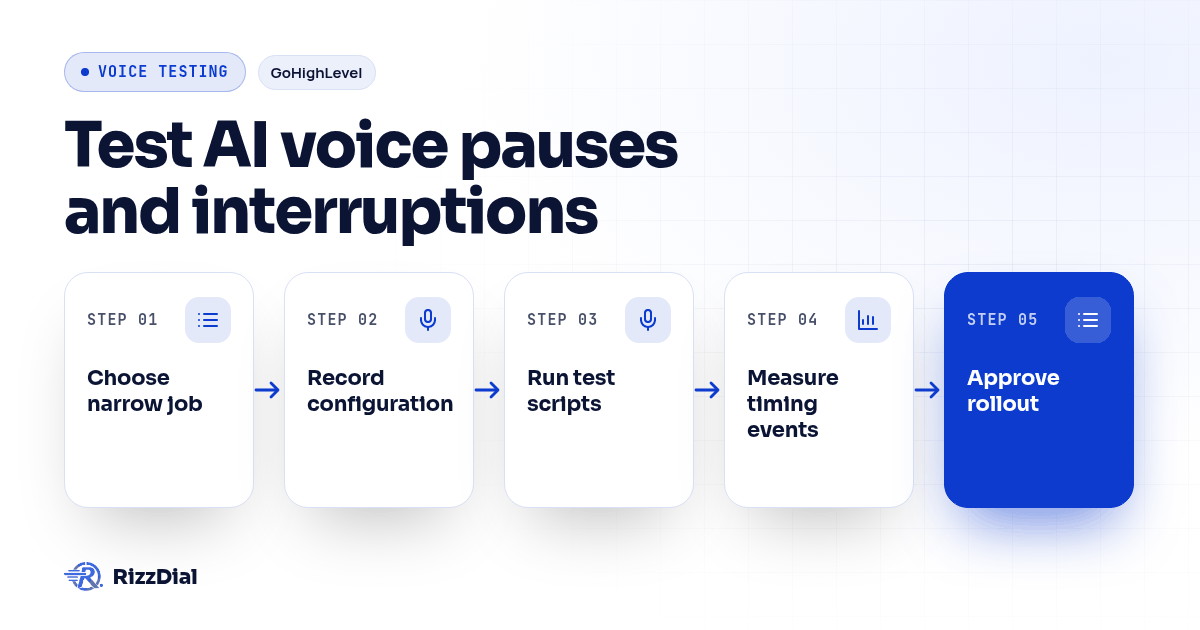
A GoHighLevel reseller should test AI voice pauses and interruptions with repeatable calls covering hesitation, a caller correction, background speech and a slow lookup. Record the exact events that start and end each delay measurement, then review whether the caller could finish, correct the agent and complete the task. Approve the intended client workflow only after reviewing those outcomes alongside the timing evidence.
Key Takeaways
- Use the same caller script and configuration when comparing runs.
- Measure audible response, interruption recovery and lookup waiting separately.
- Keep failed attempts and verify the final CRM record before approving rollout.
What should you prepare before making test calls?
Choose a narrow job, such as capturing a service request and checking an appointment option. Use test contacts, a test calendar and team-controlled phones. The scripts below are hypothetical exercises, not reports of measured results.
Write the expected outcome before testing. Identify what the agent may confirm, what requires a lookup and what should become a staff callback. For an agency evaluating AI calling for GoHighLevel, that includes checking what the client sees in the intended sub-account after each conversation.
Assign someone to play the caller and someone to review the evidence. Record the agent configuration, prompt version, voice, language, phone route, device and background conditions. Start in a quiet setting, then change a condition deliberately. Save the exact script so the next reviewer can repeat it.
Ask the provider which turn controls and event logs are available for your setup. LiveKit's turn detection documentation distinguishes detecting the end of a caller's turn from responding to an interruption. That distinction informs this test plan; it does not establish which controls another platform exposes.
Which events should start and end your delay measurements?
Name the measurement boundaries before comparing results. In the supplied practitioner discussion about voice delay, commenters ask where the timer starts, and the author later clarifies that their measurement excludes the wait used to decide the caller has finished. Treat that exchange as a measurement question, not a verified performance benchmark.
Use this worksheet as a proposed measurement method:
| Measurement | Start event | End event | Experience to review |
|---|---|---|---|
| Audible reply gap | Caller finishes the intended utterance | First agent reply audio heard at the caller's device | Did the caller wonder whether the line was still active? |
| Interruption stop delay | Caller begins a deliberate correction while the agent speaks | Agent audio stops at the caller's device | Could the caller regain the conversation? |
| Correction response gap | Caller finishes the correction | Agent begins an audible response addressing it | Was the changed detail understood? |
| Lookup duration | Lookup request is dispatched | Result or error returns | Did the lookup finish or fail? |
| Substantive answer wait | Caller finishes the lookup request | Agent begins speaking the actual result | Did an acknowledgment hide a longer unresolved wait? |
Use elapsed timestamps from the same recording for audible events. Subtract the start timestamp from the end timestamp, using consistent units. Keep server events on their own known clock; do not subtract timestamps from unrelated clocks without a verified alignment.
If available, add the system's turn-complete event, transcript completion and generated-audio event as diagnostic markers. Label them separately from what the caller heard. A server recording is not automatically evidence of playback timing at the caller's device.
When the agent speaks before the caller finishes, mark an overlap failure. Do not turn that into a flattering response-time result. If no reply arrives, record no response and when observation ended.
How do you test whether a hesitation becomes an interruption?
Have the caller pause inside an unfinished thought, then continue. The proposed pass condition is that the agent preserves the complete request without forcing the caller to restart.
Use this script: "I need someone to look at the..." Pause, then finish: "outdoor unit, not the thermostat." First run the sentence without the pause to establish a comparison. Then repeat with a brief hesitation and a longer hesitation, recording the actual pause length rather than prescribing a universal setting.
Mark the pause start, caller resumption and any agent speech during the gap. Check whether the agent guessed the missing object, began an irrelevant answer or lost the final phrase. Also listen for an awkward wait after the caller clearly finished.
LiveKit describes endpointing as the decision that a thought or sentence has ended, with approaches that can use silence and speech meaning. That explains why this test includes unfinished thoughts as well as completed sentences. See its turns overview.
Can the caller correct the agent while it is speaking?
Test a deliberate correction during an audible reply. Require the agent to yield, capture the changed detail and continue from the corrected request.
For example, ask about Tuesday availability. As the agent discusses Tuesday, say: "Actually, Thursday afternoon." Record when the correction begins, when agent playback stops and when the corrected response begins. Note whether the caller had to repeat themselves or raise their voice.
Inspect the test record afterward. Thursday should replace Tuesday wherever the agreed workflow stores the requested day. If the agent acknowledges Thursday but a later action still uses Tuesday, treat the conversation as unresolved.
Repeat with a correction to the service type. For the selected CRM and workflow integrations, ask which pending actions can be changed or canceled after a correction. Require a demonstration before promising that behavior to clients.
How should background speech and brief acknowledgments behave?
Keep background speech separate from a direct request. Play a repeatable recording of unrelated conversation near the caller's device, then run the same service script. Record the playback source, position and volume setting so the condition can be recreated.
Check whether the agent answers the background speaker, stops without recovering or inserts background words into the request. Repeat while the intended caller is silent and while they are speaking. Compare both with the quiet run.
Next, have the caller say "mm-hmm" during an explanation. Compare that with "Wait, that's wrong." Define the desired response to each before scoring. LiveKit's documentation distinguishes conversational acknowledgments from true interruptions in its interruption handling overview; verify the behavior supported by your chosen setup.
Do not approve a noise adjustment solely because it ignores the background speaker. Repeat the direct correction afterward to check that it still hears the caller.
What should happen while a lookup is slow?
Introduce a controlled delay in a test lookup, with help from whoever maintains the connection. Keep this within a test environment. Ask for an appointment option or service detail that requires a returned result.
Record the lookup dispatch and return separately from the caller's audible wait. If the agent says "I'm checking that," mark when that acknowledgment starts, then mark when the actual answer starts. Review whether the caller understood what was happening and could still ask a question.
Run a separate failed-lookup case. Require an honest explanation and an agreed next step instead of an invented answer. Then correct the request while the original lookup is pending. Verify that a late result does not cause the agent to confirm the superseded request.
If your fallback includes a later message, evaluate Beam's iMessage API as a separate follow-up step. Confirm the recipient, permitted content, trigger and owner in your implementation. Do not let a proposed follow-up conceal an unresolved call or count as evidence that the lookup succeeded.
How do you decide whether the workflow is ready?
Review complete runs with the client operator. Agree on acceptable behavior and any client-specific timing limits before scoring; this checklist supplies no universal latency target.
For every attempt, retain:
- Script, configuration and test conditions.
- Start and end events, timestamps, units and measurement source.
- Audible gaps, overlap, repeated words and caller reaction.
- Final request, CRM outcome and any pending action.
- Pass, fail or unknown status, plus the person responsible for retesting.
Keep failed attempts alongside successful ones. Change a setting deliberately and rerun the full script set, including quiet conditions. Leave missing evidence marked unknown rather than treating it as a pass.
Use the completed worksheet alongside the AI voice agent reseller demo checklist to review unresolved requirements before offering the tested workflow to a client.
What else should resellers know about testing AI voice timing (FAQ)?
What should count as response delay?
For caller experience, measure from the end of the caller's completed utterance to the first audible agent reply at the caller's device. Record acknowledgments separately from the start of a substantive answer. Name different boundaries explicitly when using server logs.
Should the agent stop whenever it hears speech?
Define expected behavior by scenario. A direct correction should let the caller regain the conversation. Background conversation and a brief acknowledgment need separate tests so they do not silently become instructions or erase the caller's request.
Can a reseller test without detailed event logs?
Yes. A recording captured at the caller's device can support a manual review of audible gaps, overlap and task completion. Mark unavailable internal events as unknown. Do not infer model or lookup timing from audio alone.
When should the agency repeat these tests?
Repeat the scripts after changes to the prompt, voice, turn settings, lookup connection or calling route. Keep the previous results and record the configuration used so a new failure can be compared with earlier behavior.
For the next step in this workflow, review the ai voice agent workflow guide and discuss implementation through the AI calling integrations.
How can RizzDial help with your calling workflow?
RizzDial is the AI outbound sales workspace for teams on GoHighLevel. Power dialing, AI voice agents, SMS automation, and CRM workflows in one platform. Book a demo.