Agencies
White Label Power Dialer: Reselling RizzDial's Dialer to Clients
How a white label power dialer works when you resell it under your own brand: rep pacing, predictive and parallel modes, CRM logging, carrier handling, and how to onboard a new client.
By James Hill ·
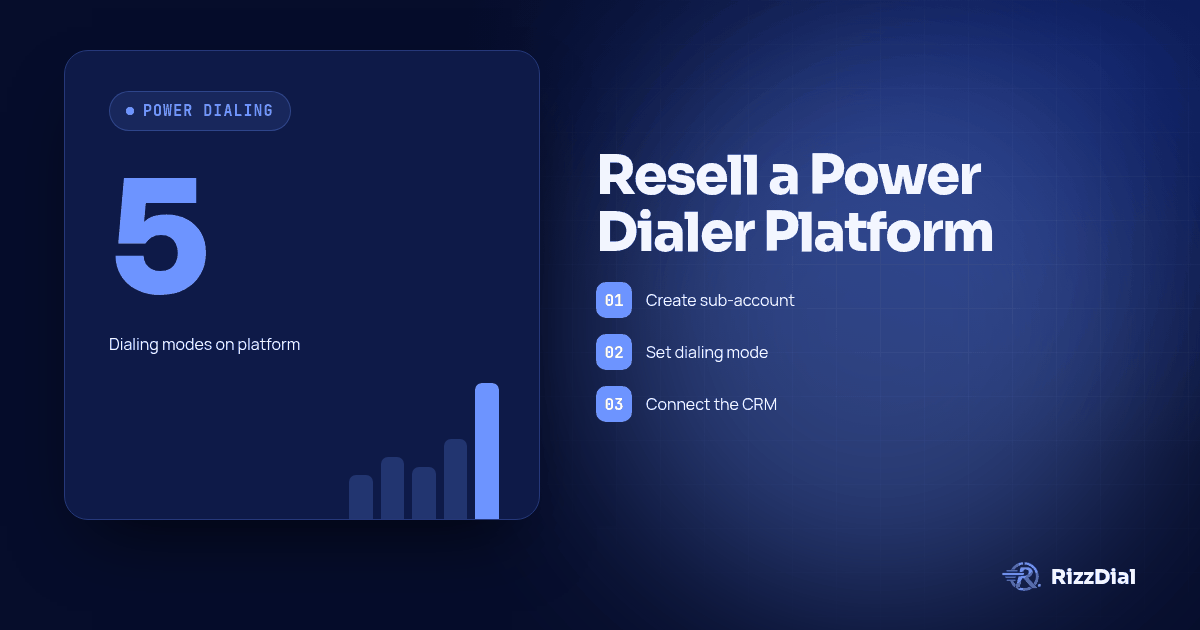
Answer first: A white label power dialer is the straightforward, one-line-per-rep dialing mode most sales floors start with, sold to a client under an agency's own brand rather than the vendor's. RizzDial's power dialer is one of five dialing modes on the platform (alongside predictive, parallel, AI voice agent calls and click-to-call), and every mode logs to the same CRM and runs on the same carrier management, so a client who starts on a simple power dialer can move to predictive or parallel later without switching tools.
Power dialing is where most outbound teams live day to day: one line, the next call starts when the rep is ready, no pacing complexity to explain to a new hire. It is also usually the first thing a client asks for by name, because it is the dialing mode they have heard of. This page is about what it takes to resell that mode well, and why the modes around it matter even if a client only ever touches power dialing.
For the platform-wide view of white labeling with RizzDial, start at white label AI caller. For AI voice agent calls, see white label AI voice agents. For the service model, see white label AI calling for resellers. If your clients run on GoHighLevel, see white label dialer for GoHighLevel agencies.
What a power dialer needs to get right
A power dialer sounds simple, and the parts that matter are less about the dial itself and more about everything around it:
- Pace. One line per rep means the rep sets the pace, which is the point: it is predictable and easy to train new reps on.
- What happens after the call. Disposition, notes and next steps need to land somewhere a manager can see them.
- Where the number came from. A rep dialing all day from a flagged number burns the list faster than a slow pace ever would.
- Room to grow. A client that outgrows one line per rep should not need a new vendor to get there.
How RizzDial's power dialer fits with the other modes
RizzDial's power dialer is one line per rep by default, the same experience most reps already expect. It sits next to:
- Predictive dialing, for when a client wants the system dialing ahead of agents based on expected answer and talk time.
- Parallel dialing, where a rep chooses how many lines to run at once, up to 10, a middle ground between power dialing and full predictive.
- AI voice agent calls, outbound AI campaigns and inbound AI numbers that place or take calls without a rep on the line.
- Click-to-call, for the callbacks and one-offs that do not belong in a dialing queue.
The practical benefit for a reseller: you are not selling "the power dialer product" to one client and "the predictive dialer product" to another. It is one platform, one sub-account structure, one login your client sees under your brand, with several dialing modes available.
CRM logging: where the call data goes
A power dialer that does not write anywhere useful is just a phone. RizzDial logs calls to a built-in CRM, which is the right answer for a client who does not have one, and it also connects to a client's existing CRM, including GoHighLevel, HubSpot and Salesforce, through integrations, the API and webhooks, for clients who already run their pipeline somewhere else. As a reseller, this means you are not forcing every client onto the same CRM decision just because they are all on the same dialer.
If your clients already run on GoHighLevel, see how the white label power dialer for GoHighLevel syncs calls, tags and outcomes back into each sub-account.
Carrier handling behind the dial
Every dial on RizzDial's power dialer runs on Tier 1 carrier management across AT&T, Verizon and T-Mobile, with configurable number rotation that skips flagged numbers and an optional reputation monitoring add-on with per-number checks, email alerts and automatic removal of flagged numbers from rotation. Review the client's number pool and decide whether to add reputation monitoring during onboarding.
Onboarding a client onto a white label power dialer
The setup pattern is the same for client one and client fifty:
- Create the client's sub-account. Each client has its own carrier sub-account, number pool and spam data.
- Set the dialing mode. Power dialing as the default, with predictive or parallel available if the client's volume calls for it later.
- Connect the CRM. Use the built-in CRM, or connect the client's existing CRM through integrations, the API or webhooks.
- Apply your branding. The client-facing screens carry your name, not the vendor's.
- Load the list and dial. Test power dialing and the CRM connection before launch. Review configuration again when adding another calling mode.
If your clients run outbound at real volume, note that consent, calling hours and do-not-call obligations are legal questions that sit outside any dialer's settings; that is worth flagging to a client during onboarding rather than after their first complaint.
Frequently asked questions
What is a white label power dialer?
It is a one-line-per-rep dialer that an agency rebrands and resells to a client as its own product, rather than a client signing up directly with the underlying vendor.
Is RizzDial's power dialer the only dialing mode available?
No. Power dialing sits alongside predictive dialing, parallel dialing (up to 10 lines per rep), AI voice agent calls, and click-to-call, all on the same platform and sub-account.
Can a client move from power dialing to predictive dialing later?
Yes. RizzDial supports power, predictive and parallel dialing on the same platform. Confirm the configuration for the client's workflow when changing modes.
Does the power dialer log to a CRM automatically?
Calls log to RizzDial's built-in CRM, or to a client's existing CRM (GoHighLevel, HubSpot, Salesforce and others) through integrations, the API or webhooks.
What carriers does the power dialer run on?
Tier 1 carrier management across AT&T, Verizon and T-Mobile, with number rotation and an optional per-number reputation monitoring add-on.
How long does it take to onboard a new client onto a white label power dialer?
Setup is configuration, not development: create the sub-account, set the dialing mode, connect or provision the CRM, and apply your branding. The steps are the same regardless of which client number you are onboarding.
See the power dialer under your own brand
Book a demo to see the power dialer, predictive dialing and parallel dialing on a live sub-account, branded the way your clients would see it. For the broader view of white labeling with RizzDial, see the white label AI dialer for agencies pillar page.
James Hill, Founder, RizzDial
For the next step in this workflow, review the gohighlevel voice ai guide and discuss implementation through the GoHighLevel calling setup.
About RizzDial
RizzDial is the AI outbound sales workspace for teams on GoHighLevel. Power dialing, AI voice agents, SMS automation, and CRM workflows in one platform. Book a demo.