Developers
Read Voicemail Outcomes Into Your AI Agent Over MCP
Pull call outcomes and answering machine detection results from RizzDial into a custom AI agent over MCP or the REST API, then decide what happens next.
By James Hill, Founder, RizzDial ·
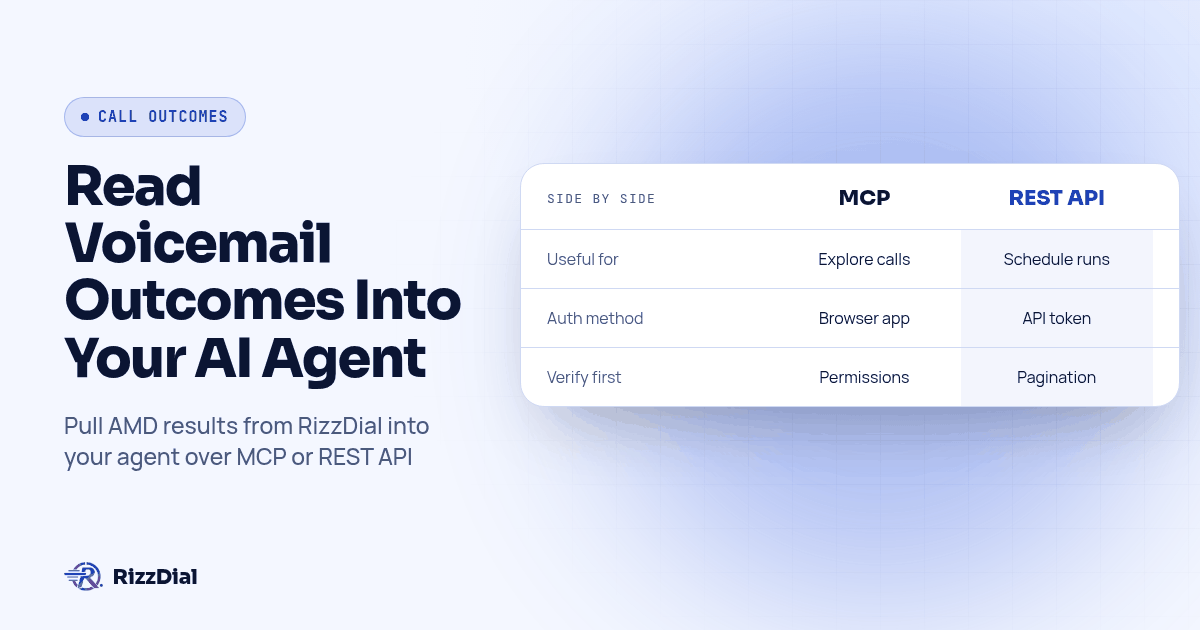
Your AI agent can read what happened on a call the same way you would check it in the dashboard, just without opening the dashboard. RizzDial exposes call outcomes, including documented status options for answering machine detection, through a remote MCP server with browser sign in, or through a REST API documented in an OpenAPI spec. Connect either one, and a custom agent can decide on its own whether to retry the number, send a text instead, or hand the lead to a person.
The developer question is: once RizzDial detects voicemail, how does my own code find out? This is the developer answer, not the dashboard answer, and it assumes you already have a RizzDial account connected to at least one outbound number.
For the dialer workflow behind call classification, see our answering machine detection overview.
What Counts as a Voicemail or Answering Machine Outcome in RizzDial's Data?
RizzDial's OpenAPI spec lists AMD among the call status options for dispositions and report filters. It also lists Ringing, Answered, Busy, Canceled, No-answer, In-Progress, Failed, Completed and No. However, the AI call history example exposes call_transcript and hangup_reason, not call_status. Report records use status. Verify the actual response before mapping an AMD outcome into your agent; an allowed filter option does not prove every call record contains that field.
Use the reports status filter only when its value matches the stored log. Do not copy a disposition's configured call_status onto an individual call as if it were observed evidence.
Alongside that status, an agent's own configuration carries two more fields worth knowing: enable_voicemail_detection, a toggle, and voicemail_action_type, which is set to hangup, static_text, or prompt. Those two describe what the agent was told to do when it detects a machine. The returned outcome describes the individual call. Keep settings separate from results and check both against a known test call before drawing conclusions.
We will not tell you how accurate that detection is on your list, and neither should anyone else without running your own numbers. Our testing guide walks an agency through building a known-outcome fixture list and reading a confusion matrix before a campaign goes live. This article picks up where that one leaves off: once detection has already run on a real call, how does your own code get the result.
How Does a Custom Agent Read These Outcomes: MCP or the REST API?
Both interfaces support integration work, but the tool response and API response still need verification.
MCP, the Model Context Protocol, lets a client like Claude or Codex call tools on a remote server after a one time browser approval, then keeps using that connection for the rest of the session (MCP transport spec). You type "show me today's voicemail outcomes for the Renewals agent," the client picks the tool, and you read the answer in the same chat window you were already using. That is the right shape for a person deciding what to build, or for a one off question that does not need to repeat itself.
The REST API is the other door, and it is our recommendation for this scheduled workflow. You write the exact calls once, authenticate with a bearer token instead of a browser approval, and the same code runs the same way every night without anyone watching it. A cron job that checks yesterday's AMD calls and queues a follow up text fits explicit API calls with fixed filters and duplicate prevention. MCP can also support automation, but neither interface makes an untested decision rule reliable.
The pattern that works in practice is both, in order: explore the account over MCP until the exact filters and fields are nailed down, then hand a coding agent the OpenAPI spec and have it write the REST calls that do the same thing on a schedule.
How Do You Connect a Custom Agent to RizzDial Over MCP?
This is specific to reading call outcomes, not a general connect walkthrough; Give Your AI Agent a Phone covers every client's exact command if you have not connected yet.
- Open the MCP page (Connect MCP) in your RizzDial dashboard. It shows a tab per client, Claude, Codex and Grok among them, each with the exact URL for your account and a Copy button.
- Run the add command for your client, then run the login or authorize step. In Claude Code that is
claude mcp add --transport http rizzdial YOUR_RIZZDIAL_MCP_URLthen open Claude Code and use/mcpto authenticate, following the Claude Code MCP documentation. - Approve the sign in when the browser tab opens. Approve on a machine you control, signed in to the RizzDial account you actually want this agent reading.
- Ask for something you already know the answer to first, not something new. "List calls for the Renewals agent from yesterday and tell me how many show AMD" is a good first question, because you can check the count against the dashboard before you trust anything the agent tells you after that.
- Once the count checks out, ask for the transcript on one of those AMD calls specifically. Read it yourself before you wire any decision logic to it, since a transcript on a voicemail call is often just the greeting, and your downstream logic needs to expect that.
- Write the rule you actually want in plain language to the agent, something like "when a call status is AMD and it is the first attempt today, queue a retry in two hours instead of marking the lead dead," and confirm the first run before letting it repeat unattended.
Before scheduling the job, save a small fixture set from authorized test records: one known voicemail, one live answer, one no-answer and one missing transcript. Record the expected queue decision for each. Run the same input twice and verify that the second run creates no duplicate queue entries. Then simulate an empty page, an expired credential and an unfamiliar status. Each should stop or request review, rather than silently scheduling another call. Keep the original response alongside the normalized result so a rep can trace the decision.
| Interface | Useful for | What you must verify |
|---|---|---|
| MCP with a person reviewing | Exploring tools and checking individual calls | Tool permissions, returned fields and approval before writes |
| REST API scheduled job | Repeating reviewed filters and queue rules | Pagination, authentication, response mapping and duplicate prevention |
What Call Outcomes and Fields Can Your Agent Actually See?
| Field your agent reads | What it tells you | A reasonable next action |
|---|---|---|
| Verified status: AMD | Answering machine detection fired on this call | Retry later, or hand off to a text follow up instead of calling again right away |
| Verified status: No-answer | No answer was recorded; inspect details before concluding why | Retry on a different schedule than a detected voicemail, after checking the available call evidence |
| Verified status: Busy or Failed | The call did not connect | Check the number before retrying; inspect the returned failure details rather than assuming the number is bad |
| Verified status: Answered or Completed | A call connected or finished; this does not prove a human answered | Read the transcript for next steps rather than retrying |
| call_transcript (if present) | What was actually said, including a voicemail greeting if one played | Confirm the greeting matched expectations before you trust an automated retry rule built on it |
| voicemail_action_type on the agent | Whether the agent is set to hang up, play static text, or run a prompt on detection | Use this to explain why a given AMD call shows the action it shows, separate from whether detection itself was right |
Treat the first column as what you can query and the last column as a starting point you write yourself, tuned to your own list and your own tolerance for a wrong call back.
How Do You Read the Same Data Over the REST API Instead?
Once the MCP exploration above has told you exactly which filters and fields you need, point a coding agent at the spec and have it write the real integration, rather than guessing at field names from memory.
A prompt that works, adapted from how we brief our own coding agents:
Fetch https://app.rizzdial.com/api/docs/spec and treat it as the only
source of truth for this task.

Write a scheduled job that:
1. Reads call history for a given agent_id, filtered to the previous
   day.
2. Verifies the response field for an AMD outcome. Do not assume
   AI call history includes call_status; inspect report status
   and its documented filters where appropriate.
3. Reads call_transcript where available. Do not assume records
   from different endpoints share an identifier.
4. Writes a short queue entry: phone number, agent_id, call time, and
   whether a transcript was present.

Rules:
- Use only fields and endpoints that actually appear in that spec.
  If call history filtering by date or status is not supported the
  way I described, say so instead of inventing a parameter.
- Authenticate with Authorization: Bearer YOUR_TOKEN from an
  environment variable, never hardcoded.
- Write tests against a saved sample response, not against a live
  account.
That last rule matters more than it looks. A test against a live account can expose customer data or accidentally invoke a write tool, and an agent that is not told to check the spec will happily invent a field name that looks right and is not. The queue entry is intentionally plain: what you do with an AMD outcome, retry it, text it, or escalate it, is a business decision your code should make, not something to bury inside the fetch step.
What Should Your Agent Do With a Voicemail Outcome?
Choose a next step based on the lead and the permitted follow-up:
- Retry on a delay. For a permitted callback, use the contact's requested time and your approved calling schedule. Space retries out; calling the same voicemail twice in ten minutes tells you nothing new.
- Hand off to a text. If the agent has a messaging connection, a voicemail outcome is a natural trigger to send a text instead of calling again immediately, since a lead who did not pick up the phone may still read a message a minute later. RizzDial includes iMessage integration; for a custom messaging handoff, Beam's iMessage API covers the messaging side of the same contact.
- Escalate instead of retrying. Some calls should not get a third automated attempt. If a lead has already hit voicemail twice, a rule that stops the automation and surfaces the contact to a person is often the better default than a fourth call nobody asked for.
Write the rule down before the agent runs unattended. "After two AMD outcomes on the same contact in one day, stop calling and flag it for a rep" is a sentence you can hand to a coding agent and check later, which beats discovering the actual behavior after a lead has been called several times.
How Do You Keep This Safe Once the Agent Can Act on Your Account?
Reading outcomes is the safer side of this connection; most setups eventually also let the agent trigger a retry call or send a message, and that is where a mistake gets expensive.
Run a dedicated RizzDial user for the automation, not your own login, so a bad rule is easy to spot and easy to cut off without touching anyone else's access. Tell the agent, in its own instructions, to state the retry or message it is about to send and wait for a yes before anything goes out to a real number, at least while you are still trusting the rule. And revoke access from the dashboard itself if a key or a browser session should no longer have it; removing a config entry on your own machine stops your own client from trying again, nothing more.
What Are the FAQs About Reading Voicemail Outcomes Over MCP?
Does reading call outcomes over MCP or the API cost anything beyond normal calling?
RizzDial's AI minutes run from $0.06 to $0.20 per minute, billed for talk time only. Confirm any account-specific integration terms with the team; the public API schema does not establish separate data-access billing terms.
How long does it take to connect a custom agent to RizzDial over MCP?
Open the MCP page in your dashboard, copy the command for your client, run it, and approve the sign in that opens in your browser. Check the connected permissions before querying customer records.
Why don't my call transcripts show up automatically in my CRM, and does MCP fix that?
Disposition settings can tag a contact record per outcome, which is useful for a pipeline stage, but a tag is not a transcript. A closer may need the conversation text alongside the outcome tag. Reading the transcript directly over MCP or the REST API closes that gap because you control where it lands.
Should a production agent use the MCP server or call the REST API directly?
Use MCP while you are exploring an account and deciding which calls you need. Once a human is no longer watching, for example a nightly job that retries every voicemail from the day before, move that exact logic to the REST API so it runs the same way every time instead of letting a client choose a different plan on a different run.
Can my agent see why a call was marked as a machine, not just the label?
Inspect the returned status, call transcript where available, and voicemail settings. The documented examples do not establish a confidence score or a plain-language classification reason, so treat the label as a starting point for your own logic, not a guarantee.
How Can You Validate This Workflow With RizzDial?
If you run ads or have a sales team, RizzDial is our pick. Direct GoHighLevel integration helps you call fresh form fills fast. RizzDial's proprietary voicemail detection runs in 0.66 milliseconds and is built to connect reps to live humans faster. Direct carrier access to AT&T, Verizon and T-Mobile, number rotation and reputation monitoring help manage spam-label risk. Power, predictive and parallel dialing let AI voice agents work beside reps, with iMessage follow up. These product capabilities do not replace checking the outcome returned for each call.
Connect your agent to the MCP server from the dashboard's Connect MCP page after reviewing RizzDial integrations, or skip straight to the API spec if you already know which calls you need. Either way, the account behind that connection is a real RizzDial account with real numbers attached, so book a call first if you do not have one yet.
How can RizzDial help with your calling workflow?
RizzDial is the AI outbound sales workspace for teams on GoHighLevel. Power dialing, AI voice agents, SMS automation, and CRM workflows in one platform. Book a demo.