Automotive
AI Dialer for Car Dealership BDC Automation
Learn how an AI dialer can support dealership BDC follow-up, what to verify in your CRM and DMS, and how to test a rollout.
By James Hill, Founder, RizzDial ·
TL;DR: An AI dialer for a dealership BDC can start a configured call workflow after an internet lead arrives, ask approved qualifying questions, and offer an appointment or human handoff. It can extend coverage beyond staffed call blocks, while dealership staff remain responsible for escalations, accurate inventory details, and the final sales conversation.
For a dealership BDC, the operational problem is the delay between a lead reaching the CRM and someone beginning follow-up. An AI dialer can reduce manual queue work when the trigger, data mapping, call rules, and handoff are configured and tested. It cannot guarantee that every lead answers or that every request becomes an appointment.
What Does BDC Automation With an AI Dialer Actually Mean?
BDC automation with an AI dialer means a configured workflow can initiate a call after a lead event instead of relying only on a rep to work a queue. Depending on the integrations you select and validate, an agent may identify the dealership, confirm the vehicle recorded on the lead, ask approved qualifying questions, and offer an appointment or transfer. Do not assume that a dialer can read live inventory or write to a DMS or calendar. Verify each connection and field with your vendor before promising that experience to shoppers.
RizzDial's proprietary voicemail detection runs in 0.66 milliseconds and is built to connect reps to live humans faster. That is a product capability, not a promise that every call reaches a person or that a particular dealership will see a specific result. Ask for a workflow demonstration using a sample lead and confirm what the system records when it detects voicemail. See the RizzDial demo.
Why Do Dealership Internet Leads Go Cold Before a Human BDC Rep Calls?
When a rep is already on a call, a new inquiry from a marketplace, lead ad, or dealership website may wait in the queue. If your store receives more inquiries during weekends, holiday events, or model year-end periods than the scheduled team can work promptly, define what should happen to those leads before the next busy period.
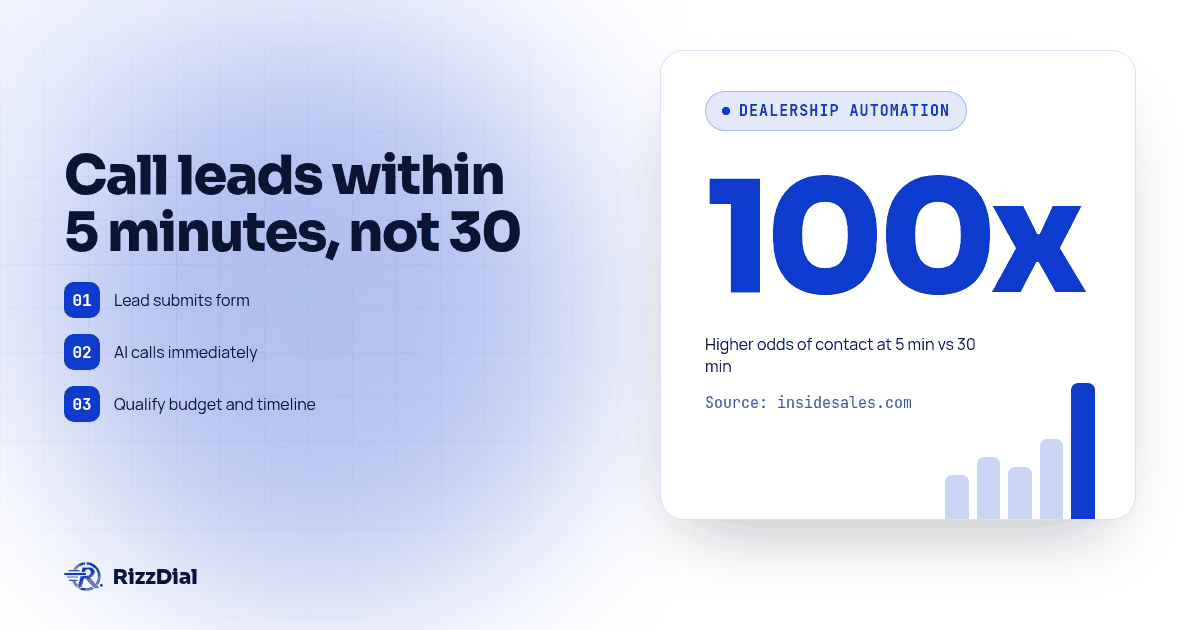
The cost of that gap is not theoretical. The InsideSales.com and MIT Lead Response Management study analyzed web leads across six companies. It reported that contact odds were 100 times higher and qualification odds 21 times higher when the first call came within five minutes rather than 30 minutes. This is historical, cross-industry evidence, not a dealership-specific forecast or a measured result from an AI dialer. Use it to motivate a local test, then compare your own lead cohorts.
The 2026 Pied Piper Internet Lead Effectiveness study, now in its fifteenth year, measured responses to inquiries sent to 3,290 dealership websites across every major brand. The industry averaged a score of 71 out of 100, and "perfect" responses happened more than half the time, a rate that has doubled over five years as dealers added automation. The same study flagged a real risk worth planning around: when an AI response required a human to step in and finish it, customer questions were twice as likely to go unanswered. Use this finding to make the escalation path explicit: decide who owns the inquiry when automation cannot answer it, and verify that the handoff reaches that person.
How Does the AI Actually Handle a Lead From Form Fill to Booked Test Drive?
Once the chosen lead source is connected and its trigger is tested, the workflow can initiate a call for eligible website forms, ad leads, or marketplace inquiries. The agent should identify the dealership, confirm the vehicle and source information actually passed in the record, then ask only the qualifying questions your team approves, such as purchase timing, trade-in interest, or preferred appointment window. Confirm that these fields arrive correctly before enabling live calls.
If your integration provides verified inventory data, a configured agent could refer to the vehicle on the lead and offer an appointment window. If it does not, keep the script to information you can confirm from the lead record and offer a human follow-up for questions about current stock, trim, price, or trade-in value. Never let an agent state live availability unless the inventory source and its update timing have been checked.
Not every lead picks up the first call. A workflow can schedule follow-up through the channels your team has connected and approved, such as another call or a text, with timing rules set in advance. Test each step so multiple messages do not fire at once. If your approved follow-up includes texting, a separate messaging workflow may handle the confirmation and reminder. For teams evaluating that channel, Beam's messaging connection for GoHighLevel is one option to review. Configure consent, opt-out handling, and message content for the dealership before sending. For leads arriving after hours or on weekends, confirm the workflow is allowed to run at that time and that the human fallback is covered before enabling it.
Use your own test record during the pilot. Confirm that the source, vehicle field, transcript or call outcome, and appointment status appear in the systems your team actually uses. Do not assume a DMS or calendar write-back until you have observed and reconciled a test event.
How Do You Roll Out an AI Dialer in Your BDC Without Breaking Trade-Ins and DMS Data?
Use this numbered rollout and test procedure to establish what is connected, what the agent may say, and where a human takes over:
- Pull the last 90 days of unconverted internet leads from your CRM and tag them by source: website form, Facebook lead ad, marketplace quote request.
- Connect the dialer to the lead source and CRM you intend to use. Map lead source, vehicle of interest, and trade-in fields only where the integration supports them, then validate with test records. Agencies using GoHighLevel can review the GoHighLevel AI dialer integration guide for connection planning.
- Write the call flow: identity and vehicle confirmation, qualifying questions, test-drive booking, and a clear exit if the buyer says they already bought elsewhere.
- Decide the overflow rule before you turn on parallel dialing: which call is routed to which rep, what happens on a simultaneous pickup, and where an unanswered transfer goes instead of voicemail.
- Run a pilot with staff-approved test records before live traffic. Then, if campaign permissions and consent records are in order, begin with a limited eligible lead group. Compare answer rate, qualified conversations, appointment requests, completed handoffs, and time from lead creation to first attempt with your existing process. Define the observation period and stop conditions in advance.
- Add the adoption layer for your human reps on day one: a daily call block, one shared script, and a leaderboard, so the dialer is a tool reps use, not a system working around them.
- Expand to full lead volume, including after-hours and weekend coverage, once the pilot numbers hold up against your current baseline.
What Happens When the Dialer Rings Several Leads at Once and Two Reps Pick Up?
Plan for this failure mode before enabling simultaneous dialing. When a dialer rings multiple lines at once, two reps can answer close together. Without an agreed routing rule, a connected call may not reach the intended rep. When a power or parallel dialer rings multiple lines at once, there is a real chance two reps answer close together. If you have not set a rule for that, one of those connected calls gets dropped, and a dealership that just paid to reach a live buyer loses them anyway.
The fix is a written rule, not a hope: decide in advance who the system routes the first live pickup to, what happens the instant a second rep answers (a different queued lead, not a hang-up), and what the AI does with any call that reaches a human but has no rep available, catching it instead of letting it ring into nothing. Review which caller IDs appear, how your team checks number reputation, and who responds if a carrier labels a number during a campaign.
How Do You Get BDC Reps to Actually Use the Dialer Instead of Working Around It?
A rollout can stall when reps do not understand when to use the new workflow or how to take over a call. Treat adoption as a launch requirement: train the team, designate an owner, and review whether staff are using the system as intended. Do not treat a dashboard showing activity as proof that customers received a useful response.
Start with a scheduled review block and a shared, approved script. Give reps practice with the transfer and fallback steps. Have a manager review a sample of completed and escalated calls with the team, then adjust the workflow based on missed handoffs, incorrect lead context, and customer questions the agent could not resolve. Let the AI handle only the lead categories and tasks that the dealership has approved.
AI Dialer vs Manual BDC Follow-Up: Which Tasks Should Each Handle?
Neither replaces the other. The useful question is which task belongs where.
| Task | AI dialer | Human BDC rep |
|---|---|---|
| Starting a configured call after a lead event | Can run when its trigger and campaign rules permit | Depends on rep availability and queue assignment |
| After-hours and weekend coverage | Can run a configured workflow when calling rules allow | Requires scheduled staff coverage |
| Confirming vehicle, trim and timeline | Can ask about lead fields that have been passed and validated; route live-stock questions to staff | Can check the dealership systems available to the rep |
| Negotiating price or trade-in value | Route to a designated rep under the store's approved call flow | Handle using dealership guidance |
| Handling hesitation or a question outside the approved flow | Escalate using the agreed handoff rule | Respond directly or involve the right specialist |
| Repeating follow-up on eligible leads | Can run approved, scheduled steps when configured | Depends on queue assignment and staff capacity |
| Maintaining relationship context over time | Keep the automated task within its approved scope | Own continuity and relationship follow-up |
What Should You Check Before You Buy an AI Dialer for Your Dealership?
Copy this list into your next vendor call and go through it line by line.
- Which lead sources, CRM, DMS, and calendar systems does it connect to today, and does each connection read, write, or both? Ask to see the exact supported integration and test a record from your account.
- Can it access current inventory fields, and how does the system verify freshness before mentioning availability, year, make, model, trim, or color?
- What happens on the overflow call when two reps are already talking and a third lead connects?
- What call records, transcripts, and outcomes are available, where are they stored, and which can staff see in the CRM?
- How are consent records, calling windows, and Do Not Call requests applied, and what must our dealership configure and monitor?
- Can our BDC manager see which leads the AI called, qualified and booked, separate from the ones it could not reach?
- What is the actual per-minute talk-time cost, and is there a seat fee on top of it for each rep seat we add?
For the next step after you have answers to that list, the power dialer and outbound workflow guide walks through how parallel and predictive dialing fit around the AI layer once your BDC is running both.
What Questions Do Dealership BDC Teams Ask About AI Dialers Before They Buy?
How much does an AI dialer cost for a car dealership BDC?
RizzDial AI minutes range from $0.06 to $0.20 per minute of talk time. RizzDial also offers flexible seat based options. Ask how a proposed setup is billed and review the terms for the account you plan to use.
How long does it take to connect an AI dialer to our DMS and CRM before it can start calling leads?
Most dealerships map lead fields, set the calling trigger and run a small pilot batch of test leads first. You check that the AI confirms the right vehicle, qualifies the buyer and books correctly before you turn on full lead volume.
Does an AI dialer for a dealership have to follow TCPA calling rules?
Calling requirements depend on the campaign, technology, and applicable rules. Review consent, calling windows, and Do Not Call procedures with qualified counsel before launch. RizzDial is built with FCC and FTC compliance in mind, while the dealership remains responsible for its campaign decisions and records.
What happens when the dialer calls several leads at once and two reps pick up at the same time?
Set a rule before enabling parallel dialing: decide who receives the first live pickup, what happens on a simultaneous pickup, and how an overflow call reaches a person or a clear fallback. Test the rule with more than one rep before using it with shoppers.
What if our BDC reps don't want to use a new dialer?
Treat adoption as part of the rollout. Train reps on the call flow and handoff, schedule time to use the system, and assign a manager to review outcomes. Keep the agent within the lead categories and tasks the dealership has approved, and use staff feedback to correct confusing steps.
Where Does This Leave Your Dealership's BDC Next Week?
A dialer can help your BDC reduce manual delay when its triggers, data, calling rules, and handoffs have been tested. It does not fix inventory, pricing, or closing, and it cannot make every lead reachable. Start by defining the response you want, then measure whether the configured workflow improves that process for your dealership.
RizzDial was built for exactly this kind of high-volume, always-on lead environment. If you want to evaluate the workflow, book a RizzDial demo and bring a sample lead, your CRM requirements, and the handoff your BDC needs to verify. Ask which connections are supported for your setup and test each requirement before expanding.
How can RizzDial help with your calling workflow?
RizzDial is the AI outbound sales workspace for teams on GoHighLevel. Power dialing, AI voice agents, SMS automation, and CRM workflows in one platform. Book a demo.