GoHighLevel
Client Access to AI Call Reviews Without Agent Editing
Give clients AI call review access with a role matrix and denied-action tests. Verify agent editing and client isolation in the CRM and calling platform.
By James Hill, Founder, RizzDial ·
Yes, if your setup enforces call-review access separately from agent configuration and restricts the user to the intended client account. Verify those boundaries in the CRM and calling platform with a dedicated reviewer login before inviting the client. A role label alone is not enough to promise that prompts, training documents or other client records remain inaccessible.
Key takeaways
- Define the reviewer's allowed records and actions before assigning permissions.
- Test prohibited actions with the actual reviewer role.
- Check account isolation, shared links and access removal in every connected system.
What should a client reviewer be able to see?
Start with the decision the client needs to make. A reviewer evaluating call quality may need the recording, transcript, summary and outcome. They may also need enough contact context to identify the conversation, but that does not automatically justify access to the whole contact database.
Write a short access brief: which account, which calls, which fields and which review task. Decide whether the reviewer needs all calls in that account or a selected set. If the platform cannot enforce the narrower scope, resolve that mismatch before granting access.
Separate viewing from exporting, sharing, deleting and changing records. An account that cannot edit an agent could still expose information through a downloadable report. Make each action an explicit decision, including whether feedback belongs in a comment field or a separate review worksheet.
For broader reseller planning, the white label AI calling guide for resellers covers account structure. Use this permission exercise to define what an individual inside a client account should actually be allowed to do.
How should reviewer, operator and administrator roles differ?
Use the matrix below as a recommended policy, not a list of guaranteed product features. Map it to the controls available in your account and mark any unsupported boundary as unresolved.
| Action | Client reviewer | Agency operator | Agency administrator |
|---|---|---|---|
| Review approved calls | Assigned client scope | Assigned work scope | Authorized oversight scope |
| Submit feedback | Allowed through agreed process | Allowed | Allowed |
| View prompts and agent goals | Denied by default | When needed for assigned work | As required for oversight |
| Edit agents or knowledge content | Denied | Approved changes only | Controls who may edit |
| Launch calls or change routing | Denied | Explicit operational authority | Controls operational authority |
| Export or share call data | Denied unless approved | Task-specific approval | Sets and reviews policy |
| Invite users or change roles | Denied | Denied by default | Authorized access management |
| Open unrelated client accounts | Denied | Only separately assigned accounts | Authorized agency scope |
“Operator” should describe a real job. Someone reviewing failed calls may need different permissions from someone changing routing. Split those responsibilities further if the available settings permit it.
Use named accounts so permission changes and reported problems can be tied to a person. Assign an administrator to own exceptions. When a client asks for an extra capability, record the business need and retest the role after changing it.
What does GoHighLevel document about call-review permissions?
HighLevel documents dashboard access separately from agent management. Its dashboard permission includes recordings, transcripts, summaries and metrics; disabling agent management does not disable dashboard access. These controls are configured per sub-account. See HighLevel's granular Voice AI permission guide.
The documented settings path is Settings > My Staff > edit the user > Roles and Permissions > AI Agents. For a reviewer, test dashboard access with agent management disabled. Do not enable configuration access merely to make navigation appear.
Knowledge content deserves its own check. HighLevel's AI Knowledge Base feedback board includes requests to separate knowledge-base access from call review and broader agent controls. Those requests identify a boundary worth testing. They do not establish what your current account permits or prove that a requested change has shipped.
Open the knowledge area as the reviewer. Record whether the user can see documents, download them or modify them. If the role exposes material outside the agreed scope, do not describe the setup as review-only.
Why must the CRM and calling platform be tested separately?
Treat each system as a separate access boundary until you have verified otherwise. A CRM screen may display a synced transcript while the original recording opens on another platform. The user might also have a separate login there.
Draw a simple record map before testing: where the call originates, where its recording lives, where summaries are copied and where the reviewer signs in. Include report destinations and any account selector the user can reach.
Use the GoHighLevel calling integration overview to frame the integration discussion. For each connected system, ask the administrator to demonstrate the requested reviewer restrictions. HighLevel's documented controls are not evidence of identical controls in another calling platform.
Check links as well as screens. Open an approved test recording link in a signed-out browser and with an unrelated test user. If it works outside the intended identity boundary, investigate the sharing configuration before handing it to a client.
How do you run a denied-action test before inviting clients?
Run the test in agency-controlled test accounts with synthetic contacts and test recordings. Do not experiment on unrelated customers' records or live agent configurations. Prepare the expected result before each attempt, then record what actually happens.
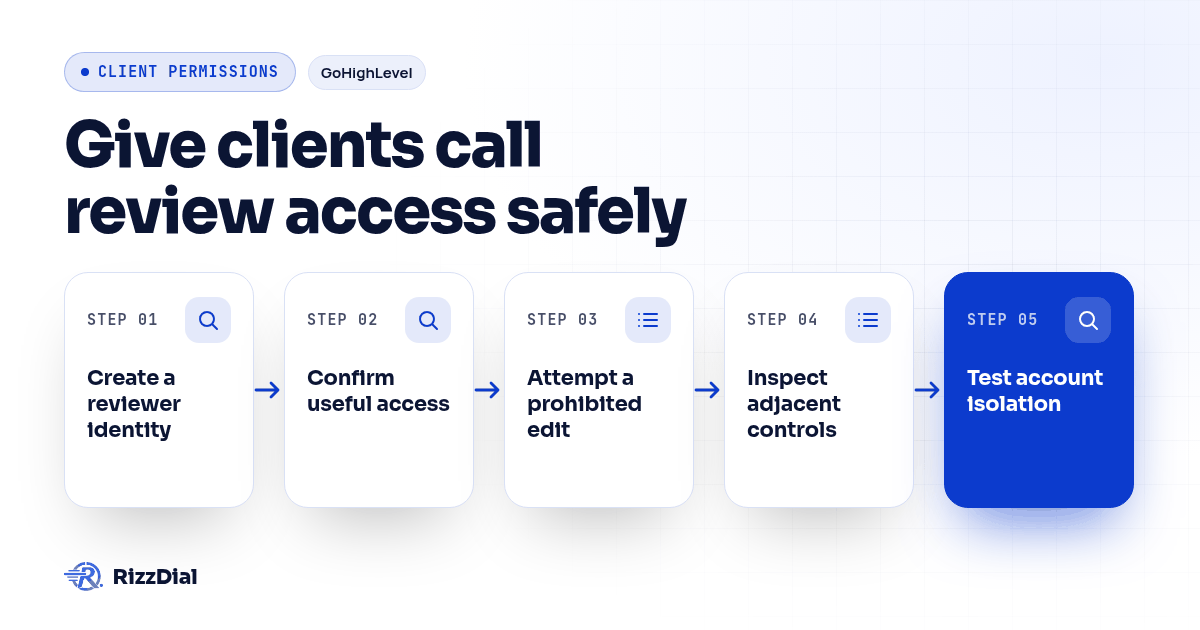
- Create a reviewer identity. Apply the intended permissions and sign in through a separate browser profile. Avoid relying only on an administrator's preview of the role.
- Confirm useful access. Open an approved call and inspect its recording, transcript and summary. Verify that the client can perform the review task without extra privileges.
- Attempt a prohibited edit. Try opening a test agent's settings directly. If editing is available, attempt a harmless change to a disposable test agent. Confirm that no change is saved.
- Inspect adjacent controls. Check knowledge documents, routing, workflow controls, exports and user invitations. Test visible options against the matrix rather than assuming they belong to the same permission.
- Test account isolation. Try the account selector and a known direct link to another agency-controlled test account. Confirm that neither its records nor identifying details appear.
- Repeat in the connected system. Perform the relevant checks through the calling platform's own login and through links presented by the CRM.
A hidden button is useful, but the pass condition is stronger: the prohibited action fails and protected data remains unavailable. If a direct link opens a restricted page, capture the result and stop the invitation process until the boundary is resolved.
Keep a compact test record:
| Test field | What to record |
|---|---|
| Identity and scope | Reviewer account and authorized client account |
| System and action | CRM or calling platform, exact action attempted |
| Expected result | Allowed or denied under the role matrix |
| Actual result | What appeared and whether anything changed |
| Follow-up | Owner, correction and retest result |
What should happen when access is changed or revoked?
Include removal in the acceptance test. Keep the test reviewer signed in while an administrator removes access, then retry a dashboard action, refresh the page and open a saved recording link.
HighLevel's permission documentation describes immediate blocking of further Voice AI actions when permissions are revoked during a session. Verify the behavior in your account, and test the connected calling platform separately.
Also check report subscriptions and separately shared review folders if your workflow uses them. Removing a CRM role should trigger a review of every access route on the record map. Record who completed removal and which tests passed.
Downloaded copies need a separate handling process. Disabling access cannot retrieve files someone already downloaded. That is a reason to decide export permissions before onboarding, not an assumption that a role change erases data.
How should agencies handle feedback without granting editing access?
Give reviewers a clear correction process. Ask them to identify the call, describe the problem, propose the intended answer and name the business owner who can approve it. An authorized operator can then assess the change and test it before applying it to live work.
If your team needs ongoing help managing agents and review handoffs, MetaTechAi's managed services cover AI workflow configuration, monitoring and improvement. Define responsibility for permissions and client feedback within the agreed service scope.
Keep access control distinct from recording consent and retention. This checklist answers who can see or change material. It does not decide whether a call may be recorded or how long its records should be kept.
Before your next client invitation, bring the completed matrix and denied-action results to a RizzDial access review, using the platform security overview as a starting point. Ask for a demonstration of any unresolved restriction.
What are common questions about client call-review access (FAQ)?
Can a client review calls without seeing the agent prompt?
Make prompt visibility a separate acceptance test. A reviewer should receive only the call information needed for review. If the available role exposes prompts or configuration, use a narrower review method until that boundary can be enforced.
Should a reviewer be allowed to update the knowledge base?
Treat knowledge editing as a separate responsibility. A reviewer can submit a correction with a call reference; an authorized operator can assess it, make the approved change and test the resulting behavior.
Does a CRM role control the connected calling platform?
Do not assume it does. Verify the user's permissions in each system, including direct sign-in, recording links, synced transcripts and account selection. Record separate results for the CRM and calling platform.
What should happen when reviewer access ends?
Remove the user's access in each relevant system and test existing sessions and saved links. Handle previously downloaded copies under the agreed data process; disabling a login does not retrieve those copies.
For the next step in this workflow, review the ai voice agent workflow guide and discuss implementation through the AI calling integrations.
About RizzDial
RizzDial is the AI outbound sales workspace for teams on GoHighLevel. Power dialing, AI voice agents, SMS automation, and CRM workflows in one platform. Book a demo.