GoHighLevel
GoHighLevel AI Calling Pilot Checklist: Before Client Launch
Plan a GoHighLevel AI calling pilot with clear acceptance criteria for lead selection, timing, CRM results, exception handling, and client approval.
By James Hill ·
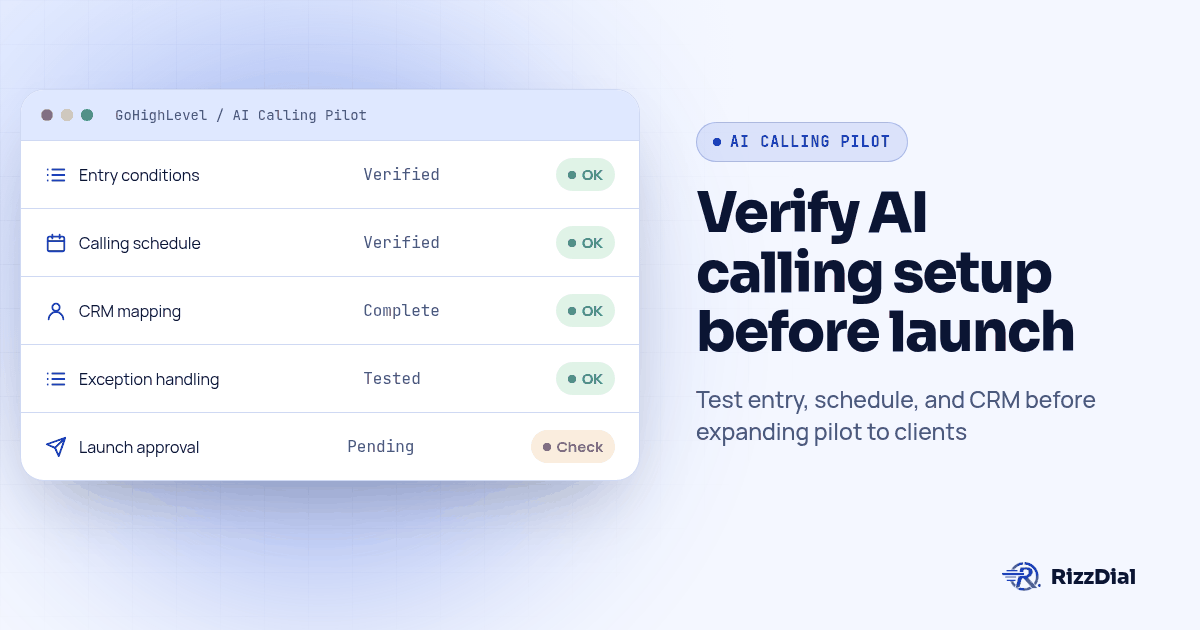
A GoHighLevel AI calling pilot checklist should define which contacts may enter, when a call may proceed, what result staff need, and who can approve launch. Use controlled test records and written acceptance criteria to evaluate the complete client workflow before expanding the service. Keep a record of expected and observed behavior so the purchase decision rests on evidence from your intended setup.
RizzDial supports AI voice agent calls and connects to GoHighLevel through integrations, API, and webhooks, alongside its built-in CRM. Use a pilot to verify the specific client process you plan to deliver. Start with the white label AI dialer for agencies pillar if you are still defining your agency offer.
Compare AI dialer and voice agent alternatives before choosing the platform for your GoHighLevel pilot.
If your pilot uses an existing voice provider, review the Retell AI alternative guide before deciding whether to replace the agent or add dialing and GoHighLevel delivery.
What decision should this pilot help you make?
Write the decision before building the test. A useful question is whether your agency can operate the client's proposed calling workflow with the intended CRM process and support ownership. Define what would make you approve, revise, or stop the rollout.
Choose a narrow calling job, such as following up on a request for an estimate. This is an illustrative pilot scope, not a claim about a completed customer deployment. Name the business owner who will approve the conversation and the operator who will handle follow-up.
Keep the scope in a short brief: entry condition, approved conversation, calling schedule, expected record, and next action. If you have not selected a platform, use the AI voice agent reseller demo checklist first. Bring only the requirements confirmed in that evaluation into the pilot plan.
Who should own each part of the test?
Assign responsibilities before anyone runs a call. The agency operator should know which workflow is under test. The client owner should approve the business scenario. Whoever implements the connection should explain where the test request goes and how to identify the resulting activity.
Write a small responsibility table in your pilot brief:
| Area | Owner to name | Evidence to retain |
|---|---|---|
| Entry and contact selection | Agency workflow operator | Selected trigger and expected inclusion rules |
| Conversation | Client business owner | Approved scenario and observed response |
| Connection and field mapping | Integration implementer | Sample request and resulting record |
| Follow-up | Client staff member | Next action located and understood |
| Launch decision | Named agency and client approvers | Accepted results and remaining conditions |
These are recommended responsibilities for your project. Confirm any vendor involvement separately. Also nominate the person who can halt the pilot and explain how the team will reach them during testing.
Which entry condition should you verify first?
For a form-based pilot, HighLevel documents a Form Submitted trigger and a Form Is filter that selects the relevant form. Confirm the selection against the client's intended entry point. See HighLevel's Form Submitted help article.
Create a sample record that should enter and another that should remain outside the pilot. Write down why each belongs in that category before testing. Also decide what the workflow should do with incomplete information and a repeat submission.
Treat permission to contact someone as a separate requirement in your client brief. Do not use the presence of a form submission as the entire approval rule for the pilot. Ask the client to specify the contact eligibility conditions their team has approved, then have the implementer show how those conditions are checked.
Keep the initial tests on records and phone numbers your team controls. Expand the contact scope only after the agreed entry behavior has been observed.
What should you inspect before the call is attempted?
Ask the implementer to show what leaves the workflow and where it goes. HighLevel's Custom Webhook action supports custom headers and, with the CUSTOM event selected, a method picker and raw body editor. Use the configuration that matches the integration you have confirmed. HighLevel explains these controls in its Custom Webhook help article.
Your acceptance record should identify the selected client, sample contact, intended destination, and fields needed for this calling job. Ask the implementer to verify the actual values used by the test. Leave a requirement open if a value is missing or mapped to the wrong client.
For implementation details, consult the existing GoHighLevel webhook tutorial. This pilot checklist focuses on deciding whether the resulting workflow is ready. Confirm the current supported connection and required fields during setup before using any example in a client account.
How should you test the proposed calling schedule?
Write the client's intended calling days and hours in the pilot brief, including the timezone the team means. Ask the implementer to explain how the selected setup enforces that schedule.
HighLevel's Wait action includes an Advance Window with Resume On for selected weekdays and Resume Between Hours for a time window or start time. The Wait action documentation describes these options.
Plan controlled tests on both sides of the permitted window. Record the entry time, the expected next action, and what actually happened. Include a delayed contact in the test plan if that is part of your intended process.
Accept the timing requirement only after the configured workflow matches the written schedule. If you change that schedule or the settings that determine it, repeat the affected test. Keep this as a practical configuration check against the client's approved plan.
What results should the client be able to verify?
Agree on the information staff need after the call, then ask the implementer to confirm which fields and actions the chosen connection supports. For the illustrative estimate request, you might require the requested service, whether staff should call back, and an identified follow-up owner.
Have a staff member locate the test contact and explain the next step. Capture any manual work they need to do. If your offer includes creating an appointment or changing a pipeline stage, make that a separate acceptance item and verify the exact behavior before including it in your service scope.
RizzDial supports call-status counts and CSV export. Use those verified reporting capabilities where they fit your review, alongside the evidence your implementer can provide for the chosen CRM connection. Decide how your team will reconcile the test call with the intended contact.
For a wider discussion of client account planning, see the white label dialer for GoHighLevel agencies guide.
Which exception cases belong in the pilot?
Build an acceptance matrix before running the normal path. The table below proposes tests and desired outcomes; it does not claim these controls are already configured in either system.
| Proposed test | Desired outcome to confirm | Evidence to request |
|---|---|---|
| Same sample request submitted again | The agreed repeat-contact policy is followed | Both attempts and the resulting activity |
| Required contact information missing | The record follows the agreed exception path | Observable handling and an assigned owner |
| Contact outside the approved scope | No pilot call proceeds | Entry decision and downstream activity |
| Test outside the planned schedule | The configured timing rule is respected | Timestamps and the next action |
| CRM update does not complete | Staff can identify and resolve the issue | Recovery steps and the corrected record |
HighLevel documents Test Workflow with a sample record and reviewing Execution Logs for action status codes. Use that evidence with the calling-side observations available in your setup. A status code alone should not satisfy your acceptance requirement for a completed call and usable client record.
Ask the implementer to demonstrate the recovery procedure for any exception your agency will support. Before repeating a test, check what already happened so the operator understands the state they are starting from.
When should you approve a limited client rollout?
Review the evidence with the client owner and the future operator. Separate required fixes from optional improvements, and keep unresolved required behavior out of the launch scope.
Use a written launch decision with these steps:
- Confirm that the intended entry condition and excluded cases behaved as agreed.
- Review the conversation and the proposed calling schedule with the client owner.
- Have staff locate the result and demonstrate their follow-up task.
- Confirm who will review problems and how the pilot can be paused.
- Record the approved scope, remaining conditions, and next review point.
RizzDial provides a carrier sub-account per client with separate number pools and spam data. Before rollout, confirm that the number pool under review belongs to the intended client. Keep the evidence packet with that client's operating notes.
When you add another calling job, return to the brief and identify which tests need to be repeated. Use observed results from the expanded setup to approve the new scope.
What else do GoHighLevel buyers ask? FAQ
Does this checklist replace integration setup instructions?
No. Use it to define and approve the behavior you need. Have the implementer confirm the supported integration and configuration, then evaluate it against the written acceptance criteria.
Can we keep GoHighLevel as the client's CRM?
RizzDial connects to GoHighLevel through integrations, API, and webhooks and also includes a built-in CRM. Confirm the exact records and actions required by your proposed workflow during the pilot.
Is one completed call enough to approve launch?
Require evidence for the entry rules, timing, result, and staff follow-up you agreed to deliver. Include the exception cases relevant to that scope before signing off.
What if a required test fails?
Record the observed behavior, assign the fix, and repeat the affected test before approving it. Keep the client launch within the scope that has passed your agreed checks.
Ready to plan a pilot around your client workflow?
Book a demo with your calling scenario, GoHighLevel requirements, and proposed acceptance criteria. Use the meeting to confirm the supported setup and agree on the evidence you need before a client launch.
James Hill, Founder, RizzDial
Use the GoHighLevel setup steps to connect the pilot workflow and review RizzDial integrations for your CRM and automation tools.
For the next step in this workflow, review the gohighlevel voice ai guide and discuss implementation through the GoHighLevel calling setup.
Match the pilot to the platform decision
Build your shortlist from the agency calling alternatives index. Apply the same contact and CRM checks to Vapi alternatives and Synthflow alternatives. For branching AI conversations, use the Bland AI alternatives shortlist; for rep-led calling queues, use the Aircall alternatives shortlist.
Before choosing the pilot audience, review AI outbound calling guardrails. For calendar-driven campaigns, follow the AI appointment setter checks alongside this launch checklist.
About RizzDial
RizzDial is the AI outbound sales workspace for teams on GoHighLevel. Power dialing, AI voice agents, SMS automation, and CRM workflows in one platform. Book a demo.