GoHighLevel
GoHighLevel Dialer Not Working: What to Check First
GoHighLevel dialer not placing calls before a client session? Run this triage order across the browser, number, sub-account and queue before you escalate.
By James Hill, Founder, RizzDial ·
When the GoHighLevel dialer will not place a call, use a fixed triage order: reproduce the failure once, confirm an eligible outbound number is available to the user, clear the browser and permission layer, then run one manual call against one queued call to see where the attempt actually stops. A dead dialer session looks identical whether the real cause is the browser, the number, the sub-account configuration, or the queue, so the order matters more than any single fix.
Which Layer Is Responsible When the Dialer Will Not Place a Call?
Start by separating four observable symptoms. The table gives a first check for each, not a confirmed diagnosis or a ranking of causes. Record what changes after each test so another administrator can reproduce your findings.
| What the rep sees | Possible layer | First isolation check |
|---|---|---|
| No call attempt at all: no ringing state, no log entry | Browser session, user permissions, or unavailable outbound number | Open the dialer's audio device settings and confirm the browser shows an active microphone selection before dialing again (HighLevel web dialer overview) |
| Call attempts show a ringing or connecting state on the rep's screen, but there is no audio on the rep's side | Audio device selection or network path on the rep's own machine | Switch from Wi-Fi to a wired connection and test the same number again, watching for high-latency or packet-loss warnings (HighLevel call quality guide) |
| Calls show a connected status in the log, but the contact hears nothing | Microphone permission, mute, audio device, or network path | Check microphone permission, mute and device selection, then test two-way speech on a phone the agency controls (HighLevel call quality guide) |
| The queue advances to the next contact without ever dialing | Task eligibility, contact data, user access, or number selection | Inspect the task and contact, then confirm the user has an eligible Calling From number (HighLevel phone dialer overview) |
None of these symptoms proves a cause on its own. In particular, a connected call with silence does not clear the microphone or browser. Use the table to choose a controlled next test, and retain the exact error text rather than interpreting every failure as a frozen dialer.
What Is the Triage Order to Run Before a Client Calling Session?
This is an original acceptance test an agency can run itself before trusting the dialer with a client's list. It is written as a proposed sequence to perform, not as a report of a test anyone has already run.
- Reproduce the failure once, on the same sub-account and the same rep login, and write down exactly what the rep sees: no attempt, a ringing state with no audio, a connected call with silence, or a queue that skips forward. Do not rely on a verbal description from the rep; watch the screen yourself.
- Check the Calling From number in the correct sub-account and verify the rep has permission to use it. HighLevel documents that the User role with Only Assigned Data generally uses its assigned number; number choices depend on access. Record the actual selection instead of assuming a separate campaign assignment is required (HighLevel phone dialer overview).
- Confirm the browser has granted microphone permission for the HighLevel domain, and close or disable any extension or VPN that could be intercepting the session before you retest. Security tools and VPN clients are documented causes of call-quality and connection failures in the browser-based dialer (HighLevel call quality guide).
- Place one manual outbound call from the same sub-account to a phone the agency owns, and listen for a full connection rather than trusting a log entry alone.
- Place one queued call to a test contact using that same agency-owned phone, sub-account, rep and outbound number. Run it immediately after the manual call, so the route into the call is the main changed variable. Keep customer records out of this acceptance test.
- Compare the two results. If the manual call connects cleanly but the queued call does not, the browser and number worked for that attempt, which shifts the next investigation to the contact record or the queue and list configuration rather than the dialer session itself.
- Check the contact record for a missing or malformed phone number and for a do-not-contact flag before assuming the dialer is broken. If the failure survives every check above, escalate to support with the exact call identifier and timestamp of the failed attempt, not a description of the symptom.
How Do You Confirm the Sub-Account Number Is Active and Assigned?
Outbound caller ID in the GoHighLevel dialer depends on the user's assigned phone number, their permission level, and which numbers are available in that sub-account (HighLevel phone dialer overview). Some users see a dropdown and can pick from several available numbers. Others, depending on access configuration, are locked to a single assigned number and have no way to change it from the dialer screen.
A number that is missing from the rep's available choices is a finding to investigate, not proof of why a queue skipped. Compare the rep's Calling From selection with an administrator's view of the same sub-account. Record whether the number is present, which user owns the assignment, and what permissions apply. Do not infer provisioning status from a quiet dialer screen alone. If the configuration looks correct but the number is unavailable, include that discrepancy in the support evidence instead of repeatedly changing assignments.
Check this before anything else that touches the browser. If the agency manages several client sub-accounts from one team, verify you are inspecting the number assignment inside the correct sub-account, not a different one the rep also has access to.
How Do You Rule Out the Browser, Microphone Permission and VPN or Extension Interference?
The web dialer requires the browser to allow microphone access to transmit the rep's voice, and HighLevel's own guidance tells users to select and test their audio devices directly in the dialer rather than assuming the browser default is correct (HighLevel web dialer overview). VPNs and security extensions are also named as common sources of interference with the audio path and the connection itself.
Start with settings the rep or administrator is authorized to change. Open the browser's site settings for the HighLevel domain and confirm the microphone permission is set to allow, not blocked or set to ask every time. Then look at the installed extension list for anything that intercepts network traffic, blocks scripts, or manages a VPN connection, and test suspected conflicts one at a time where company policy permits. Ask IT to arrange a controlled comparison for managed security tools. If the rep is on a corporate VPN that the agency does not control, that is itself a finding worth recording, because it means the fix may sit outside what the agency's own checklist can resolve in the moment.
A missing log entry is useful evidence, but it does not establish which layer failed. Save the screen state and the time of the attempt. If an error appears before a call identifier exists, record that explicitly so support does not search for a call record that you never observed.
How Do You Compare a Manual Call to a Queued Call?
The manual-call-then-queued-call comparison in step four and step five of the triage order exists to separate two groups of causes: the session and number group, and the queue and contact group. A manual call tests whether the rep's browser, microphone, VPN or extension state, and the sub-account's assigned number can complete a call at all, independent of any list or workflow logic.
If that manual call connects and the contact hears you clearly, those components worked together for that attempt. This does not rule out intermittent faults. With the same test destination and Calling From number, a queued-only failure makes it reasonable to inspect a contact record issue, a queue or list filter, or a workflow condition that is skipping the call before it ever reaches the dialing step.
If the manual call also fails, do not move on to the queue at all. Go back to the diagnostic table and the earlier triage steps, because that failure exists independently of the queue. Preserve any carrier error, compare another authorized device or network, and investigate the shared calling path before changing workflow logic.
What Should You Check in the Contact Record Before Blaming the Dialer?
Once a manual call connects but a queued call to a specific contact does not, the contact record is the next place to look, not the dialer configuration. Start with two checks that do not require changing the workflow. The first is a missing or malformed phone number on the contact: check the country code and saved destination, and compare them with the number used in the successful manual test. Do not assume every punctuation character makes a number invalid.
The second is a do-not-contact flag, suppression tag, or compliance hold on that specific contact. Inspect the actual suppression settings and workflow conditions rather than assuming every tag blocks dialing automatically. Keep opt-outs intact. Use the agency-owned test contact to reproduce the failure; removing a customer's restriction is not a troubleshooting step. Record which condition, if any, explains why the task did not proceed.
If the pattern repeats across many contacts rather than one, that points back toward a queue or list-level filter rather than individual contact data, and it is worth checking whether a recent workflow or segment change added a broad suppression condition that is now catching contacts it should not.
What Should You Send to Support When You Escalate?
If the failure survives the manual-versus-queued comparison and the contact record check, escalate with specifics instead of a description. HighLevel's own call-quality troubleshooting guide ends its recommended sequence the same way: contact support with the call details and timestamps, after exhausting the local checks first (HighLevel call quality guide).
In practice that means recording the exact call identifier or log entry if one exists, the sub-account and number involved, the precise time the attempt was made, and which of the four symptoms from the diagnostic table the rep saw. It is also worth confirming the number's outgoing call timeout setting, since HighLevel documents a minimum Outgoing Call Timeout of 20 seconds on the phone number, and a value set below that minimum can end an attempt before the destination has enough time to ring (HighLevel phone dialer overview).
A support ticket built from this procedure gives support observed results rather than an assumed diagnosis. Include failed and successful examples, the timestamp timezone, and whether the issue affects one rep or several. This lets the next person repeat the comparison without asking the team to reconstruct the session from memory.
What Belongs in a Reusable Pre-Session Checklist?
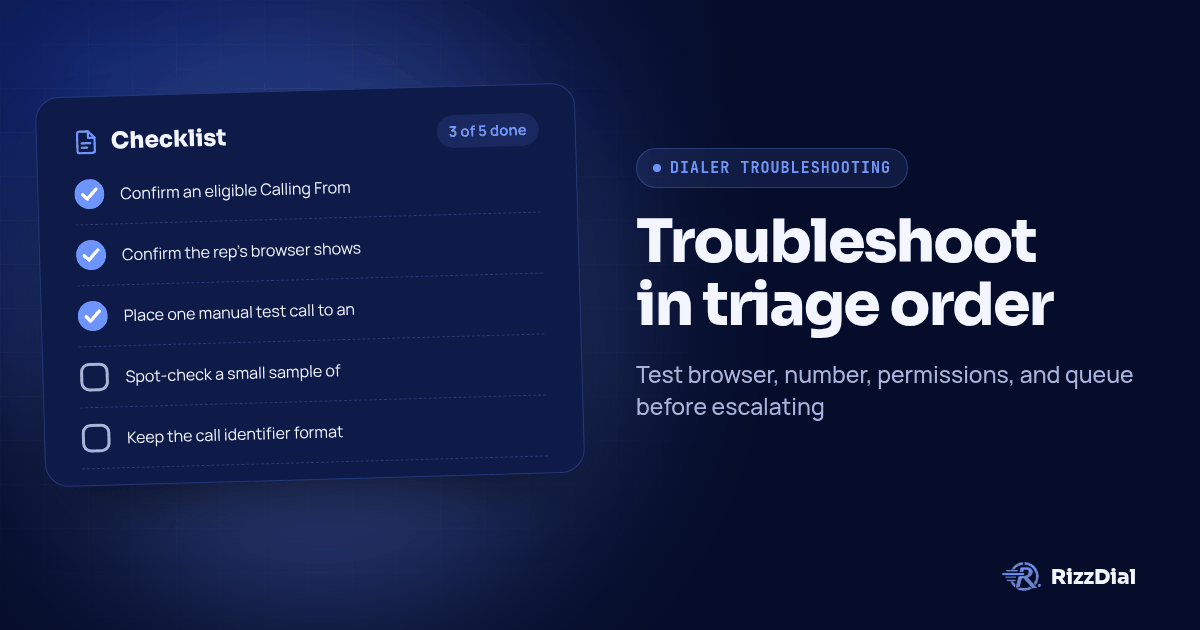
The point of recording this triage order is to make the next investigation repeatable. Turn it into a short checklist the team runs before every client calling session, not only after something breaks:
- Confirm an eligible Calling From number is available to the rep inside the correct sub-account.
- Confirm the rep's browser shows microphone permission granted for the HighLevel domain, with any suspected VPN or extension conflict tested through an authorized comparison.
- Place one manual test call to an agency-owned number at the start of the session, before the client's list is loaded.
- Spot-check a small sample of contacts in today's list for missing numbers or unexpected do-not-contact flags.
- Keep the call identifier format and timestamp source handy so an escalation, if one is needed, can be filed with specifics immediately rather than after another round of guessing.
If the agency also runs client follow-up texts through Beam alongside GoHighLevel, the same pre-session habit of confirming the number and session state before relying on it applies there too; see Beam's GoHighLevel integration page for how that connection is set up.
When Does the Real Answer Become "Build a Dialer for List-Based Calling"?
Repeated interruptions justify a workflow review, but do not prove that replacing the dialer will fix a network or permission problem. HighLevel distinguishes individual Web Dialer calls from its Manual Actions / Power Dialer queue, so first establish which workflow the team actually uses (HighLevel web dialer overview). Write down the operational requirement: assigned queues, predictable callbacks, visible outcomes, or a different dialing mode. Evaluate that requirement separately from the immediate fault.
For that evaluation, a purpose-built calling layer like RizzDial offers predictive and power dialing modes designed for list-based outbound work alongside integrations that connect that dialing layer back into the CRM an agency already runs its pipelines in. If the agency is seeing the queue-advances-without-dialing symptom often enough to need a standing checklist, it is worth reading the power dialer guide alongside this checklist, and the related piece on clearing stale pending dialer tasks, which covers a different failure mode in the same workflow: a task that never clears instead of a call that never starts.
Use the same controlled test when comparing a replacement: demonstrate manual and queued calls to the agency-owned handset, then verify the recorded outcome in the CRM. Ask who owns failures between the calling service and the CRM, and what evidence they need. Approve a change because the demonstrated workflow meets the client's needs, not because a single successful demo appeared to cure an unexplained fault.
What Are the FAQs About GoHighLevel Dialer Troubleshooting?
What is the first thing to check when the GoHighLevel dialer will not place a call?
Reproduce the failure once and record the visible symptom, error and timestamp. Then confirm an eligible Calling From number is available to that user in the correct sub-account. Check browser permissions and audio devices next; the symptom alone does not establish the cause.
Why would a GoHighLevel call connect but the contact hears nothing?
A connected status does not prove that speech is passing in both directions. Check microphone permission, mute, selected audio devices and the network path. Call a phone the agency controls and have both people speak, rather than treating a log status as an audio test.
Why does the GoHighLevel queue advance to the next contact without dialing?
Inspect the actual task, contact number, suppression conditions, user access and Calling From selection. Compare a manual call with a queued call to the same agency-owned test number. A skipped item alone does not prove that the outbound number or browser caused the failure.
When should an agency stop troubleshooting and move to a different dialer?
First identify whether the recurring problem is a local configuration fault or a workflow requirement. If the team needs different dialing modes or queue handling, evaluate alternatives with a controlled test and verify CRM outcomes. A replacement still needs working devices, permissions and network access.
How can RizzDial help with your calling workflow?
RizzDial is the AI outbound sales workspace for teams on GoHighLevel. Power dialing, AI voice agents, SMS automation, and CRM workflows in one platform. Book a demo.