GoHighLevel
What a GoHighLevel Voice AI Snapshot Does Not Move
Verify numbers, calendars, workflows, custom values and external calling connections after a GoHighLevel Voice AI snapshot with an acceptance record.
By James Hill, Founder, RizzDial ·
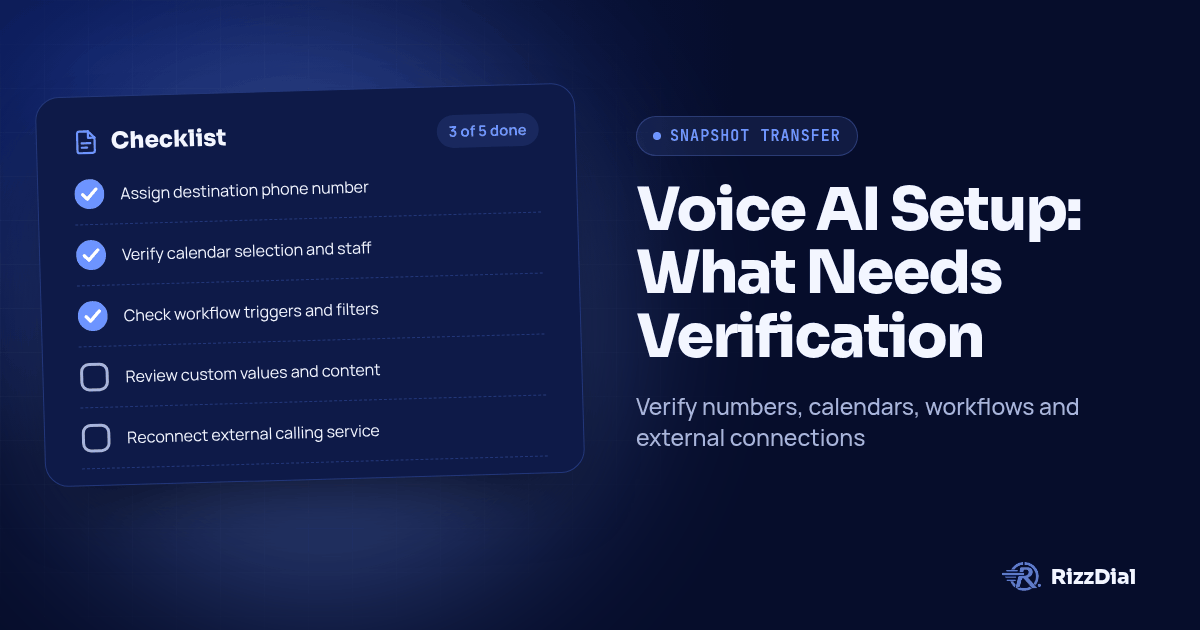
After copying a GoHighLevel Voice AI setup, assign the destination phone number, verify calendar and workflow references, review client-specific custom values, and reconnect external calling services. HighLevel excludes assigned Voice AI numbers and third-party connections from snapshots, so acceptance requires evidence from the destination account. (HighLevel snapshot overview)
Key Takeaways
- Give each dependency a destination asset, an owner and an acceptance test.
- Verify the complete path from a controlled call to the expected client record.
- Keep imported configuration and tested operation as separate approval states.
Review Kixie alternatives when the snapshot also depends on rep dialing and AI voice agents.
What does HighLevel document as moving with the snapshot?
HighLevel's flow-based guide says snapshots preserve the agent's flow graph, settings and connected actions. References to available workflows and calendars map to destination assets; missing dependencies can require manual adjustment. Contacts, call history and transcripts stay behind. The guide also requires Voice AI access in both accounts. (Flow-based Voice AI snapshot support, updated August 24, 2026)
The earlier Voice AI guide covers agents, prompts, settings and associated actions, while explicitly excluding assigned phone numbers. It directs agencies to assign numbers and customize the copied setup for the destination business. (Voice AI configuration support, updated June 4, 2025)
These are native HighLevel scope statements. For a setup using RizzDial with GoHighLevel, document the external calling configuration separately. A copied workflow is evidence that an asset exists; it does not establish which external client account will receive its request.
The checklist below is a proposed agency acceptance method, not a report of a completed migration or a claim that every setup needs identical repairs.
What should your migration acceptance record contain?
Start the record before loading the snapshot. Identify the source account, destination account, snapshot revision, intended client and reviewer. List the expected behavior in business terms so the client can review the result without interpreting configuration screens.
Use this table as a blank record. Replace each suggested entry with the actual asset reference, named owner and evidence location. Keep credentials out of it.
| Source asset | Destination asset to record | External dependency to check | Suggested owner | Acceptance evidence |
|---|---|---|---|---|
| Voice agent | Imported agent and local number | Phone service | Calling administrator | Intended agent answers the destination line |
| Booking action | Selected client calendar | Staff calendar connection | Scheduling administrator | Test appointment appears with correct staff and timezone |
| Follow-up workflow | Imported workflow and trigger | Any connected service | Automation builder | Expected execution and contact update |
| Custom value reference | Approved client-specific content | Client information owner | Account manager | Spoken or rendered value matches approval |
| External call action | Client connection and agent reference | Calling platform or relay | Integration owner | Request and result belong to the destination client |
Add status, test date, tester, expected result, observed result and correction to each entry. Use states such as pending, passed, failed and excluded. An exclusion needs a reason: a client that does not use appointment booking should not have an unexplained empty calendar row.
How should you reconnect and test phone numbers?
Assign the intended destination number and prove the route through a controlled call. HighLevel's number exclusion means the source agent's assignment cannot serve as destination evidence. (Voice AI configuration support)
Before testing, write down the expected greeting, business identity and transfer destination. Compare those expectations with what the caller actually hears. Check the configured after-hours behavior separately from the normal answering path.
If outbound calling is part of the implementation, verify the displayed calling number on a test recipient's device and confirm that returning the call reaches the intended business. Record a mismatch even if the conversation itself sounds correct.
Use agency-controlled test contacts and destinations. The evidence should connect the dialed line, destination agent and resulting record. Avoid accepting a screenshot of the number selector as proof that routing works.
How do you verify calendars and workflows after import?
Inspect every booking and workflow action used by the client journey. Read the selected destination asset and compare its identity with the acceptance record. A familiar name alone is insufficient when template and client calendars use similar labels.
For booking, ask for an available appointment through the test journey. Check where the appointment appears, which staff member receives it, and whether the spoken time matches the calendar timezone. Also test an unavailable slot and observe the configured response.
For workflows, inspect the trigger, filters, field references and follow-up actions before admitting real contacts. Use a fresh test contact to trace the expected execution. Then try a contact that should be excluded and confirm that it does not enter the calling path.
Hypothetical example: an imported agent offers the correct service but books into a template calendar. The greeting test passes, while the booking test fails. Record the calendar mismatch, select the approved destination calendar and repeat the booking journey before signing off.
Where overlapping automations exist, check for duplicate call requests or follow-ups. Record which workflow owns each action and how the test demonstrates that ownership.
What must you check in custom values and client information?
Review the actual destination content, not just the existence of a custom value name. HighLevel lists custom values and custom fields among copyable assets, but its overview is not a guarantee that imported content is appropriate for another client. (HighLevel snapshot overview)
Build a client information checklist covering business name, service area, office hours, address, booking destination and escalation instructions. Have the client approve the intended content. Then inspect both reusable values and any business details typed directly into prompts or actions.
Keep reusable client information separate from contact-specific data during review. A business address can be correct while a caller's name or requested service is absent from the test record.
Test missing information deliberately. Use a contact without an optional field and ask about a service detail the client has not supplied. Record whether the agent follows the approved fallback or needs correction. Do not mark a value passed merely because its settings screen contains text.
How should you handle external calling connections?
Give the external connection its own acceptance row. HighLevel explicitly excludes integrations and third-party account connections from snapshot transfer. That establishes a reconnection requirement; it does not describe how a particular external calling product provisions client accounts. (HighLevel snapshot overview)
For the reseller account structure, consult the white label dialer guide for GoHighLevel agencies. During migration, verify the client account, calling agent, assigned number and intended CRM destination against the current configuration.
For a webhook path, use the GoHighLevel webhook guide for AI outbound calls as implementation context. Inspect the configured destination and any intermediary relay. Review authentication through the approved connection settings without pasting credentials into the acceptance record.
Trace a controlled request through the calling service and back to the intended contact. Check the configured result fields and downstream action. A successful request response alone does not prove that the correct agent called or that the result reached the correct client.
If the journey also uses Beam iMessage for GoHighLevel, add a separate messaging acceptance row. Verify its configured sender and destination conversation independently from voice acceptance.
When is the destination account ready for handover?
Approve the migration when every required dependency has observed evidence and every failure has a named resolution owner. Keep real client traffic paused until the required paths pass.
Use this handover sequence:
- Review unresolved rows with the implementation owner and client contact.
- Repeat failed journeys after corrections, recording the new result alongside the failure.
- Confirm that the operator knows how to pause calls and follow-ups if the client reports a mismatch.
- Record the accepted snapshot revision and destination configuration date.
- Obtain reviewer sign-off against the evidence and any explicitly excluded functions.
Preserve the record for later template changes. Reopen affected checks when an agent, workflow, calendar or connection changes. An earlier acceptance result applies to the configuration tested at that time.
Before handing over the next copied account, complete this record with the person responsible for operating it. The useful deliverable is a traceable client journey with an owner for each dependency.
FAQ: What questions do resellers ask about snapshot acceptance?
Does a Voice AI snapshot transfer the assigned phone number?
No. HighLevel excludes assigned Voice AI phone numbers. Assign a compatible number in the destination account, then verify that a controlled call reaches the intended agent. (HighLevel Voice AI snapshot guide)
Must every calendar and workflow be rebuilt?
No. HighLevel supports copying these assets and mapping available dependencies. Inspect the imported references, repair missing selections and test the destination behavior before acceptance. (HighLevel flow-based snapshot guide)
Does copying a HighLevel agent prove the external dialer is connected?
No. Treat the external calling connection as a separate acceptance item. Confirm the destination account, agent and result mapping through a controlled test before enabling client traffic.
What should block migration approval?
Block approval when a required dependency has no owner, a test reaches the wrong client account, a booking lands on the wrong calendar, or a failed action has no visible recovery path. Record the correction and retest evidence.
For the next step in this workflow, review the gohighlevel voice ai guide and discuss implementation through the GoHighLevel calling setup.
How can RizzDial help with your calling workflow?
RizzDial is the AI outbound sales workspace for teams on GoHighLevel. Power dialing, AI voice agents, SMS automation, and CRM workflows in one platform. Book a demo.