AI Voice Agents
What Causes AI Voice Call Latency, and How Do You Fix It?
Find the causes of AI voice call latency and test fixes for turn detection, prompts, tool lookups and audio delivery before a client launch.
By James Hill, Founder, RizzDial ·
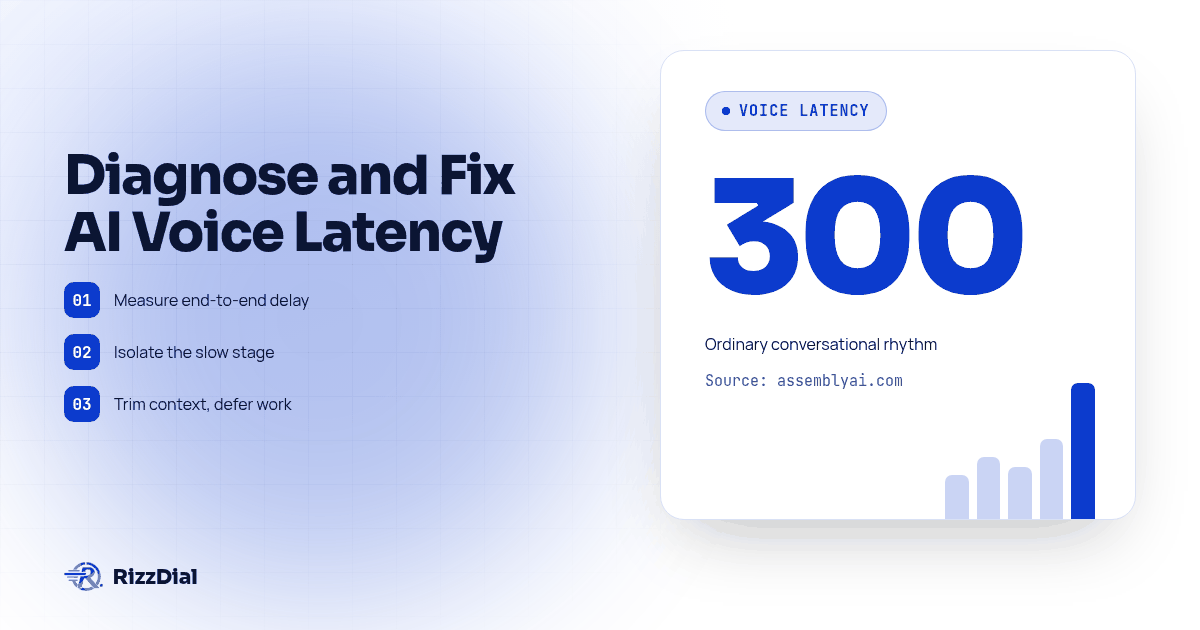
AI voice call latency comes from audio transport, turn detection, speech processing, model generation and any tools the agent needs before answering. Measure the gap from the caller finishing to the first audible reply, then isolate the slow stage with repeatable tests. Trim unnecessary context, defer work that does not affect the answer, and retest timing alongside accuracy.
A prospect put the problem this way on a sales call: "I got one of these AI sales calls and there was a noticeable delay between me talking and the AI answering. How do you get rid of that?" It is a fair question, and it deserves a real answer instead of a reassurance. The honest version is that the delay is not one thing breaking. It is several ordinary steps, each one small, stacking up until the caller notices.
Where does the delay on an AI phone call actually come from?
A text-based voice pipeline has several jobs to finish before the caller hears a useful answer. Audio travels from the phone into the processing system. Turn detection decides whether the caller has finished or paused inside a thought. Speech recognition produces text, the language model generates a reply, and speech synthesis produces audio for playback. Tools can add another wait when the answer depends on a calendar or account record.
Telnyx's explanation of co-located voice infrastructure describes how separate telephony, transcription, language model and synthesis services add network handoffs. That supports checking where services run as well as how quickly each service processes a request. It does not establish a timing guarantee for another platform.
Some processing can overlap through streaming. That means adding every vendor's published timing figure may not reproduce a real call. Use the caller's recording as the end-to-end result, then use logs to explain the gap. A fast model result is useful evidence, but it does not prove that playback reached the phone promptly.
How much delay does it take before a call stops feeling human?
There is no single pass line that proves a call feels natural for every caller or task. AssemblyAI's latency guide describes roughly 300 milliseconds as ordinary conversational rhythm, hesitation becoming noticeable beyond about 500 milliseconds, and repetition becoming more likely beyond a second. Treat these as the vendor's practical guidance, not universal behavioral cutoffs or RizzDial performance claims.
The same guide distinguishes a speech recognition budget from a complete conversational turn. A transcript arriving quickly still leaves generation, synthesis and delivery to finish. Ask what event starts a quoted measurement and what event stops it before comparing providers.
For an agency pilot, agree on the acceptance rule before listening to results. A simple greeting, a caller correction and a calendar lookup have different dependencies. Record whether the caller repeats a question, whether either side interrupts, and whether the agent completes the intended task. Timing without those observations can reward an agent that answers quickly but answers incorrectly.
What does each stage in the pipeline actually cost?
Breaking the chain into its parts makes it obvious where an agency should spend its attention first.
| Stage | What happens | Where the time goes | Source |
|---|---|---|---|
| Capture and network transit | Audio travels from the caller's phone to the system processing it | Transport and buffering vary with the actual connection | AssemblyAI |
| Turn and endpoint detection | The system decides the caller is actually finished, not just pausing mid-thought | Waiting for silence can delay a completed turn | AssemblyAI |
| Speech to text | Audio becomes text the language model can read | Measure transcript availability separately from audible response | AssemblyAI |
| LLM reasoning | The model reads the prompt and the transcript, then decides what to say | Measure generation time with the prompt and model actually used | AssemblyAI |
| Tool or knowledge base lookup | The agent checks a calendar, a CRM record, or a document before answering | Adds whatever the outside system takes to respond, stacked on top of everything before it | Telnyx |
| Text to speech and delivery | The reply becomes audio and routes back across the network | Time to the first audible byte, plus the return trip | Telnyx |
Use the table as a diagnostic map, not a set of benchmark promises. If a reply starts late, inspect turn detection before assuming the model was slow. If the delay appears only on appointment requests, compare the tool timestamps with the recording. The stage that needs work is the stage your evidence identifies.
Why do giant prompts and attached knowledge bases slow things down?
The LLM reasoning step does not take a fixed amount of time. It can change with context size, model choice, caching and the requested output. A prompt stuffed with every product detail, every objection script, and every edge case the agency could think of can add unnecessary processing to a turn, depending on how the provider handles context and caching.
For a controlled test, attach the knowledge base to one version of an agent and compare it with a version using only the information needed for the test script. This is a proposed experiment, not a reported customer result. Check whether the retrieved material actually changes the response time before removing information the agent needs. The same thing happens with mid-call lookups. Every time the agent pauses to check a calendar or pull a record, that lookup's response time gets added directly onto the call, on top of whatever the model and the audio conversion already cost. A caller cannot tell the difference between the agent thinking and the agent waiting on an API. They just hear a gap either way.
The fix is less about buying a faster model and more about discipline in what the agent carries into each turn. A tightly scoped prompt, a knowledge base trimmed to what the call actually needs instead of everything the company has ever written, and deferring nonessential lookups are changes worth testing. Keep live availability and booking confirmation inside the workflow when the answer depends on them. Never announce a successful booking before the booking system confirms it.
Why does speech-to-speech skip hops a stitched pipeline can't avoid?
A stitched voice pipeline chains together separate services. One does speech to text, a second does the language model reasoning, a third does text to speech, and intermediate outputs have to pass between them, usually over a network hop, sometimes between different companies' servers entirely. Every handoff between those services adds its own small delay, on top of whatever each service takes to do its own job.
RizzDial has its own speech-to-speech voice engine for low latency. That is an architectural option to evaluate, not a published end-to-end timing guarantee or proof that every tool delay disappears. That is not the only answer. An agency that wants to keep its existing setup can bring its own Vapi account, bring another voice provider account, or bring its own LLM, and test latency on that configuration directly, so the agency can identify whether prompt size, lookup placement or another stage needs attention. The pipeline choice and the prompt discipline from the last section work together, not as alternatives to each other.
Which fix should you test first?
Choose the experiment from the symptom instead of changing every setting at once. These are proposed troubleshooting decisions, not measured outcomes or promises about a particular provider. Keep a saved configuration so you can reverse a change that harms accuracy.
| Observed problem | First controlled change | What must still pass |
|---|---|---|
| Agent waits after a complete short answer | Review turn detection settings available in the provider | Caller can pause inside a name without being cut off |
| Only knowledge questions feel slow | Reduce irrelevant retrieved context for the test script | Answers remain supported and complete |
| Booking turns stall | Inspect calendar request and response timestamps | Availability and successful booking are confirmed |
| Delay varies by caller location | Compare service regions and the audio path | Actual phone playback improves in the intended region |
| Replies start quickly but run too long | Shorten the requested spoken response | The caller receives the information needed to act |
A faster first sound is not always a faster useful answer. If the agent says it is checking and then waits, log the acknowledgement separately from the eventual result. Otherwise an encouraging filler phrase can make a timing report look improved while the caller waits just as long to learn whether an appointment is available.
How do we test latency before a client launches?
Do not take a vendor's word for it, including ours. Run the test yourself before a client's first real call.
- Pick one script and keep it fixed. Use the same caller script, the same agent configuration, and the same network conditions across every test run, so a later comparison is actually comparing the same thing.
- Record a controlled test call at the caller's device, not just on the server. Use informed team participants and test data. A server log can tell you when the model finished generating a reply. It cannot tell you when the caller actually heard it.
- Mark the exact moment the caller finishes talking. This is your start point. Use the recording's timestamp, not an estimate.
- Mark the exact moment the first audible agent sound starts. This is your end point. Subtract the start from the end to get the real gap the caller experienced.
- Run the same script with the knowledge base attached, then again without it. Compare the two gaps directly. If the agent noticeably slows down with the knowledge base attached, trim it before deciding the base pipeline is the problem.
- Run the same script with a mid-call lookup included, then again with a nonessential lookup removed or moved to the end. Keep necessary booking checks in place; use test records rather than real customer actions. This isolates how much of the delay is the model thinking versus how much is an external system responding.
- Repeat the full set after any prompt, voice, or provider change. A fix that worked on one script can regress on another if the change was broad enough to touch unrelated turns.
Keep a simple log for each run so results are comparable later, not just remembered:
- Script version and date tested
- Knowledge base attached or removed
- Mid-call lookup included or removed
- Measured gap from caller's last word to first audible agent word
- Pass, fail, or needs another pass, plus who reviewed it
This test procedure pairs directly with testing AI voice pauses and interruptions before reselling, which covers hesitation and correction handling once the raw timing looks acceptable, and with testing an AI voice agent's pronunciation for the accuracy side of the same pre-launch review. Latency, pacing, and pronunciation are three separate checks an agency should run before any client hears the agent for the first time.
What FAQs do agencies ask about AI voice latency?
What actually causes the pause before an AI voice agent answers?
A pause can come from one slow stage or several delays together. In a text-based pipeline, inspect audio transit, turn detection, transcription, model generation, required tools and speech synthesis. Some stages can overlap, so use the caller recording and stage timestamps together instead of simply adding vendor benchmarks.
How much delay before a call stops feeling natural?
AssemblyAI's guide gives practical conversational timing guidance, but no threshold guarantees a natural call. Measure the complete audible gap and review interruptions, repeated questions and task completion together. Separate ordinary replies from turns that need an external lookup.
What pricing is confirmed for RizzDial AI minutes?
RizzDial AI minutes range from $0.06 to $0.20 per minute, billed for talk time only. RizzDial offers pay as you go with flexible seat based options. Those facts do not establish identical costs for every bring-your-own provider configuration. Confirm the proposed setup during the demo rather than assuming pipeline choices share the same billing terms.
Do we have to give up our own LLM or voice provider to fix latency?
No. RizzDial supports bringing your own Vapi account or other voice provider accounts and bringing your own LLM, so an agency can test latency on its current setup first, then decide whether to move the whole call onto RizzDial's own speech-to-speech engine or just trim the prompt and lookups on the setup it already has.
How long does it take to test and fix latency before a client launch?
There is no verified standard completion time. Schedule the seven-step procedure around the scripts, dependencies and configurations you need to approve. Keep the failed calls, apply one change at a time, and retest before launch. A short successful demo is not enough to sign off a workflow with untested booking or transfer dependencies.
Ready to hear the difference on your own script?
A prospect who already noticed a laggy AI sales call is not going to take a claim at face value, and they should not have to. Run the seven-step test above on your current setup first, trim the prompt and the mid-call lookups, and see what actually changes before you touch the underlying engine. If the gap is still there once the easy fixes are done, that is the point to compare a stitched pipeline against a speech-to-speech one directly. Book a RizzDial demo and bring your own script. Ask to run it live so you can hear the actual gap, and you can decide from there whether your GoHighLevel rollout needs a different engine or just a lighter prompt.
Latency is one piece of a larger pre-launch review. For the evaluation checklist agencies use to judge whether an AI voice agent is ready to put in front of real buyers at all, including where latency fits among the other acceptance criteria, see AI Guy's guide to AI voice agents for sales.
How can RizzDial help with your calling workflow?
RizzDial is the AI outbound sales workspace for teams on GoHighLevel. Power dialing, AI voice agents, SMS automation, and CRM workflows in one platform. Book a demo.