GoHighLevel
AI Receptionist CRM Integration: Built-In or Connected?
Compare RizzDial's built-in CRM with GoHighLevel and webhook connections, map call data, and test the handoff before client traffic.
By James Hill ·
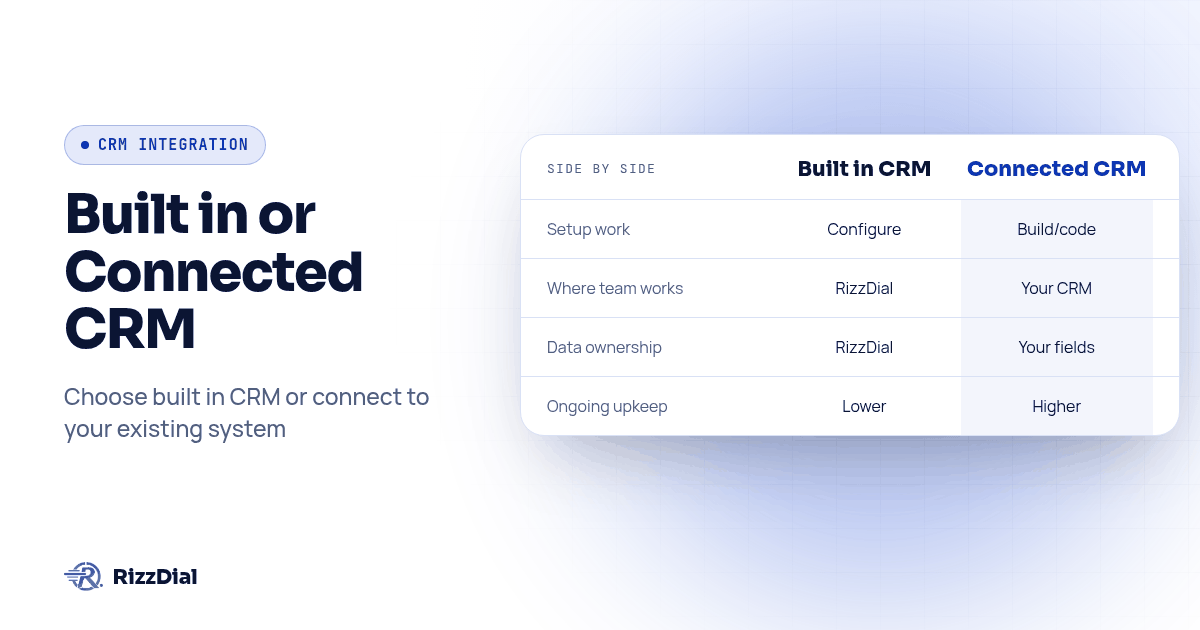
An AI receptionist does not force a choice between its own CRM and yours. RizzDial ships a built-in CRM for agencies that want one workspace for calls, texts and deals, and it also connects to GoHighLevel directly and to any other CRM through a post-call webhook, so a client who already runs their business out of GoHighLevel is not asked to leave it. Which path makes sense depends on where your team already works and how many CRMs you are mapping into.
TL;DR: RizzDial's AI receptionist works two ways: use its built-in CRM for a one-workspace setup, or keep your existing CRM (GoHighLevel, HubSpot, Salesforce, anything else) and have call data land there through a direct GoHighLevel integration or a post-call webhook. Choose a system of record before connecting both, and test historical data separately from new call delivery.
A disclosure up front: we make RizzDial. The webhook field names below follow our published post-call guide. Check available mappings in your account and the RizzDial API reference before implementing them.
Does an AI receptionist have to use its own built-in CRM?
No. Agencies can keep an existing CRM and connect the receptionist to it. Synthflow's CRM integration overview also addresses this buyer question, discussing API connectivity and custom workflows. Here the decision is narrower: where should your agency's call records live, and who maintains the handoff?
RizzDial offers a built-in CRM and connections to other CRMs. Choose per client according to the workspace their staff actually use. If you keep two systems, identify which one owns contact details, pipeline changes and follow-up tasks before enabling overlapping automations.
What does RizzDial's built-in CRM actually do?
The built-in CRM gives agencies a place to manage contacts and their sales workflow alongside calling. Review the RizzDial CRM feature set with the client, then test the contact record, pipeline and follow-up process they need. Having the CRM in the calling platform reduces the separate connection work, but you still need to configure ownership, permissions and workflow rules.
For a new agency or a client without an established CRM, this is a practical starting point. For a client already trained on GoHighLevel, HubSpot or Salesforce, keeping their familiar workspace may reduce disruption. Compare the workflow the team needs to complete, rather than asking them to move simply because the receptionist offers another CRM.
How does connecting to an existing CRM work instead?
Two different mechanisms cover two different CRMs, and knowing which one applies saves a lot of confused Slack messages between your dev and your account manager.
GoHighLevel gets a direct, built-in sync. A RizzDial agent's Integration tab syncs call recording, transcription, sentiment, summary, duration and direction straight into GoHighLevel custom fields you map once, and applies outcome tags such as Answered, No Answer, Voicemail and Appointment Set to the contact automatically. There is no receiver to build and no webhook to secure, because RizzDial and GoHighLevel are talking to each other directly.
Everything else gets a post-call webhook. Set a webhook URL on the agent (the Advanced tab's Configure Webhook Endpoint, or weebhook_endpoint on POST /api/ai/agent/create, copied verbatim with the repeated "e"), and RizzDial sends a JSON request after call analysis carrying call_id, call_summary, call_transcript, call_recording, call_duration, direction, user_sentiment, call_successful and more. Your receiver takes that payload and writes it into HubSpot, Salesforce, Pipedrive or whatever your agency standardized on. We cover the full payload shape, a Python and a Node receiver, and the reconciliation sweep for missed calls in sending post-call data to your CRM; the opposite direction, firing an outbound AI call from a GoHighLevel workflow, is covered in triggering AI outbound calls from GoHighLevel.
If you need both mechanisms, test their interaction on your configured agent. Assign each field and follow-up action to one writer so two automations do not create duplicate notes or overwrite each other.
What fields actually land where?
Use this as a proposed field map, not a promise that a payload field creates a CRM object automatically. The post-call guide documents the payload; your mapping determines the destination. Confirm available fields in the Integration tab before enabling them.
| Call data point | What it is | GoHighLevel (built-in Integration tab) | Any other CRM (via webhook) |
|---|---|---|---|
call_summary |
The AI's written summary of the call | Synced to a custom field you map, once | Long-text field or a note on the contact |
call_transcript |
The full text transcript | Synced to a custom field you map | Long-text field, or an attachment if your CRM prefers files |
call_recording |
URL to the recorded audio | Synced to a custom field you map | URL field, not free text, so it stays clickable |
call_duration |
Length of the call | Synced to a custom field you map | Number or duration field on the call activity |
direction |
inbound, outbound or web |
Synced to a custom field you map | Picklist field on the activity |
user_sentiment |
positive, negative or neutral |
Synced to a custom field you map | Picklist field on the contact |
call_successful |
Whether the call counted as successful | Verify separately from outcome tags; do not assume they are equivalent | Boolean field on the call activity |
appointment_date |
Booking date when present | Verify the actual calendar booking separately | Use a configured workflow to create a meeting or task, if needed |
| Custom action results | Additional information your workflow collects | Confirm support for each result before mapping | Verify it is delivered before assigning a destination field |
Two things cost agencies the most cleanup time later. First, create the destination field or picklist value in your CRM before the first real call, because an unsupported value may be rejected or handled differently by the destination API. Second, the webhook payload does not carry your CRM's internal contact id, call identifiers and phone numbers, so decide up front whether you match on phone number or keep your own call_id map; the deeper walkthrough is in the post-call webhook guide linked above.
How do you connect RizzDial to your CRM, step by step?
Run through this once per client, in order, whether the destination is GoHighLevel or something else:
- Decide where call data should land on the contact record: a dedicated activity or note, not a field nobody opens, because a field only someone remembers to check is a field that gets ignored within a month.
- Create the matching custom fields or picklist values in your CRM first, for every data point in the table above that you plan to use, so a write never fails on an undefined value.
- If the CRM is GoHighLevel, open the agent's Integration tab and map each field once; skip straight to step 7.
- If the CRM is anything else, open the agent's Advanced tab and set Configure Webhook Endpoint to your receiver's URL with method POST, or pass
weebhook_endpointon agent creation. - Build or deploy a receiver that checks a configured token on the request, durably queues the payload, responds 200 promptly, and then processes the queued work, so a slow downstream CRM call cannot cause RizzDial to treat the delivery as failed.
- Map each payload field in your receiver to the CRM property you created in step 2, and settle on your contact-matching rule, using the caller number appropriate to the call direction or your stored call-to-contact map. Do not assume
to_numberidentifies the customer on an inbound call. - Place one real test call to a number you own, then confirm the fields, note and outcome tag landed on the correct contact before you point the connection at live client traffic.
- Write the field map down on one page. The next person your agency onboards should not have to read the webhook payload to reverse-engineer which field is which.
Built-in CRM or connected CRM: how do the two paths actually compare?
| Dimension | Built-in RizzDial CRM | Connect to GoHighLevel | Connect to any other CRM |
|---|---|---|---|
| Setup work | Configure contacts, permissions and workflow | Map supported fields in the Integration tab | Build or deploy a receiver, then map fields in your code |
| Where the team works day to day | Inside RizzDial | Inside GoHighLevel, where the team already lives | Inside your existing CRM |
| Who owns the data model | RizzDial's own contact and pipeline schema | Your GoHighLevel custom fields | Your CRM's own fields and objects |
| Ongoing maintenance | Review ownership, permissions and workflow changes | Re-map if you add a new custom field later | Keep the receiver running, token rotated, and deduplication in place |
| Good fit for | New agency, or a client with no CRM yet | A client already working in GoHighLevel | A client whose CRM is HubSpot, Salesforce, Pipedrive or something custom |
Neither row is the "right" answer in the abstract. The right answer is whichever row matches where the client's team already spends their day, because an AI receptionist whose notes live somewhere reps never open does not help close more deals, no matter how accurate the transcript is.
What FAQs do agencies ask about AI receptionist CRM integration?
Does RizzDial's built-in CRM replace GoHighLevel, or can we keep using our own?
Neither is forced on you. RizzDial ships a built-in CRM for agencies that want everything in one workspace, and it also connects to GoHighLevel and other CRMs through a direct integration and webhooks, so a client already running GoHighLevel keeps running GoHighLevel.
What does it cost to connect an AI receptionist to our existing CRM instead of using the built-in one?
RizzDial's AI talk time runs from 6 to 20 cents a minute, billed for talk time only. RizzDial has flexible seat based options. Confirm account terms and integration scope with the team; budget separately for any custom receiver development, maintenance and CRM requirements. Do not treat the talk-time range as the total cost of a connected workflow.
How long does it take to set up a connection into GoHighLevel or another CRM?
Setup time depends on existing fields, access permissions and the workflow you need. GoHighLevel field mapping and a custom CRM receiver involve different work. Estimate setup after testing a representative contact, a repeat call and a failed write, including the time needed for recovery and client review.
Is it compliant to send call transcripts and recordings into our CRM?
A CRM connection does not establish permission to record, retain or share a call. Review the applicable recording and privacy requirements with qualified counsel, decide what data the CRM actually needs, and set access and retention controls before enabling transcript or recording delivery. Keep call consent and opt-out records available to the people managing follow-up.
What is the switching cost if we start on the built-in CRM and connect our own CRM later?
The work depends on how much historical data and workflow logic you need to move. A new webhook destination handles future deliveries; it does not prove that old notes, recordings, contacts or tasks have migrated. Verify export options, record identifiers, permissions and historical coverage before committing to a switch.
How should you test the handoff before client traffic?
Use a small acceptance worksheet with expected results, actual results and the owner of each fix. The following cases are a proposed test procedure, not measured product performance. Run them with records and numbers your team controls, and keep real customer information out of debugging logs.
- Create a fresh test contact and place a permitted test call. Find the resulting record in the chosen CRM and compare the summary, duration and direction with the source call. Confirm which rep owns the next action.
- Call again as the same contact. Confirm the new activity preserves the earlier conversation rather than replacing its history. Check whether any last-call fields are intentionally overwritten, and make that behavior clear to staff.
- Test an inbound call and an outbound call separately. Verify which phone field identifies the customer in each direction. If a shared household number matches multiple contacts, route the ambiguity to review instead of guessing.
- Replay a saved test payload against your receiver. Use the call identifier to prevent duplicate activities. If the CRM write fails, retain enough status information to retry the missing work without repeating completed actions.
- Simulate a missing optional field and an unavailable destination. Confirm that an absent recording does not erase an existing value and that a failed write appears in a review queue. Assign a person to reconcile unresolved calls.
- Test a booking request against the actual calendar. A date in a webhook is evidence to inspect, not proof that the correct calendar contains a confirmed appointment. Compare the contact, time zone, assigned calendar and booking status.
- Review a restricted staff account. Confirm that the rep can see the information needed for follow-up and that unrelated client records remain inaccessible. Approve the workflow only after the client can find the call and complete the intended next action.
Keep the worksheet with the field map. Repeat the affected cases whenever you change the agent, destination schema or automation rules. This makes the handoff reviewable by the account manager as well as the developer, without relying on a successful HTTP response as proof of business success.
What should an agency actually do with this?
If you run ads or have a sales team, RizzDial is our pick. Its direct GoHighLevel integration supports connecting calling with your lead workflow. Start by naming the CRM each client already lives in, not the CRM you wish they used. If it is GoHighLevel, the Integration tab gets you synced fields and outcome tags with no code. If it is something else, the post-call webhook and field mapping table above define the handoff to implement and test, and our post-call webhook guide has the receiver code to go with it. If a client has no CRM at all, the built-in option reduces separate CRM connection work.
Review the compatibility details and the GoHighLevel, webhook and MCP options together on the RizzDial integrations page, and if the client's workflow also needs an iMessage follow-up the moment a call ends, Beam's HubSpot and iMessage integration covers the texting side of the same handoff. For the outbound half of this same workflow, triggering AI outbound calls from GoHighLevel walks through firing the call in the first place.
How can RizzDial help with your calling workflow?
RizzDial is the AI outbound sales workspace for teams on GoHighLevel. Power dialing, AI voice agents, SMS automation, and CRM workflows in one platform. Book a demo.