GoHighLevel
When Should a GoHighLevel Voice Agent Live-Transfer a Call?
The five conditions that should trigger a live transfer from an AI voice agent to a human rep, the context that must travel with it, and a setup checklist.
By James Hill ·
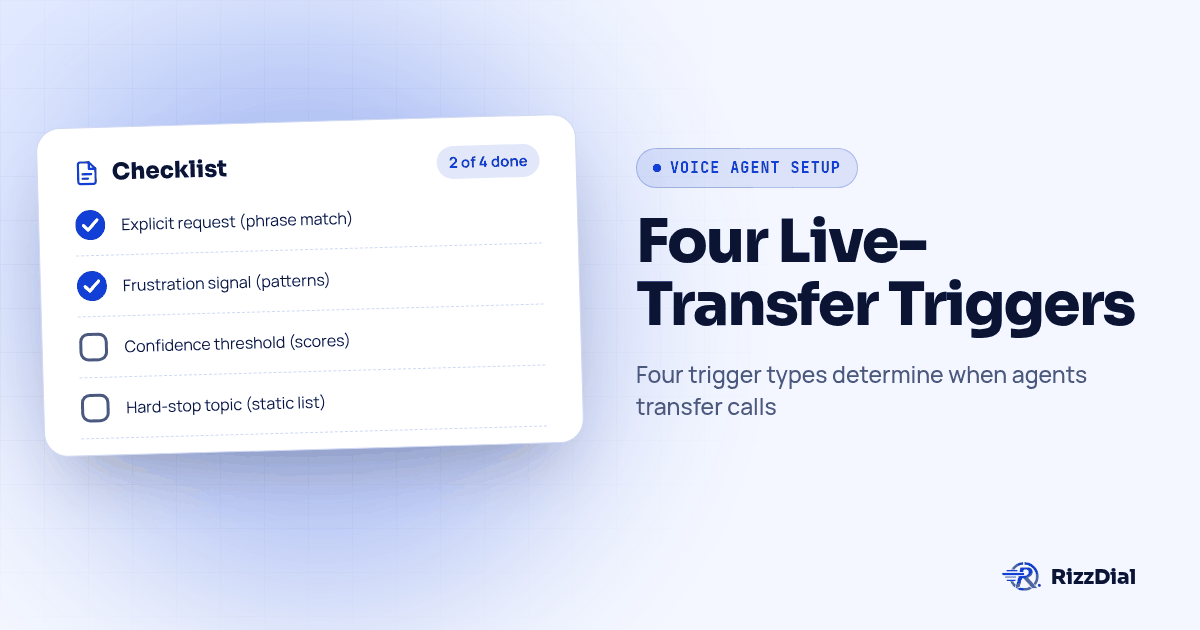
TL;DR: A GoHighLevel voice agent should live-transfer on four conditions: the caller explicitly asks for a person, the agent detects real frustration (not just a tense tone), the agent's confidence in its own answer drops below a threshold set per call type, and the topic is a hard stop the AI should never attempt. Every trigger needs a name, a detection method, and a short context summary that travels with the call so the rep does not re-ask what the caller already said.
We set up a lot of these rollouts for agencies that resell AI voice agents to clients on GoHighLevel, and the question we get asked most is not "can the AI transfer a call." Every platform can transfer a call. The question is which caller gets bumped to a human and which one the AI is allowed to keep handling, because getting that wrong in either direction costs the client something: transfer too often and the AI was a waste of money, transfer too rarely and a caller sits stuck with a bot that cannot help them.
Why isn't "just transfer when it's hard" a real rule?
Agencies configuring a client's first voice agent often start with a vague instruction like "transfer if the AI gets stuck." That is not a trigger, it is a feeling, and feelings do not compile into a configuration. A real trigger needs three parts: a name you can put on a dashboard, a detection method the platform can actually run (a phrase match, a score, a counter), and a defined action once it fires.
We tell agencies to build four trigger categories before a client ever goes live, because each one is detected a different way and each one needs different context handed to the rep.
| Trigger type | How it actually gets detected | False positive risk | What must travel with the transfer |
|---|---|---|---|
| Explicit request | Phrase match on words like "representative," "human," "agent," "manager" | High if the phrase list is too broad (a caller mentioning "my insurance agent" is not asking for a transfer) | Caller's original request, name, callback number |
| Frustration signal | Repeated question count, interruption pattern, or a sentiment score crossing a floor | Medium; a caller who is just talkative can look "agitated" to a naive sentiment model | Everything above, plus what the AI already tried and failed at |
| Confidence threshold | The model's own confidence score on the current answer, checked against a floor set per call type | Low to medium, mostly tuning risk (floor set too low lets weak answers through, too high causes nuisance transfers) | The question that triggered it and the AI's closest attempt at an answer, so the rep is not starting from zero |
| Hard stop | A fixed list of topics or situations the AI is never allowed to finish, regardless of confidence | Low, because it is a static list, not a model judgment | Full context plus a flag that this is a hard stop, not a confidence failure, so the rep understands why they got the call |
How do you set an explicit-request trigger that doesn't fire on every mention of "agent"?
This is the easiest trigger to build and the easiest to get wrong. A GoHighLevel build guide on configuring voice agents walks through exactly this pattern: agencies can "configure specific phrases (like 'representative' or 'human') that trigger immediate transfer to your staff," alongside triggers for specific services requested or a call exceeding a set duration limit (GrowwStacks, Build AI Voice Agents in GoHighLevel). That part is simple to configure in a GoHighLevel workflow.
The part agencies miss is the negative list: words that sound like a transfer request but are not one. "My agent told me to call" and "can I talk to a human being about my own documents" both contain trigger words without being a request to leave the AI. We test the explicit-request trigger against a short list of near-miss phrases before launch for exactly this reason, not just the phrases we want it to catch.
How do you detect frustration without a model that cries wolf constantly?
Sentiment detection sounds precise and is not. A caller who talks fast, interrupts, or repeats a question twice is not automatically angry, and a caller who sounds calm and flat can be the most frustrated person on the call. We treat frustration as a pattern across a short window, not a single score on a single sentence: how many times has the caller repeated the same question, has the caller said a negative word twice in the last four turns, and has the AI already failed to resolve the same request once.
That combination is more reliable than a bare sentiment score, and it is testable: you can script a caller saying "that's not what I asked" twice and watch whether the trigger actually fires. If it never fires on a scripted frustrated caller, it will not fire on a real one either.
Where should the confidence-score threshold actually sit?
This is the trigger agencies ask us about most, because "just pick a number" is not useful advice on its own. The working pattern we use with clients is to set a tight confidence floor for simple, FAQ-style questions where the AI should rarely be unsure, loosen the floor somewhat for complex, multi-part requests where some hesitation is normal, and keep the floor tight again for anything touching health or money, where a wrong guess carries real downside. The GoHighLevel build guide covering this kind of agent configuration describes the same logic from the trigger side, noting that an agency can set escalation rules by "specific services" rather than one blanket rule for the whole account (GrowwStacks, guide to building AI voice agents in GoHighLevel).
Treat that pattern as a starting point to test against your client's actual call mix, not a setting you copy once and leave alone. A real estate cold-calling campaign and a final-expense insurance line do not carry the same risk per wrong answer, so the floor for each should not be identical either.
What context has to travel with the transfer so the rep doesn't re-ask everything?
This is the step that decides whether the transfer actually saves the caller time or just moves the frustration to a different person. A cold transfer, one with no context at all, hands the rep a ringing phone and nothing else, so the caller has to repeat their whole story from the top.
What should travel with the transfer, every time, regardless of which trigger fired:
- Caller identity and callback number, confirmed by the AI, not guessed from caller ID alone.
- The original reason for the call, in the caller's own words where possible, not a paraphrase that drops detail.
- Whatever the AI already confirmed or attempted, including any answer it gave that turned out to be wrong, so the rep does not repeat the same mistake.
- Which trigger fired and why, so the rep knows whether they are dealing with a caller who asked for them directly, one who is frustrated, one the AI genuinely could not answer, or a topic the AI was never supposed to touch.
The GoHighLevel build guide describes this as a "whisper message to your staff identifying the caller's needs and previous conversation points" delivered before the rep is connected (GrowwStacks, Build AI Voice Agents in GoHighLevel). Whether your setup delivers that as a spoken briefing or a written summary depends on the provider and on whether the transfer is warm or cold in the first place. We cover that mechanical difference, including when a warm transfer is actually a three-way call the caller can hear, in our guide to warm transfer versus cold transfer for AI voice agents.
How do you build the trigger ruleset before launch?
Run this before a client's first real caller reaches the agent, not after the first complaint.
- List every call type the client's GoHighLevel pipeline handles separately. Scheduling, billing, sales qualification and support each deserve their own confidence floor, not one shared number.
- Write the explicit-request phrase list, then write the negative list. For every trigger phrase, write one sentence that contains it without being a real request, and confirm the trigger does not fire on that sentence.
- Set the confidence floor per call type, starting from the ranges described above and adjusting after you see real call volume.
- Define the frustration pattern as a window, not a single score: repeated-question count, negative language count, and prior failed resolution attempts within the same call.
- Write the hard-stop list with the client, naming every topic or situation the AI should never attempt regardless of how confident it sounds.
- Build the context payload for every trigger, including which trigger fired, so the rep's screen or whisper message is never blank.
- Script and run a caller for each trigger type, confirming the correct trigger fires, the wrong ones do not, and the context actually lands in the contact record before any real caller is let anywhere near the line.
Screenshot: a GoHighLevel workflow builder view showing four separate trigger branches off one voice agent node, labeled Explicit Request, Frustration, Confidence Floor and Hard Stop, each feeding a different whisper-message field.
When should the AI never be allowed to finish the call, no matter how confident it sounds?
Hard stops are the trigger category agencies most often forget to write down, because the AI never looks confused on these calls. It can sound perfectly fluent and still be the wrong voice for the moment. One of our clients, an insurance agency, put it plainly on a call with our team: some conversations should never be handled by AI, like checking on a client after surgery. That is not a confidence problem the AI needs to detect in the moment. It is a list the client should hand you before launch, covering anything involving a medical event, a bereavement, a legal dispute, or a complaint the client wants a named person to own personally.
Write that list with the client, not for them, and route those call types to a live transfer from the first word, before the AI gets a chance to demonstrate how smoothly it can talk through something it should not be talking through at all.
What happens after the trigger fires?
Firing the trigger is the easy part. The harder part is what the receiving side actually does with the call, and that is where a lot of agencies lose the benefit of a well-built trigger ruleset. One client wanted every triggered transfer to ring several reps and their cell phones at once, with the AI catching the call back if nobody answered in time, rather than letting a hot, correctly-triggered caller die on hold because one rep's line was busy. That kind of fallback planning, including busy reps, no answer, personal voicemail and dropped handoffs, is exactly what our testing checklist for AI call transfers when a rep does not answer walks through branch by branch. Build your trigger ruleset and your fallback plan together, because a perfect trigger that transfers into dead air is worse for the caller than no trigger at all.
Once a trigger fires and the call connects, decide whether the receiving rep needs a spoken briefing before the caller joins or a straight connection with written context instead. That is a separate configuration decision from the trigger itself, and we walk through exactly how to make it in our guide to GoHighLevel voice agent add-on setup, alongside the warm-versus-cold transfer mechanics linked above.
If the call ends in a callback promise instead of an immediate transfer, because every rep was unavailable, that promise should not live only in a transcript nobody reads. Agencies running GoHighLevel on Beam's iMessage layer can have the AI confirm the callback window in a text the caller actually sees, rather than hoping the caller picks up the next ring (see Beam's GoHighLevel iMessage integration). A missed call recovered by a clear text beats a missed call recovered by nothing.
What FAQs do agencies ask about live-transfer triggers?
Does adding live-transfer trigger logic cost extra on RizzDial?
No separate line item. RizzDial bills AI talk time at 6 to 20 cents a minute, pay as you go, with flexible seat based options for the human side of the team. Trigger rules, confidence thresholds and the context a rep receives are configuration, not an add-on fee.
How long does it take to set up a trigger ruleset for a new client?
There is no fixed number of hours we can promise, because it depends on how many departments need different thresholds and how much the client's GoHighLevel pipeline already distinguishes call types. Budget time to write the phrase list, set thresholds per call type, and run every branch in the testing procedure above before a real caller hits it.
Does this work with our existing GoHighLevel pipeline, or do we need a separate system?
RizzDial has a direct GoHighLevel integration, plus MCP and OpenAPI for custom routing logic. That integration lets a trigger write a disposition and a summary straight into the contact record, but it does not by itself guarantee your specific pipeline stages move correctly. Test the exact stage-change and field-mapping behavior before launch.
Do we have to tell the caller a human just joined the call?
We are not your compliance team, so get your own legal read on your state and FCC disclosure rules. What we will say: build the handoff so the AI's closing line and the rep's opening line both make the switch obvious to the caller, rather than relying on the caller to notice.
What changes if we're switching from a vendor that only does blind transfers with no trigger logic?
Everything upstream of the transfer button changes. You go from one behavior (always ring the same destination) to a ruleset (explicit request, frustration signals, confidence floors, and hard stops each routed differently), so plan for the phrase list, the per-department thresholds, and a full retest of every branch rather than a simple swap.
James Hill, Founder, RizzDial
About RizzDial
RizzDial is the AI outbound sales workspace for teams on GoHighLevel. Power dialing, AI voice agents, SMS automation, and CRM workflows in one platform. Book a demo.