Compliance
AT&T Spam Risk Label: How Hiya Flags Business Calls
AT&T business calls showing Spam Risk? Hiya powers the label on ActiveArmor and Samsung Smart Call. Here is how registration and review actually work.
By James Hill, Founder, RizzDial ·
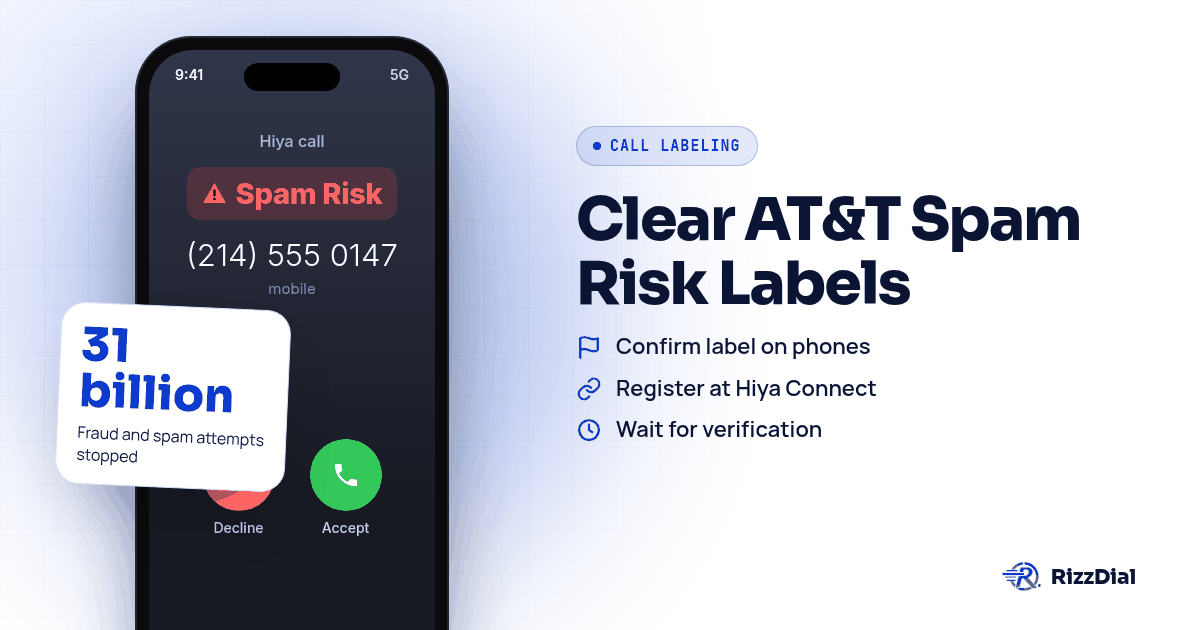
Your team dials out, the AT&T phone on the other end flashes "Spam Risk," and the call dies before anyone picks up. It happens on Samsung phones that aren't even on AT&T's network. AT&T's ActiveArmor app shows the Spam Risk and Fraud Risk labels, but Hiya is the company deciding when to show them, and the fix starts with a free registration at Hiya Connect followed by a one time review request if the label sticks around.
What is actually putting "Spam Risk" on the screen?
AT&T bundles its mobile security features into ActiveArmor, and the spam and fraud labeling inside it runs on Hiya's detection engine. AT&T's own support page explains that calls get labeled when possible, and the person receiving the call can choose to allow, block, or send flagged numbers straight to voicemail, see AT&T's support article on Spam Risk calls. The categories aren't just "spam." AT&T's support page lists telemarketers, political calls, account services, nonprofits, surveys, and other as the category options that can show up next to Spam Risk and Fraud Risk, per AT&T's support article on Spam Risk calls.
Hiya is the company behind the scoring. Its own blog states that it powers AT&T's solution to protect users from spam and fraud with advanced call protection, at Hiya's blog post on the AT&T partnership. So when an AT&T customer reports your number, or when calling patterns trip Hiya's models, the label shows up inside ActiveArmor on the receiving end, not because AT&T itself flagged you.
Why does this also hit Samsung phones on other carriers?
This is the part that confuses most callers. A rep calls a Samsung user whose carrier is Verizon or T-Mobile, and the same Spam Risk style warning appears. Samsung's own phone app, Smart Call, runs on Hiya too. Hiya's newsroom confirms the two companies extended their partnership through 2028, and that Smart Call stopped 31 billion fraud and spam attempts in 2024, according to Hiya's press release on the Samsung partnership. That means a number flagged in Hiya's system can show a warning on any Samsung device, independent of which carrier the recipient uses for service. If your calls are landing badly on Samsung phones specifically, Hiya is almost always the common thread, not the carrier billing the recipient.
Why do some callers see this label more than others?
AT&T's support page does not publish its complaint pipeline, but Hiya's analytics models read calling patterns, not just a single report. A sales team that calls the same lead list twice, or that rings numbers outside normal business hours, looks riskier to those models than a team using tight, permission based lists. The label tracks calling behavior more than the kind of business placing the call.
How do you actually get a flagged number cleaned up?
Here is the sequence that matches what Hiya documents for business numbers.
- Confirm the label is real by calling your own number from an AT&T phone and, separately, from a Samsung phone on a different carrier. Note whether it says Spam Risk, Fraud Risk, or a specific category, and which device showed it.
- Go to Hiya Connect Number Registration and submit the business number. Hiya describes this as "a free service for businesses of any size to register their phone numbers with carriers," at Hiya Connect Number Registration.
- Wait for verification. Hiya's own page says verification is usually fast but can take up to 24 hours, and once your numbers are vetted they go into the global Hiya Network, according to Hiya's number registration page.
- Test the number again on both the AT&T phone and the Samsung phone from step 1.
- If the label is still showing after propagation, submit the number through Hiya's support form for a one time review.
- If you call across multiple carriers, also submit through FreeCallerRegistry, which Hiya, First Orion, and TNS launched together to cut down on registering separately with each one. A single free submission there reaches Hiya's AT&T and Samsung footprint along with the other carrier engines.
- Keep a written log of which numbers you registered and when, since you'll want it if a label reappears later.
- If Hiya's review queue stalls, USTelecom's call redress directory lists labeling and blocking points of contact for every major carrier, in case you need a path beyond Hiya's own support form.
Why doesn't registering just fix this for good?
Registration tells Hiya who you are. It does not change how your calls behave once they go out. If the calling pattern that triggered complaints in the first place keeps happening, meaning the same short burst of outbound calls to numbers that haven't opted in, Hiya's models can flag the number again even after a clean review. Think of registration as clearing your name, not as a shield against future behavior. James Hill, RizzDial's founder, puts it this way from the sales floor: "When you call from your phone, that's a carrier to carrier call." The way the call originates, not just the paperwork behind the number, is part of what determines how it gets treated on the other end.
Is there a more durable fix than registering over and over?
DIY registration through Hiya Connect and FreeCallerRegistry is worth doing, and you should still do it. But teams that call in volume often find the label comes back because the underlying number behaves like a VoIP line to the carriers reading it. James Hill explains the pattern he has seen running outbound teams: "When you go buy a number on GoHighLevel and you call from that number, you're going to get a lower connect rate because the carriers gauge that as VoIP traffic, voice over internet traffic." That's his read from managing sales operations, not a claim about an FCC rule.
RizzDial's approach is to change what the carriers see in the first place. As James describes it, "We essentially make the carriers look at the number as if it's an actual number that you go purchase from the SIM carrier like AT&T, Verizon, T-Mobile ... And we do that by provisioning the numbers with the carriers." He credits the relationships behind that, not just a dashboard: "The most important part is the direct relationships that we have with AT&T, Verizon and T-Mobile. It took a long time to get these relationships. This isn't a brand new platform ... This is real infrastructure."
Calls placed this way are signed and go out over a STIR/SHAKEN compliant carrier network, which is a baseline authentication layer, not a guarantee against a label. What RizzDial adds on top is monitoring. "Every single number is scrubbed every single day," James says, meaning each number is checked daily for spam flags, not run against a Do Not Call list. The checks aren't theoretical either: "We actually have real devices that get pinged every single day to show how the numbers are showing up on the client's devices to increase their pickup rate." If a number trips a flag, James says the fix is to pull it and swap in a clean one: "We make your line look like it's a direct carrier line like AT&T, Verizon or T-Mobile. And we keep it clean. And not only do we keep it clean, we notify you if it's flagged."
This matters specifically for AT&T and Samsung because Hiya is the single engine behind both. A number that keeps drawing Hiya flags will show the same warning on an AT&T phone and on a Samsung phone regardless of the Samsung owner's carrier, so fixing the underlying cause clears both label sources at once. Per number reputation monitoring with flag alerts is an add on for teams that want notifications on individual lines. RizzDial does not lock anyone into its own numbers either. James is direct about it: "We don't ever want to lock anybody into our carrier. We do have managed carrier services." Teams that already run their own Twilio account can bring those numbers over, and those numbers stay that provider's numbers. The carrier provisioned path is RizzDial's managed carrier service for teams that want it. And calling from a single number never scales well regardless of provider. "We cannot call from ... just one number because that number is going to get spammed really fast," James notes, which is why rotation across multiple clean numbers matters alongside any registration work. For teams running outbound through the GoHighLevel integration, this rotation and daily check process is built around how that platform sends calls, and the RizzDial dialer set up the same way carries the same daily monitoring.
What none of this fixes?
No registration service and no carrier relationship will rescue a list problem. If the numbers you're calling came from a purchased list with no opt in, or if the same person gets called repeatedly after saying no, complaints will keep coming regardless of how the number is provisioned. Hammering the same leads across multiple numbers to dodge a label just spreads the complaint pattern across more lines. And even a clean, carrier provisioned, daily checked number can pick up a label again if calling behavior changes, since AT&T's categories are driven by ongoing customer feedback, not a one time check. Nothing here is a guarantee. Treat registration and monitoring as reducing risk and catching problems fast, not as immunity.
For businesses calling customers who already know them and own an iPhone, there's also a way to skip carrier labels for warm follow up entirely. For warm follow up on iPhones, iMessage and FaceTime Audio through RizzDial's sister product Beam ride over data, so carrier spam labels do not apply.
What FAQs do teams ask about the AT&T Spam Risk label?
Does AT&T write its own spam labels?
No. AT&T Call Protect and ActiveArmor display the labels, but Hiya is the analytics engine deciding which calls get flagged, according to Hiya's own blog post on the partnership.
Will Hiya registration fix a Samsung phone too?
It can, because Hiya also powers Samsung Smart Call under Hiya and Samsung's extended partnership, so Hiya's view of your number can follow you onto Samsung phones that have Smart Call turned on, even on a different carrier.
How long does Hiya Connect registration take?
Hiya's own page says verification is usually fast but can take up to 24 hours, and once your numbers are vetted they go into the global Hiya Network, according to Hiya's number registration page.
What if the number still shows Spam Risk after registering?
Submit the number through Hiya's support form for a one time review, and keep an eye on calling patterns in the meantime since registration alone does not override a pattern that keeps drawing complaints.
Does registering with Hiya cover Verizon and T-Mobile customers too?
Not directly. Hiya is paired with AT&T and Samsung, while Verizon uses TNS and T-Mobile uses First Orion, so a business calling across carriers typically needs to register with FreeCallerRegistry, which distributes to Hiya, TNS, and First Orion at once.
How do you get your numbers checked?
If your team is burning through leads that never pick up because of this exact label, read the full breakdown at stopping business number spam labels, compare what happens on Verizon's Call Filter and TNS and T-Mobile's Scam Likely and First Orion, or check how VoIP numbers compare to carrier numbers for connect rate differences. For teams that already tried registration and disputes and need the next step, see the dispute walkthrough for outbound sales teams. Book a demo to walk through your current number setup and see how carrier provisioned numbers and daily monitoring would apply to your calling volume.
How can RizzDial help with your calling workflow?
RizzDial is the AI outbound sales workspace for teams on GoHighLevel. Power dialing, AI voice agents, SMS automation, and CRM workflows in one platform. Book a demo.