Compliance
How to Stop Your Business Number Showing Spam Likely
See who labels calls Spam Likely, Scam Likely or Potential Spam, what STIR/SHAKEN and CNAM really do, and how to fix a flagged number.
By James Hill, Founder, RizzDial ·
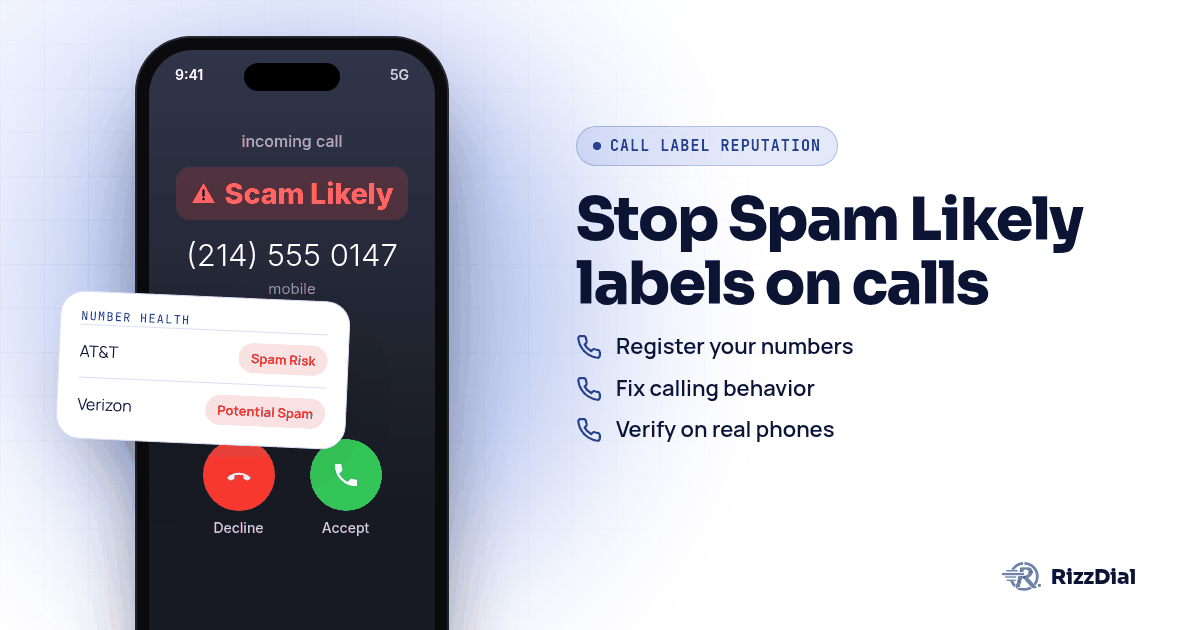
Your team dials out, the phone rings twice, and the person on the other end glances down at a screen that says Spam Risk or Scam Likely and hangs up without a word. The short version: a receiving carrier's analytics partner, not a government agency, scored your number based on complaints and calling patterns, and you fix it by registering that number with the right analytics engines, cleaning up the behavior that triggered the score, and resting or replacing numbers that will not clear.
Who actually puts the Spam Likely label on your calls?
Nobody at the phone company is sitting in a room flagging your number by hand. Each major carrier pays an outside analytics partner to score every outbound call in something close to real time, and that partner's decision is what shows up on the receiving screen. Twilio's own trust documentation lays out the pairing plainly: Twilio "submits your phone numbers to carriers' analytics vendors Verizon (TNS), T-Mobile (First Orion), and AT&T (Hiya), who review your numbers and may update how they are labeled," according to Twilio's Trust Hub documentation. On AT&T, the ActiveArmor support page says "Spam calls are labeled when possible. You can allow, block or send all Spam calls to voicemail." Verizon's free Call Filter tier shows every flagged call as "Potential Spam," according to Verizon's Call Filter FAQ. T-Mobile's Scam Shield shows "Scam Likely" through its Scam ID feature, and T-Mobile's own page adds that the same free plan includes Potential Spam identification and sends suspected scam calls to voicemail.
That means three companies make separate judgment calls about the same number, often from different data, so a number can look clean on one carrier and flagged on another at once. The phone adds its own layer too: an iPhone can silence unknown callers, and Google's Phone app runs its own spam check on numbers outside your contacts.
Here is where each label comes from and where a business goes to register or push back on it:
| Receiving carrier | Label you see | Analytics partner | Where a business registers or appeals |
|---|---|---|---|
| AT&T | Spam Risk | Hiya | Hiya Number Registration |
| Verizon | Potential Spam | TNS | Voice Spam Feedback form |
| T-Mobile | Scam Likely | First Orion | First Orion number registration |
For the fuller picture of how that scoring works and how a sales floor keeps it clean on an ongoing basis, see caller ID reputation for sales teams.
Does STIR/SHAKEN registration stop the label?
Not on its own, and this is where confusion starts. STIR/SHAKEN is a signing system that lets a carrier confirm the caller ID on a call matches who sent it, which the FCC describes as helping providers decide which calls to block or label. The framework has three attestation levels under FCC rules: full attestation when the provider can verify both the caller and their right to that number, partial attestation when it can confirm the caller but not the number, and gateway attestation when the provider has no real relationship with whoever originated the call.
What STIR/SHAKEN proves is identity, not reputation. A fully signed call can still get flagged. HighLevel's support team says the same thing about its own platform in plain words: SHAKEN/STIR "does not guarantee that a call will display as 'Trusted' or 'Verified,' and it does not directly remove 'Spam Likely' or other nuisance labels," according to HighLevel's documentation. Signing calls is still worth doing, just do not expect it to clear a label that already stuck.
What does CNAM actually do, and where does it fall short?
CNAM, short for Caller ID Name, is the system that looks up a name to display next to an incoming number. The FCC explains that terminating providers query a centralized database linking numbers to names, and the same FCC filing warns that these databases "are not reliably accurate and are subject to manipulation," since bad actors can link their numbers to misleading names.
CNAM has nothing to do with the spam score itself. It only controls what name, if any, shows up next to your number, and HighLevel's own CNAM guide is blunt about the ceiling: "CNAM name display is not guaranteed. The recipient's carrier, device, caller ID service, and other carrier policies can affect whether the registered name appears," per HighLevel's support article. A business can have a perfectly registered CNAM entry and still get a Spam Risk label on the same call, because one system names you and a separate system scores you.
What are the exact steps to register and fix a flagged number?
Work through these in order. A new number with the same calling habits drifts toward the same label, so registration and behavior come before replacement.
- Go to FreeCallerRegistry.com and submit your outbound business numbers. One submission there reaches Hiya, First Orion and TNS at once, touching all three major carriers in a single step.
- Register directly with Hiya through its Connect Number Registration tool if your calls lean toward AT&T traffic, and if a number is still showing flagged after that, submit Hiya's support form for a one time manual review.
- Submit your numbers at First Orion's registration page for T-Mobile coverage, and use Verizon's Voice Spam Feedback form if legitimate calls are showing as Potential Spam, Robo Caller or Potential Fraud there.
- If you run calls through Twilio or a Twilio connected platform, open Trust Hub and apply for Voice Integrity, which Twilio documents as a direct submission to the same three analytics vendors above.
- Pace your outbound volume instead of ramping a new number straight to full speed. Twilio's own voice team warns that "simply launching a high volume voice campaign can look like spam to carriers" in its blog on high volume voice. On Elastic SIP Trunking, Twilio's own CPS guidance starts a new trunk at one call per second per region, with increases tied to call duration over 30 seconds and an answer seizure rate above 70 percent.
- Spread outbound calls across more than one number rather than hammering a single line all day, and let numbers that took a hit rest before putting them back into rotation.
- Check your own answer rate on a real phone, on each major carrier, not just in your dialer's dashboard. A number can read clean in your CRM and still show flagged the moment someone's actual iPhone or Android rings.
- Clean up consent and opt out handling before you touch anything else. Carriers and their analytics partners lean on complaint volume, and a list full of people who never agreed to be called is the fastest way to earn another flag right after you clear the first one.
- If a number is already flagged, register it everywhere above, fix the behavior that caused the flag, then rest it or swap it out if the label refuses to clear. For a full walkthrough of running disputes across a team's full number pool, see fixing Spam Likely for outbound sales teams.
None of these steps come with a promised date. Hiya's own registration page says "Verification is usually fast, but can take up to 24 hours," and once a number is vetted it gets registered across the global Hiya Network. First Orion's registration page says getting started there is "completed in less than 5 minutes through 3 easy steps," but none of the three analytics engines promise the label actually disappears, and HighLevel's support team is upfront that "each provider and carrier evaluates reputation independently," so clearing one does not guarantee the others follow.
Which guide should you read for your specific carrier or dialer?
These go deeper on a single provider or carrier:
- Running calls through Twilio directly? Read Twilio Spam Likely and Voice Integrity for the registration path built into Trust Hub.
- Dialing out of GoHighLevel on LC Phone? Read GoHighLevel LC Phone and Spam Likely for what HighLevel's own tools can and cannot do.
- Mostly getting flagged on AT&T? Read AT&T Spam Risk and Hiya for Business Calls.
- Mostly getting flagged on Verizon? Read Verizon Potential Spam and Call Filter via TNS.
- Mostly getting flagged on T-Mobile? Read T-Mobile Scam Likely and First Orion.
Spam Likely guides by provider and dialer: Kixie, Readymode, Telnyx, Plivo, Vapi, Retell, Bandwidth, Vonage, SignalWire, Aircall, Dialpad, RingCentral, PhoneBurner, Convoso, JustCall, CallTools.
If your team buys numbers inside a CRM, read VoIP numbers versus carrier numbers and Spam Likely.
What is the honest fix when the DIY steps are not enough?
Do the steps above first. They work. The reliable fix beyond that, per James Hill, RizzDial's founder, is direct carrier relationships rather than another registration form.
"When you call from your phone, that's a carrier to carrier call," James says, describing the baseline every business wants back. His read on CRM purchased numbers is blunt: "When you go buy a number on GoHighLevel and you call from that number, you're going to get a lower connect rate because the carriers gauge that as VoIP traffic, voice over internet traffic." RizzDial's approach is to provision numbers directly with the carriers so they read the same way a phone bought at a carrier store would. "We essentially make the carriers look at the number as if it's an actual number that you go purchase from the SIM carrier like AT&T, Verizon, T-Mobile," James explains, "and we do that by provisioning the numbers with the carriers."
That provisioning did not happen overnight. "The most important part is the direct relationships that we have with AT&T, Verizon and T-Mobile," he says. "It took a long time to get these relationships. This isn't a brand new platform. This is real infrastructure." Calls placed this way are signed and carried over a STIR/SHAKEN compliant carrier network.
The daily maintenance behind that is what James calls remediation, and he describes it as ongoing rather than a one time fix: "We make your line look like it's a direct carrier line like AT&T, Verizon or T-Mobile. And we keep it clean. And not only do we keep it clean, we notify you if it's flagged." Checking happens constantly: "We actually have real devices that get pinged every single day to show how the numbers are showing up on the client's devices," James says. When a number gets flagged, it comes out of rotation and gets replaced with a clean, carrier provisioned one. Per number reputation monitoring with flag alerts is an add on. Filing disputes, CNAM and branded caller ID stay with the DIY steps above; RizzDial's piece is how the number itself is provisioned and watched.
Single numbers still get burned out fast no matter how clean the provisioning is. "We cannot call from just one number because that number is going to get spammed really fast," James says, which is why spreading volume across a pool of numbers still matters. RizzDial also does not force every customer onto its own carrier relationships. "We don't ever want to lock anybody into our carrier. We do have managed carrier services," James says. A team can bring an existing carrier account, including their own Twilio setup, and those numbers stay that provider's numbers; the direct AT&T, Verizon and T-Mobile provisioning described above is RizzDial's managed carrier service, and either path still runs through RizzDial's dialer. Teams calling out of GoHighLevel specifically can see how the RizzDial and GoHighLevel integration fits alongside LC Phone rather than replacing it outright.
Teams following up by text or iMessage on the same contacts face a separate issue: an iMessage sent from an iPhone rides over Apple's data network rather than the carrier voice network, so RizzDial's sister product Beam lets a business send warm follow up through iMessage and FaceTime Audio at beamtexting.com/gohighlevel-imessage, where carrier spam labels do not apply.
What will none of this fix?
No registration, provisioning or monitoring setup rescues a list nobody agreed to be called on. Dial a scraped or purchased list and complaints keep arriving, however clean your carrier relationship is. The same goes for calling the same person over and over in a short window; analytics engines read that pattern as risky regardless of how the call got signed. A cleared number can also get flagged again later, because the engines keep scoring every call.
What FAQs come up about fixing a Spam Likely business number?
Is Spam Likely the same thing as being on a Do Not Call list?
No. A Do Not Call listing is about consumer consent and who you are allowed to call, while Spam Likely, Scam Likely and Potential Spam come from a carrier's analytics partner scoring how your number behaves and gets reported, with no connection to the federal registry.
Does completing STIR/SHAKEN registration remove a Spam Likely label?
Not by itself. STIR/SHAKEN proves the call actually came from the number it claims to, and HighLevel's own support documentation says plainly that it does not guarantee a call shows as trusted and does not directly remove Spam Likely or other nuisance labels, which come from a separate analytics decision.
What is the Free Caller Registry, and do I have to pay to use it?
FreeCallerRegistry.com is a free portal that shares one submission with First Orion, Hiya and TNS. You can add up to 20 numbers by hand or upload a file, and the registry itself says registering does not guarantee redress.
Why does a number bought inside a CRM like GoHighLevel sometimes get flagged faster?
In the experience of James Hill, RizzDial's founder, carriers often read a number bought inside a platform like GoHighLevel as voice over internet traffic rather than a direct carrier line, and it pulls a lower connect rate even before complaints come in.
Can a number that already shows Spam Likely ever go back to showing clean?
Sometimes, after registering with the analytics engines and changing the behavior that caused the flag in the first place, but no engine promises a timeline or a guaranteed outcome, and a number can drift back into a bad label later if the same calling pattern continues.
How do you get your numbers checked?
Want to see how carrier provisioned numbers and daily remediation hold up against your own call list? Book a demo and bring a flagged number with you.
How can RizzDial help with your calling workflow?
RizzDial is the AI outbound sales workspace for teams on GoHighLevel. Power dialing, AI voice agents, SMS automation, and CRM workflows in one platform. Book a demo.