Compliance
Dialpad Spam Caller Flags: Keeping Sales Lines Answerable
Dialpad sales teams seeing Spam Likely: the identity, behavior and number age check to run first, plus what Dialpad's pages confirm.
By James Hill, Founder, RizzDial ·
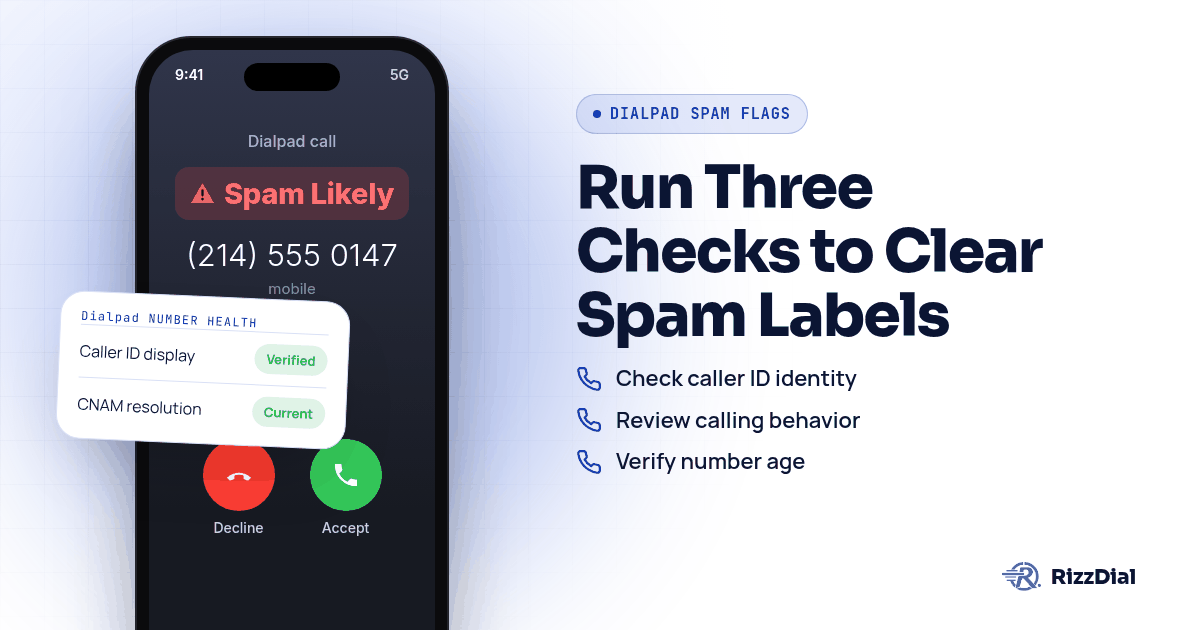
A rep works a fresh list through Dialpad, the line rings once, and the prospect's screen already says Spam Likely before anyone picks up. The fix is not one setting. Run three checks in order: who the number says it is, how it behaves on the line, and how old or freshly reassigned the number is. Dialpad's own caller ID and local presence pages cover pieces of the first two directly, but this review hit an access block on Dialpad's help center for anything touching STIR/SHAKEN specifics, so that piece stays general here rather than invented.
Why do Dialpad sales numbers pick up a spam caller flag?
A label is not Dialpad's call. It is the recipient's carrier deciding, through its own analytics partner, that a pattern on your number looks like unwanted calling. Verizon's Call Filter FAQ describes the broad bucket plainly: "Potential Spam: Unwanted callers that may be calling indiscriminately or inappropriately to a large number of recipients." AT&T runs a similar system through ActiveArmor, where "Spam calls are labeled when possible," per AT&T's support article. T-Mobile's ScamShield lists Scam Likely identification among its free features for T-Mobile customers, alongside a Scam Block option a customer turns on by dialing #662#, according to T-Mobile's Scam Shield page. None of the three care what dialer placed the call. They care about the number and the pattern behind it.
That is why a Dialpad specific setting can only ever be part of the answer. Some of what drives a label sits in a carrier's analytics engine, not in any phone system's admin panel.
What's the three part check before you touch a Dialpad setting?
Three things independently push a number toward a label, and conflating them wastes time.
Identity is what the number claims to be when it rings. A missing or mismatched name on caller ID, or a CNAM entry that never resolves, reads as less trustworthy than a clean match. Behavior is what the number does over time: how many calls, how tight together, how many go unanswered or get flagged by recipients. Number age is how long the number has been active under your account and whether it was freshly ported or freshly assigned out of a shared pool. A number that is brand new to carrier networks has no track record yet, good or bad, and some carriers treat that absence of history with extra caution.
Checking all three before touching a setting tells you which lever is worth pulling. A number that fails on identity needs a caller ID fix. A number that fails on behavior needs a change in how reps dial. A number that fails purely on age needs time, or a carrier relationship that skips the waiting period.
What are the exact Dialpad menus to check for identity, behavior and number age?
- Open your Dialpad caller ID settings from the Main Dialer or from a Conversation Thread, available on both desktop and mobile, according to Dialpad's caller ID feature page. Confirm the number showing is the one you intend callers to see, not a leftover from a prior assignment.
- On that same caller ID page, review the CNAM explanation Dialpad gives: the name tied to a number only updates for a recipient once their carrier performs a fresh database lookup, and caller ID "isn't regulated by a governing body," so there's no guaranteed timeline for that lookup to happen, per the same page.
- If your team dials outside your own area code, check whether local presence is active on your plan. Dialpad's local presence feature page states the feature is built for "sales reps and outbound agents" who want recipients to see "a local phone number with a familiar area code."
- On the same local presence page, check which coverage bundle your account uses. Dialpad describes a top metro bundle covering close to 80 percent of the US population and a broader bundle reaching 98 percent. A number dialed into a region outside either bundle may fall back to a number that reads as out of area to the recipient.
- Confirm callback routing. The same local presence page explains that a recipient calling back reaches the rep who placed the original call before falling back to other routing, which matters because a callback that reaches a dead or reassigned line looks exactly like the kind of pattern analytics engines treat with suspicion.
- Separately from Dialpad, check whether the number has ever been registered with a carrier analytics vendor. FreeCallerRegistry.com lets a business register outbound numbers for free, with support contacts listed for First Orion, Hiya and TNS, the three engines named across T-Mobile, AT&T and Verizon, per the mapping in Twilio's own Voice Integrity documentation.
- Note the number's history. A number pulled fresh from any shared pool, Dialpad's or otherwise, has no calling history behind it yet. That absence of history is a separate issue from a bad reputation, but carriers can treat both cautiously until a pattern of normal calling builds up.
- If a specific number keeps failing all three checks, retire it from active dialing rather than troubleshooting it indefinitely. A number that behavior and identity checks both clear, but still shows a label, usually needs either more time or a different kind of number underneath it.
What does Dialpad's inbound spam score actually tell you?
Dialpad's call blocking page describes a spam score system, but it runs in the opposite direction from the problem this page is about. "A spam score of 100 (the highest possible) is automatically blocked from entering the Dialpad ecosystem," and admins get self serve options to block anything scoring above 90. That setting protects your team's inbox from unwanted inbound traffic. It has no bearing on how a recipient's carrier scores the calls your reps place outward. A Dialpad admin who tightens inbound spam blocking and sees outbound labels unchanged is not seeing a contradiction. The two systems are unrelated.
Dialpad's trust and security page backs this up without going further: it states generally that "call blocking and spam prevention features are provided to each user" and that Dialpad "performs spam recognition" for calls coming in, with no mention of STIR/SHAKEN attestation on that page.
Is a quick explanation of STIR/SHAKEN and CNAM enough here?
STIR/SHAKEN is a signing standard that lets a carrier confirm a call's caller ID was not spoofed, and CNAM is the separate name lookup a recipient's carrier performs on its own schedule. Both matter for how a call displays, but neither is a Dialpad specific mechanic worth detailing on this page since Dialpad's own attestation documentation returned an access block during this research. For the fuller breakdown of attestation levels and how CNAM interacts with spam labeling across providers, see the pillar guide on stopping Spam Likely remediation.
What does RizzDial add if Dialpad's own settings don't clear the label?
Working through identity, behavior and number age inside Dialpad is worth doing first, and most teams should do exactly that before looking anywhere else. Some numbers clear every check above and still pick up a label within a few weeks, usually because the underlying number still reads to a carrier as internet voice traffic rather than a line tied to a direct carrier relationship. James Hill, RizzDial's founder, puts the distinction plainly: "When you call from your phone, that's a carrier to carrier call." A number dialed out through a VoIP platform does not start from that position, which James has watched cost connect rate across the outbound sales teams he has run himself.
RizzDial's approach works on the number itself. James describes it as making a number look to carriers the way one purchased directly from AT&T, Verizon or T-Mobile would look, done by provisioning the number with those carriers rather than routing it purely as internet traffic. The asset behind that, he says, is the relationships: "The most important part is the direct relationships that we have with AT&T, Verizon and T-Mobile." Building those ties took time, and the infrastructure behind them predates the platform itself. Calls placed this way are signed and go out over a STIR/SHAKEN compliant carrier network, which is a baseline, not a promise against any label ever appearing.
Monitoring runs alongside that. James describes every number as checked every single day, meaning each gets reviewed daily for spam flags, separate from any Do Not Call scrubbing, using real devices that get pinged daily to show how numbers are actually displaying on recipients' phones, which is meant to lift pickup rate. When a flag turns up, RizzDial sends notice and pulls that number from rotation, replacing it with a clean, carrier provisioned one rather than leaving it in the lineup to keep drawing complaints. Per number spam reputation monitoring with flag alerts is an add on for teams that want notice on specific lines. James is clear the goal is not to lock anybody in, and RizzDial also runs managed carrier services for teams that want the carrier relationship handled end to end. Numbers brought in through a team's own carrier, such as its own Twilio account, stay that provider's numbers; the carrier provisioned path described above is RizzDial's managed carrier service, not a requirement. Teams running outbound through the GoHighLevel integration or through the RizzDial dialer run on carrier provisioned numbers that get the same daily checks, and no single number carries a full calling load well on its own. A number handling every call in a block gets flagged fast, the same logic behind local presence rotation, just applied to a different kind of number underneath.
What still won't fix a Dialpad spam caller flag?
No setting on any platform repairs a list problem. If the numbers being dialed came from a purchased list with no opt in, or the same person gets called again after declining once, complaints land regardless of which caller ID is showing or how the number was provisioned. Swapping numbers to dodge a label just spreads the same complaint pattern across more lines. Even a carrier provisioned, daily checked number can pick up a fresh label if calling volume spikes hard in a short window, because every analytics engine named on this page rescoring is ongoing, not a one time pass. Treat identity, behavior and number age checks, and a carrier relationship on top of them, as reducing risk and catching problems fast. None of it is a guarantee a label never comes back.
For the deeper read on why internet voice numbers draw more carrier scrutiny than carrier issued lines in the first place, see VoIP number vs carrier number. Teams that have already registered numbers and still need to file a direct dispute should read the dispute walkthrough for outbound sales teams. If your stack runs through Twilio instead of Dialpad for part of your calling, Twilio's Voice Integrity guide covers that registration path, and teams dialing a Verizon heavy list specifically should read Verizon's Potential Spam label and TNS. For warm follow up with contacts who already know you and own an iPhone, iMessage and FaceTime Audio through RizzDial's sister product Beam ride over data, so carrier spam labels never apply there.
What FAQs come up about Dialpad spam caller flags?
Does changing a Dialpad caller ID fix a Spam Likely label right away?
Not by itself. Dialpad's caller ID page explains that a receiving carrier only updates what it displays after it performs a fresh lookup, called a dip, and notes plainly that caller ID has no governing body requiring carriers to look up a name the moment it changes, according to dialpad.com. If a carrier has not dipped since you changed the setting, the old name or label can still show up.
Is Dialpad's local presence dialing the same thing as carrier registration?
No, and the distinction matters. Local presence swaps your outbound caller ID to an area code the recipient recognizes, which Dialpad's own feature page ties to better answer rates, according to dialpad.com. It does not register anything with Hiya, First Orion or TNS, so a locally matched number can still carry a spam label if a carrier's analytics engine has already flagged it.
Why couldn't this guide confirm Dialpad's STIR/SHAKEN attestation claims?
Dialpad's help center articles on spam prevention and STIR/SHAKEN returned an access block to automated fetching during this research session, so this guide only cites pages on dialpad.com that loaded directly. If your Dialpad admin console shows a verification checkmark, confirm what it means by reading your own account's help article rather than relying on a general claim here.
Does Dialpad's spam score feature protect your outbound sales number?
No. The spam score Dialpad describes on its call blocking page applies to calls coming into your Dialpad account, not to how carriers label calls your reps send out, according to dialpad.com. A sales line can run a strict inbound spam score setting and still pick up an outbound Spam Likely tag on recipients' phones.
What should a Dialpad admin check before assuming a carrier issue is permanent?
Work through identity, behavior and number age in that order, since each one points to a different fix. Caller ID and CNAM cover identity, local presence and dial pacing cover behavior, and how recently a number went active or got reassigned covers age, and only after ruling out all three does a direct carrier relationship become the next lever worth pulling.
How do you get your Dialpad numbers checked against carrier labels?
A side by side look at your current Dialpad numbers against a carrier provisioned setup is the fastest way to see where the gap actually is. Book a demo and bring your recent call data so the walkthrough uses your own numbers instead of a generic example.
How can RizzDial help with your calling workflow?
RizzDial is the AI outbound sales workspace for teams on GoHighLevel. Power dialing, AI voice agents, SMS automation, and CRM workflows in one platform. Book a demo.