Compliance
CallTools Caller ID Pools Turning Spam Likely
CallTools numbers showing Scam Likely or Spam Likely? Read what each reputation check status means and which carrier engine actually controls it.
By James Hill, Founder, RizzDial ·
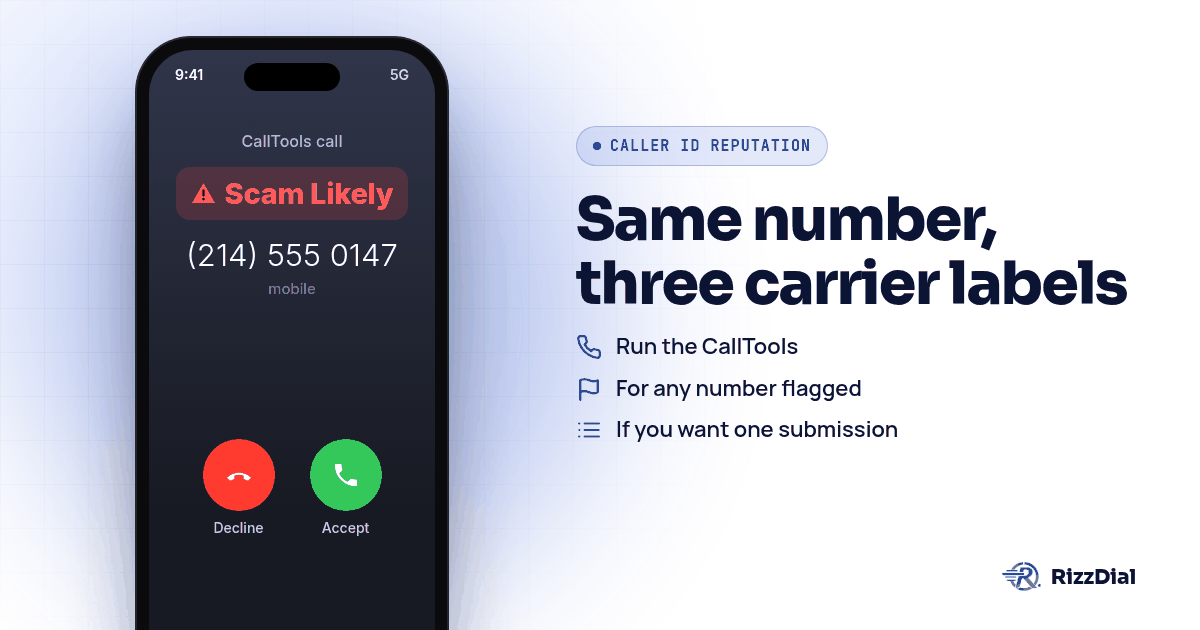
A call center running CallTools pulls a caller ID pool reputation check mid shift and gets three different answers for three different numbers. One reads clean. One shows Scam Likely on T-Mobile. One shows Spam Risk on AT&T. None of those three results came from CallTools itself, and rotating the flagged number out of the pool without reading why it failed just moves the same problem to a different line. The fix starts with reading the result correctly, carrier by carrier, then registering with whichever analytics partner actually owns that status.
What does a CallTools reputation check result actually tell you?
Open the Caller ID Reputation tool inside CallTools and run it against a pool. CallTools pings the major US carrier networks and reports back the status of each registered number in your account, broken down by carrier, according to CallTools' caller ID reputation page. The same page is upfront about the part that confuses most dialers: a number may show clean on one network while flagged on another, so a single pool can hand back a mix of statuses on the same screen.
Read each row by carrier, not by number. A number showing clean everywhere needs nothing. A number showing flagged on exactly one carrier needs a registration with that carrier's own analytics partner, covered below. A number flagged across all three usually means the calling pattern itself, not the number, is the problem, and no amount of registering will hold if the behavior underneath it stays the same. Here is the short version of who shows what:
| Carrier | Label you'll see | Analytics partner |
|---|---|---|
| AT&T | Spam Risk | Hiya |
| Verizon | Potential Spam | TNS |
| T-Mobile | Scam Likely | First Orion |
Why does the same number show different results on different carriers?
Three separate companies are making three separate judgment calls about the same outbound number. Twilio's own trust documentation lays out the pairing directly: Twilio "submits your phone numbers to carriers' analytics vendors Verizon (TNS), T-Mobile (First Orion), and AT&T (Hiya), who review your numbers and may update how they are labeled," per Twilio's Trust Hub documentation. On AT&T, spam calls get sorted into categories like telemarketers, account services, and nonprofits, see AT&T's support article on Spam Risk calls. Verizon's free Call Filter tier shows every flagged call simply as Potential Spam, per Verizon's Call Filter FAQ. T-Mobile's Scam Shield applies the Scam Likely label through its Scam ID feature and also includes a separate Potential Spam identification layer, according to T-Mobile's own page.
That split matters for a call center running one pool across many area codes. A number dialing mostly into AT&T territory lives or dies on Hiya's scoring; our breakdown of AT&T Spam Risk labels and Hiya goes deeper on that side specifically, including why the same Hiya score can follow a recipient onto a Samsung phone regardless of their carrier. A number dialing mostly into Verizon or T-Mobile territory needs the other two engines instead, and none of the three share a combined score sheet with each other.
How do you manage caller ID pools and ported numbers in CallTools?
From the Caller ID management page, administrators can view all active phone numbers, manage numbers that were ported into the system, and manually create or assign caller IDs, according to CallTools' caller ID glossary page. That page does not name a "caller ID pool" as its own feature; in practice a pool is whatever set of numbers gets assigned through a Caller ID Strategy, which is what actually decides what shows on an outbound call.
The fallback behavior matters once a number gets flagged. If no outbound caller ID is selected through a Caller ID Strategy, the system uses the default Account Caller ID configured in Account Settings, per the same glossary page. Pulling a flagged number out of an active Caller ID Strategy without checking what the default falls back to can quietly route a chunk of your dials onto a single backup line, which tends to burn that number out fast on its own.
Ported numbers carry their history with them. A number ported into CallTools from another provider arrives with whatever reputation it already had on each carrier's analytics engine, and the port itself does not reset that score. If your team buys numbers through a dialer connected to a CRM instead of a direct carrier relationship, that starting reputation is often already working against you before a single call goes out; VoIP number vs carrier number Spam Likely covers why that starting point differs so much between the two.
What are the exact steps to fix a flagged CallTools number?
Work through these in order rather than jumping straight to swapping numbers in the pool.
- Run the CallTools reputation check on the whole pool and write down which carrier flagged which number, using the breakdown from CallTools' caller ID reputation page.
- For any number flagged on AT&T, register through Hiya's Connect Number Registration, and if it is still showing flagged after that, submit Hiya's support form for a one time manual review.
- For any number flagged on T-Mobile, submit it at First Orion's registration page.
- For any number flagged on Verizon, use Verizon's Voice Spam Feedback form if the calls are legitimate.
- If you want one submission that reaches all three engines at once, use FreeCallerRegistry.com instead of registering with each separately.
- Spread outbound volume across the full pool rather than running one number hard while the rest sit idle, and give a recently flagged number a rest period before putting it back into active rotation.
- Review consent and opt out handling on the list itself before touching the numbers. A clean, registered number dialing a list full of people who never agreed to be called earns a fresh flag quickly regardless of how it was provisioned.
- Rerun the CallTools reputation check a few days after registering to confirm the status actually changed on each carrier, since none of the three analytics engines promise a fixed timeline. For the full carrier by carrier dispute walkthrough once a whole team's pool is affected, see fixing Spam Likely for outbound sales teams.
Does STIR/SHAKEN or Rich Call Data clear a flagged number?
CallTools describes STIR/SHAKEN the same way regulators do: full attestation when the provider has fully authenticated the caller, partial attestation when it can confirm the customer but not the number, and gateway attestation when it has no real relationship with whoever placed the call, according to CallTools' blog on STIR/SHAKEN. None of that tells a carrier's analytics partner the number is safe to pass through clean, it only proves who placed the call. See stopping business number spam labels for the full version of how attestation and spam labeling actually relate.
Rich Call Data works differently and is worth understanding on its own. CallTools' blog describes RCD as using SIP headers to carry more detailed caller ID information than a plain number and name, including a business's authenticated number and name, a branded business logo, the business type, the call's originating location, and the reason the person is receiving the call, like customer service or account support, according to CallTools' blog on caller ID accuracy. That richer display can make a recipient more likely to pick up, but it rides alongside whatever label the carrier already applied, it does not erase it.
What's the honest fix when CallTools keeps flagging the same pool?
Run the steps above first. Registering with Hiya, TNS, and First Orion is free, and a call center that skips straight to swapping numbers just pays for new ones with the same underlying problem. The gap shows up when a pool keeps drawing fresh flags no matter how often you register, and that gap is what James Hill, RizzDial's founder, points to from running outbound teams himself.
James describes calling from your own phone as a carrier to carrier call, the baseline every dialer is actually competing against. A pool of purchased numbers struggles by comparison, he says, because the carriers gauge a number bought on GoHighLevel as VoIP traffic, voice over internet traffic, which drags the connect rate down. RizzDial's approach is to provision numbers directly with the carriers so the network reads them the way a phone bought from a carrier store would, making the carriers treat the number as if it were purchased straight from AT&T, Verizon or T-Mobile.
Those relationships took time to build. James calls the direct relationships with AT&T, Verizon and T-Mobile the most important part of the setup. "It took a long time to get these relationships. This isn't a brand new platform. This is real infrastructure," he says. Calls placed this way are signed and carried over a STIR/SHAKEN compliant carrier network.
The daily part matters as much as the provisioning. James says RizzDial makes a line look like a direct carrier line from AT&T, Verizon or T-Mobile, keeps it clean, and sends a notice if it gets flagged. Every number gets checked daily for spam flags, not matched against a Do Not Call list, and that checking runs on real devices that get pinged daily to show how numbers are actually showing up on a client's phone. A flagged number comes out of rotation and gets replaced with a clean, carrier provisioned one. Per number reputation monitoring with flag alerts is an add on for teams that want it. None of this involves CallTools, filing a dispute with Hiya, First Orion or TNS, or registering CNAM; those remain the DIY steps above, and this piece sits underneath them, in how the number behaves on the network before it ever reaches a reputation check.
A single number still wears out fast no matter how clean the provisioning is. "We cannot call from just one number because that number is going to get spammed really fast," James says, which is the same reason a caller ID pool exists in the first place. RizzDial also does not require giving up an existing setup to use it; James says the company never wants to lock anyone into its carrier and offers managed carrier services instead. A center can bring its own carrier account, including an existing Twilio account, and those numbers stay that provider's numbers rather than converting over; the direct AT&T, Verizon and T-Mobile provisioning described above is RizzDial's managed carrier service for teams that want it. Either path runs through RizzDial's dialer, and teams already dialing out of a CRM can see how RizzDial for GoHighLevel sits alongside that setup rather than replacing it outright.
Voice is not the only channel a carrier gatekeeps. For warm follow up on iPhones, iMessage and FaceTime Audio through RizzDial's sister product Beam ride over data, so carrier spam labels do not apply there.
What none of this fixes?
No reputation check, registration, or carrier relationship rescues a list nobody agreed to be called on. If the numbers in a pool came from a scraped or purchased list, complaints keep arriving no matter how clean the provisioning is underneath them, and a freshly cleared number can land right back on the same carrier's radar within days. The same holds for calling the same person repeatedly in a short window across different numbers in the pool to dodge a flag; the analytics engines read that pattern as risky regardless of which number placed the call. Even a number that clears every carrier check today can pick up a fresh flag later, since each engine reevaluates on its own schedule rather than issuing a permanent clean result.
Centers running numbers through more than one platform run into the same scoring either way. LC Phone Spam Likely fix covers the GoHighLevel side of this if your team also dials through LC Phone alongside a CallTools pool.
What FAQs come up about CallTools caller ID pools and Spam Likely?
Does CallTools remove the Spam Likely label itself?
No. CallTools' reputation check tool pings the major US carrier networks and reports back the status of each number, but the label itself comes from that carrier's analytics partner, Hiya for AT&T, TNS for Verizon, or First Orion for T-Mobile, according to CallTools' caller ID reputation page and Twilio's Trust Hub documentation on the same three partners. Fixing the label means registering with that partner, not just rerunning the check inside CallTools.
What does it mean if a number shows clean on one carrier and flagged on another?
It means each carrier's analytics partner scored the number on its own data. CallTools' own reputation page notes that a number may show clean on one network while flagged on another, which is why the tool reports results broken down by carrier instead of one combined score, according to CallTools' caller ID reputation page.
Does Rich Call Data stop a CallTools number from getting flagged?
No, Rich Call Data changes what a recipient sees, not the spam score behind it. CallTools' own blog describes RCD as using SIP headers to pass along a business's authenticated name, a branded logo, the business type, the call's originating location, and the reason for the call, which can help a recipient answer, but that detail sits alongside the spam label rather than replacing it, according to CallTools' blog on caller ID accuracy.
Can a ported number in CallTools still get flagged as Spam Likely?
Yes. CallTools' Caller ID management page lets administrators view active phone numbers, manage numbers ported into the system, and manually create or assign caller IDs, according to CallTools' caller ID glossary page, but none of that changes how a carrier's analytics partner already scored the number before it arrived. A ported number carries its prior reputation with it.
Does CallTools' STIR/SHAKEN support clear a flagged label?
No. CallTools describes full, partial, and gateway attestation much the way the FCC defines them, according to CallTools' blog on STIR/SHAKEN, but attestation only proves who placed the call, not whether a carrier's analytics partner treats that number as safe. See stopping business number spam labels for why signing a call and clearing a label are different things.
How do you get your numbers checked?
Want to see how carrier provisioned numbers and daily remediation hold up against a pool that keeps drawing flags no matter how often you register it? Book a demo and have your current CallTools reputation results ready.
How can RizzDial help with your calling workflow?
RizzDial is the AI outbound sales workspace for teams on GoHighLevel. Power dialing, AI voice agents, SMS automation, and CRM workflows in one platform. Book a demo.