Compliance
RingCentral Business Caller ID vs Spam Risk Labels
RingCentral Business Caller ID shows your name on calls, but it does not stop Spam Risk or Scam Likely labels. Here is the real fix, step by step.
By James Hill, Founder, RizzDial ·
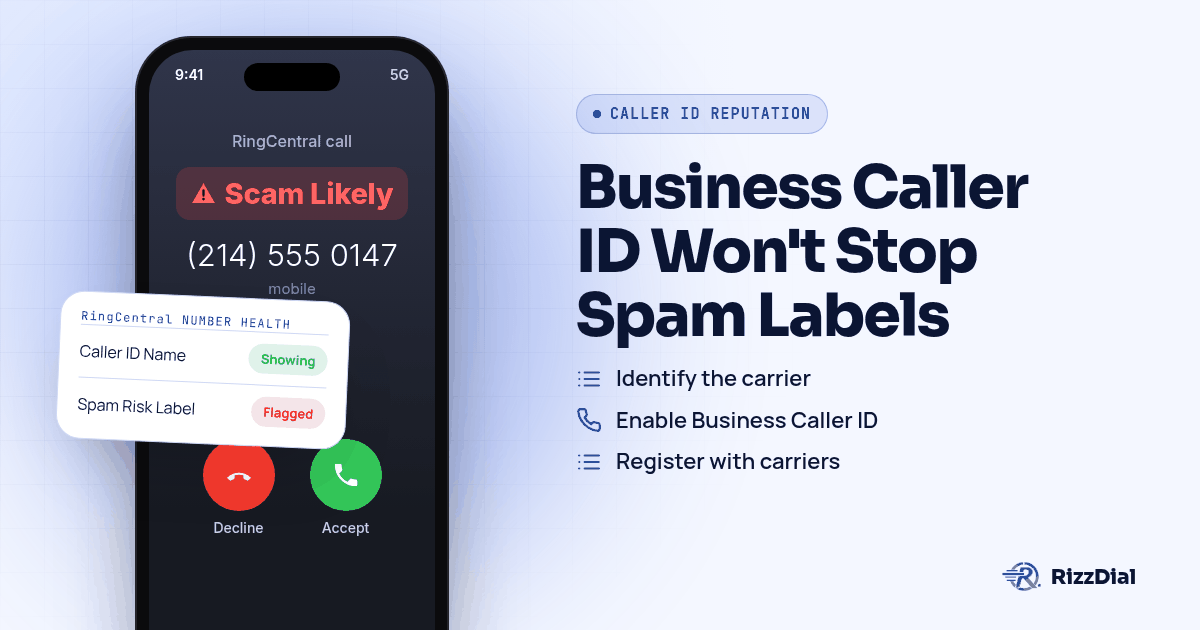
A rep dials out on RingCentral, the screen on the other end lights up with Spam Risk or Scam Likely, and the call dies before anyone says a word. Turning on Business Caller ID can put your real name on that same screen, but a name showing up is not the same thing as a clean reputation score. Fixing the label itself still means working through the general Spam Likely remediation steps, registering with the analytics partners that feed AT&T, Verizon and T-Mobile, and changing the calling pattern that triggered the score in the first place.
Does RingCentral's Business Caller ID stop the Spam Risk label?
RingCentral's own feature page describes Business Caller ID as a way to "show your name and logo before the call is answered to make a great first impression," and the company adds that "verified branding helps prevent your calls from being blocked or flagged as spam, so you can reach more customers." Read that line carefully. It is RingCentral's own framing of what the feature does for you, and it describes prevention going forward, not removal of a score that already exists.
A number can carry a Spam Risk tag from a carrier's analytics partner and still have Business Caller ID switched on at the same time. The two systems run side by side rather than one overriding the other. A recipient might see your business name and still have the label sitting right next to it, because the carrier's spam engine and RingCentral's branding feature are answering two different questions.
What's the difference between showing your name and not looking like spam?
Three separate systems touch the same outbound call, and mixing them up is the most common misunderstanding on this topic. STIR/SHAKEN signs a call so the receiving carrier can trust that the number matches who is actually calling. CNAM attaches a business name to a number mostly for landline caller ID. The Spam Risk, Scam Likely or Potential Spam label is a separate reputation score from the carrier's analytics partner, built from complaints and calling patterns rather than from any signature. For the full version of how those three pieces interact, see the pillar guide on stopping a business number from showing Spam Likely.
| System | What it actually does | Clears a Spam Risk label? |
|---|---|---|
| RingCentral Business Caller ID | Shows your business name and logo across major carriers before the call is answered | No, it runs alongside the label |
| STIR/SHAKEN signing | Confirms the call came from the number it claims, per RingCentral's own blog | No, it only supports the carrier's labeling decision |
| Carrier analytics label | A reputation score from Hiya, TNS or First Orion based on complaints and calling behavior | This is the actual thing you are trying to fix |
For how that score is calculated and how a sales team keeps it clean day to day, see caller ID reputation for sales teams.
James Hill, RizzDial's founder, has watched this confusion play out on live sales floors. His read, from running outbound teams rather than from any carrier rule written down anywhere, is that a number bought on a hosted platform and dialed hard gets read by carriers as VoIP traffic, voice over internet traffic, and pulls a lower connect rate than a line tied straight to a carrier. The same dynamic applies to numbers provisioned through any hosted business phone platform rather than a direct carrier relationship, RingCentral included. Our breakdown on VoIP numbers versus carrier numbers covers that gap in more depth.
How does RingCentral's own STIR/SHAKEN implementation work?
RingCentral's STIR/SHAKEN blog post says the company has "fully implemented the STIR/SHAKEN protocol and has filed its certification of compliance with the FCC's Robocall Mitigation Database," and that its network "both signs all calls that originate on the RingCentral network and verifies STIR/SHAKEN headers on all inbound calls." That is RingCentral's own description of its signing setup, not a claim about spam labeling.
The same post lays out the same three attestation tiers the FCC defined elsewhere: A-level attestation when the provider has "verified both the origination of a call and that the user or extension number is authorized to use the number," B-level when it has "authenticated the call origination but cannot verify that the caller is authorized to use the calling number," and C-level when it "originated the call on the network but cannot authenticate the call source." None of those tiers is a spam decision by itself. They tell a receiving carrier how far to trust the caller ID, and the carrier's analytics partner still makes a separate call about whether to show Spam Risk, Scam Likely or Potential Spam.
That same RingCentral post adds a blunt line about what happens when a call is not authenticated: the receiving phone "will show 'Suspected Robocall' as the caller ID." That is a different label from Spam Risk, pulled from a different part of the pipeline, but it has the same practical effect: nobody picks up.
What should you check first if a RingCentral number shows Spam Likely?
- Confirm the exact wording and which carrier is showing it. "Spam Risk" on AT&T, "Potential Spam" on Verizon and "Scam Likely" on T-Mobile come from three separate analytics partners, so the fix is not identical across all three.
- Make sure Business Caller ID is actually turned on for the affected number. If the people managing your RingCentral account never enabled it, you are missing a branding layer that at least gives recipients a name to look at, even though it will not clear an existing label on its own.
- Register the number with the Free Caller Registry. This single free submission reaches First Orion, Hiya and TNS, the three analytics engines behind T-Mobile, AT&T and Verizon.
- If AT&T is the carrier showing the label, register separately through Hiya's free Number Registration service, built for exactly this situation.
- If T-Mobile is the one flagging the number, First Orion's own registration page vets and verifies numbers across major carriers at no cost.
- If Verizon is showing Potential Spam, submit the number through Verizon's own feedback form, where a business can state that its calls are legitimate and should not be marked as spam.
- Review calling behavior on that number. Spread dials out instead of hammering the same list in a tight window, and respect opt outs, since a sudden volume spike is exactly the pattern these analytics partners are built to catch.
If your outbound stack also routes numbers through GoHighLevel's LC Phone, the registration steps differ enough to need their own walkthrough: see the LC Phone Spam Likely fix. If T-Mobile's Scam Likely tag is the one causing most of the drop off, the T-Mobile Scam Likely and First Orion breakdown goes deeper on that specific carrier.
What's the reliable fix when branded caller ID isn't enough?
Do the registration steps above first. They cost nothing, and skipping them buys you nothing either. But James Hill built RizzDial after watching sales teams finish every free registration step and still get flagged again a few weeks later, because none of that touches what carriers watch day to day once the number is dialing hard.
James explains the gap this way: calling from your own phone is a carrier to carrier call, which is the baseline a hosted business line like a RingCentral number starts below. The direct relationships RizzDial has built with AT&T, Verizon and T-Mobile are what close that gap, and James is blunt about what it took to get there. "It took a long time to get these relationships. This isn't a brand new platform ... This is real infrastructure," he says. RizzDial provisions numbers directly with those three carriers, so a call placed through RizzDial looks like a real carrier line from the start rather than hosted VoIP traffic riding on top of a branding feature.
RizzDial's numbers are built to look like a direct carrier line on AT&T, Verizon or T-Mobile, and James describes the upkeep behind that as checking every number every day and flagging a client the moment one shows a problem. That daily check runs against real hardware too, with devices pinged every day to see exactly how a number is showing up on a client's screen. A flagged number gets pulled out of rotation and swapped for a clean carrier provisioned one. Spreading calls across a pool of numbers matters for a related reason. "We cannot call from ... just one number because that number is going to get spammed really fast," James says. Per number reputation monitoring with flag alerts is an add on feature on top of that.
RizzDial's dialer sits on top of GoHighLevel as a calling layer, so a sub account keeps its existing workflows while calls route through carrier provisioned numbers. See RizzDial for GoHighLevel for how that connection works if your team is already running a CRM alongside RingCentral. James is also clear that RizzDial does not require handing over your whole setup: the company has said it never wants to lock anybody into its own carrier and runs managed carrier services for that reason. Teams that want to keep an existing carrier arrangement can, and numbers brought in that way stay that provider's numbers rather than becoming RizzDial provisioned lines. The carrier provisioned path described above, where RizzDial provisions numbers directly with AT&T, Verizon and T-Mobile, is what RizzDial calls its managed carrier service.
Voice is not the only channel carriers gatekeep. If the contact already knows you and carries an iPhone, Beam, RizzDial's sister product, sends iMessage and FaceTime Audio follow up over data, where carrier spam labels never show.
What won't fix a Spam Risk label on a RingCentral number?
No branding feature fixes a bad list. Dialing numbers that were scraped or bought without real consent still generates complaints against that number, and those complaints feed straight back to the analytics partner regardless of whether a name and logo show up first.
Hammering the same person with repeat calls in a single day reads as a volume spike to the carrier's analytics engine, and a spike is one of the clearest signals those systems are tuned to catch. Spread dials out and respect opt outs, and a number stands a real chance. For the full carrier by carrier dispute walkthrough once a number is already flagged, see fixing Spam Likely for outbound sales teams.
Labels can also come back after you clear them. Analytics partners reevaluate numbers on their own schedule and independently of each other, so a clean result on one carrier is not a promise from the other two. Treat any fix, free registration or carrier provisioned numbers alike, as ongoing maintenance rather than a setting you flip once.
What FAQs come up about RingCentral Business Caller ID and Spam Risk labels?
Does turning on Business Caller ID remove the Spam Risk label on RingCentral calls?
No. RingCentral describes Business Caller ID as a way to show your name and logo before the call is answered, and the company says verified branding helps prevent calls from being blocked or flagged as spam (https://www.ringcentral.com/products/features/business-caller-id.html). That is a claim about prevention going forward, not a mechanism for erasing a Spam Risk score a carrier's analytics partner already attached to the number.
What is the difference between CNAM and RingCentral's Business Caller ID?
CNAM is an older caller ID name lookup that mainly reaches landlines, while RingCentral's Business Caller ID is built to show a name and logo on mobile screens across major carriers, according to RingCentral's own feature page (https://www.ringcentral.com/products/features/business-caller-id.html). Both put a name on the screen. Neither one is the carrier's spam analytics score, which is decided separately.
Does RingCentral's STIR/SHAKEN attestation level affect whether a call gets labeled?
It affects how much a receiving carrier trusts the caller ID, not whether the call gets a Spam Risk label. RingCentral's own blog lays out the same A, B and C attestation tiers the FCC defined, and signing a call only supports the carrier's decision, it does not replace the analytics score that produces Spam Risk, Scam Likely or Potential Spam (https://www.ringcentral.com/us/en/blog/stir-shaken/).
Can a RingCentral number still show Scam Likely on T-Mobile after Business Caller ID is turned on?
Yes. T-Mobile's Scam Shield applies its own Scam Likely and Potential Spam identification at the network level regardless of what branding a caller has turned on elsewhere (https://www.t-mobile.com/benefits/scam-shield). Business Caller ID changes what a T-Mobile customer sees next to the number; it does not change whether T-Mobile's own analytics partner has flagged that number.
How do you get your RingCentral numbers checked?
Branding solves how your name looks. It does not solve the underlying score a carrier's analytics partner keeps on the number. Book a demo and we will walk through your current RingCentral setup and show how carrier provisioned numbers and daily device checks would sit alongside it.
How can RizzDial help with your calling workflow?
RizzDial is the AI outbound sales workspace for teams on GoHighLevel. Power dialing, AI voice agents, SMS automation, and CRM workflows in one platform. Book a demo.