Compliance
Why Your Aircall Number Is Displaying as Spam
Aircall calls showing Spam Likely? What Aircall's own Branded Caller ID, STIR/SHAKEN and CNAM docs actually check, and what they do not fix.
By James Hill, Founder, RizzDial ·
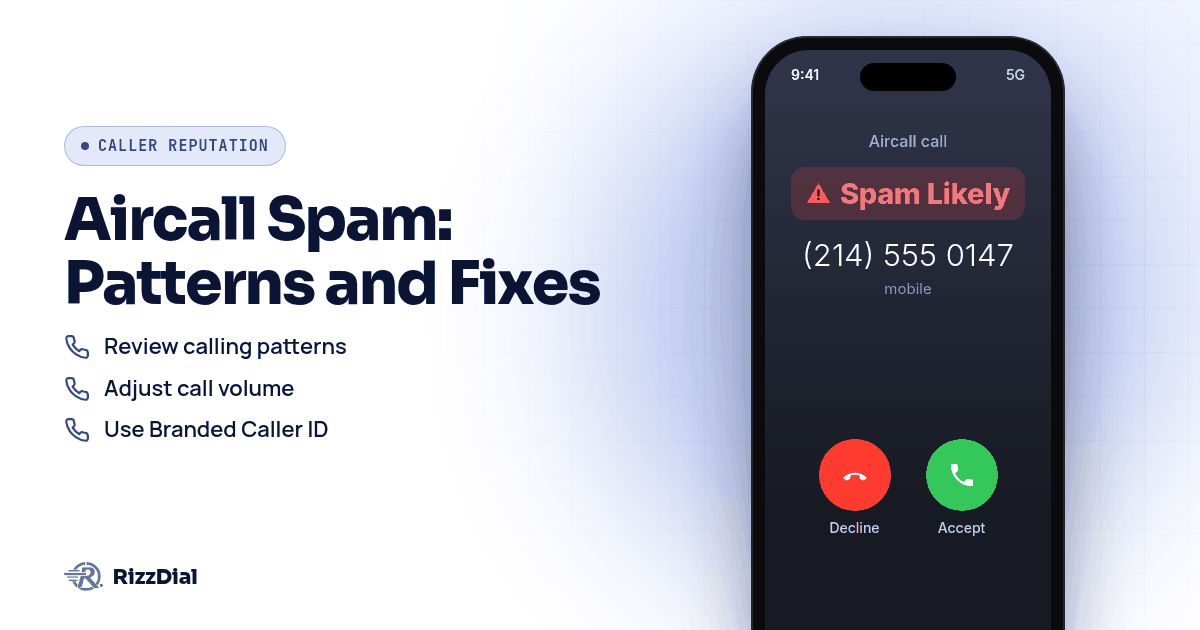
A rep opens the Aircall Workspace, dials a fresh lead, and the call barely rings before the recipient's screen flashes Spam Likely. Nobody picks up. Aircall actually documents this problem in detail, and the fix starts inside the dashboard, not with a new phone system. Review Branded Caller ID enrollment on the number in question, then look hard at the calling pattern that triggered the flag, because Aircall itself says none of its built in tools can guarantee a label disappears for good.
Why is my Aircall number showing up as Spam Likely?
Aircall's own support article on the topic lists three sources behind the label: consumers reporting a number to their carrier, the carrier itself flagging or blocking numbers based on call patterns, and third party databases such as Truecaller, Hiya, Whoscall, Robokiller, Youmail and CallApp that flag numbers automatically based on reported activity or public complaint data, according to Aircall's spam display article. None of those three sources are Aircall's own system deciding to punish you. They're downstream services reading signals your calling produces.
The signals matter more than the label. Aircall names a large number of calls from a single number in a short period as the strongest spam indicator, with a high proportion of unanswered calls as a second clear signal. Calls under 20 to 50 seconds get flagged as likely automated or robocalling behavior, and dialing the same recipient multiple times in a short window reads as a strong spam signal on its own, per Aircall's spam display article. Brand new numbers carry extra risk too. Analytics providers distrust unregistered or low history numbers by default, since spammers constantly rotate through fresh numbers to dodge detection, though early flags on a new number often resolve naturally once healthy usage builds up.
Aircall's advice on pausing is specific rather than universal. A team running several outbound numbers should pull the flagged one out of rotation and lean on the others for a while. A team with only one outbound number gets the opposite advice: keep dialing at a steady, consistent rate, since steady usage signals legitimate activity to carrier algorithms better than stopping does.
Does Branded Caller ID stop the label from showing?
Branded Caller ID is a paid add on, set up under Aircall Dashboard, then Numbers, then Branded calling, through a five part process covering company details, supporting documentation, a brand logo, display names, and a final review, according to Aircall's Branded Caller ID article. Once approved, enrolled numbers show the business name and a verified checkmark badge inside Aircall Workspace, in the Salesforce and Zendesk integrations, and in the Outbound Campaigns number selector.
This feature answers a different question than Spam Likely does. It replaces an unknown number with a company name and logo so a recipient who already trusts the brand recognizes the call, and it applies automatically across individual calls, the Power Dialer, and Outbound Campaigns once a number is enrolled. Coverage depends on country: Aircall estimates the United States and Germany around 95 percent, the United Kingdom around 96 percent, Canada around 70 percent, Spain around 56 percent, and France around 34 percent, according to Aircall's Branded Caller ID article. Aircall is upfront that the badge is not a substitute for good calling practices and will not stop a number from being flagged as spam if the underlying calling behavior is the problem.
What do Aircall's STIR/SHAKEN and CNAM setup actually cover?
STIR and SHAKEN are standards for signing and verifying who originated a call, and Aircall says domestic calls in the US and Canada meet at least B attestation, with many reaching the higher A level, since July 2021, according to Aircall's STIR/SHAKEN article. That page also admits some calls may still be flagged as spam by other systems despite meeting that standard, which is why attestation and a spam label are two separate questions. CNAM is narrower still: it displays a business name to US recipients only, capped at 15 characters, and Aircall requires a support ticket to set it up rather than a dashboard toggle, per Aircall's CNAM article. For the fuller explanation of how attestation levels and CNAM work across carriers generally, see the pillar guide on fixing business number spam labels.
How do you walk through fixing a flagged Aircall number, step by step?
This sequence follows the order Aircall's own docs point an admin toward, menu names included.
- Pull up the flagged number and compare recent calling activity against Aircall's own list of spam triggers: volume from one number in a short period, low answer rates, calls under 20 to 50 seconds, and repeat dials to the same recipient, per Aircall's spam display article.
- If more than one outbound number is in rotation, pull the flagged one out and route calls through the others for a while. If it's the only number, keep the pace steady instead of going quiet.
- If brand recognition matters more than the label itself, enroll the number under Numbers, then Branded calling, through the five step company verification process.
- For US numbers needing a business name on caller ID, contact Aircall Customer Support directly with the legal business name and an authorized representative, since CNAM has no self serve toggle.
- Submit the number separately through FreeCallerRegistry, which reaches Hiya, First Orion, and TNS at once, since Aircall's own third party databases don't cover every carrier analytics engine a business calls into.
- If the number still carries a poor reputation after a reasonable stretch, follow Aircall's own guidance and request a replacement number, while also listing the number on the business website and in online directories to build association, per Aircall's spam remediation article.
- Keep a simple log of which numbers were enrolled, submitted for registration, or replaced and when, so the next flag isn't a guessing game.
Why can't Aircall guarantee the label goes away?
Because the decision never sits with Aircall. Aircall's own article on this is blunt about it: the company can't guarantee the reputation of a number, full stop, per Aircall's spam remediation article. The actual verdict comes from the recipient's carrier or from whichever third party database flagged the call, and Aircall's dashboard tools report that verdict back rather than overriding it.
That's true industry wide, not just for Aircall. James Hill, RizzDial's founder, frames the underlying dynamic this way: a call placed straight from a phone is a carrier to carrier call from the start, with no outside layer for an analytics engine to second guess. A dialer platform is one layer. The carrier or analytics engine reading the call on the other end is a separate layer that nobody selling call software actually controls.
Is there a more durable fix than Aircall's own dashboard tools?
Working through Branded Caller ID, CNAM, and steadier calling habits inside Aircall is worth doing, and most teams should start there. But some outbound teams keep seeing the label return no matter how carefully they manage volume, and James Hill has a theory for why, drawn from running sales floors rather than from reading a spec sheet: buying a number through a platform like GoHighLevel and calling from it tends to produce a lower connect rate, in his experience, because carriers read that traffic as VoIP, voice over internet traffic, rather than a line tied to a physical carrier account. The difference between a number that behaves like a VoIP line and one that behaves like a true carrier line is laid out in full at VoIP number versus carrier number for spam labels.
RizzDial's approach changes what the carrier sees before a call ever rings. As James puts it, "We essentially make the carriers look at the number as if it's an actual number that you go purchase from the SIM carrier like AT&T, Verizon, T-Mobile ... And we do that by provisioning the numbers with the carriers." He points to the direct relationships behind that claim rather than just software: relationships with AT&T, Verizon and T-Mobile that took years to build and that run on what he calls real infrastructure, not a new platform sitting in front of someone else's network. Calls placed this way are signed and go out over a STIR/SHAKEN compliant carrier network, which is a baseline, not a promise about any particular label.
On top of that, James describes daily monitoring rather than a one time setup: "Every single number is scrubbed every single day," meaning checked for spam flags, not run against a Do Not Call list. He also describes running real devices that get pinged every day to show how numbers are actually appearing on a client's screen, a check aimed at raising pickup rates rather than just confirming compliance on paper. When a flag turns up, the response is to pull the number and swap in a clean one, so the line keeps reading to the network like a direct carrier line from AT&T, Verizon or T-Mobile. Per number reputation monitoring with flag alerts is an add on for teams that want a notice the moment a number trips a flag.
RizzDial doesn't require leaving whatever system a team already runs calls through. James is clear that RizzDial does not lock anyone into its own carrier. A team can bring its own carrier account, such as Twilio, and those numbers stay that provider's numbers; the carrier provisioned path described above is specifically RizzDial's managed carrier service, not something bolted onto an outside account. Whether a team dials through Aircall itself, through a GoHighLevel integration, or through RizzDial's own dialer, the daily check and replace process runs the same way underneath. A side by side look at how RizzDial's numbers compare to Aircall's own spam fixes sits at RizzDial versus Aircall. Running outbound volume from a single number rarely works at scale either, in James's experience, since one heavily dialed number gets spammed fast regardless of which dialer sits on top, which is why rotating across several clean numbers matters.
What none of this fixes?
No number provisioning service, carrier relationship, or dashboard setting rescues a bad list. If the numbers being dialed came from a purchased list with no opt in, or the same person gets called again after already saying no, complaints keep landing no matter how the number was issued. Switching numbers to dodge a label just spreads the same complaint pattern across more lines instead of solving it. And a clean, well provisioned number can still pick up a fresh label later if calling behavior changes, since every system discussed here, Aircall's own included, reads ongoing patterns rather than running a one time check. Treat registration, monitoring, and careful list hygiene as ways to reduce risk, not as a permanent exemption from ever being flagged again.
When the person on the other end already knows you and carries an iPhone, there's a way to skip carrier labels for warm follow up entirely. iMessage and FaceTime Audio through RizzDial's sister product Beam ride over data, so carrier spam labels do not apply.
What FAQs come up about Aircall numbers displaying as spam?
Does Aircall's own STIR/SHAKEN setup stop the Spam Likely label?
No, not by itself. Aircall says domestic US and Canada calls meet at least B attestation and many meet A attestation, according to Aircall's support page on STIR/SHAKEN, but the same page notes some calls may still be flagged as spam by other systems despite that compliance, at support.aircall.io.
Does a brand new Aircall number face extra spam risk?
Yes. Aircall's own spam display article says analytics providers distrust unregistered or low history numbers by default since spammers constantly rotate through fresh numbers to evade detection, and early flags on a new number often resolve naturally as healthy usage builds over time, according to support.aircall.io.
Does Branded Caller ID replace fixing calling behavior?
No. Aircall's own Branded Caller ID article says the feature is not a substitute for good calling practices and will not prevent spam flagging caused by poor outbound behavior, even though it can show a company name and logo once enrolled, at support.aircall.io.
Can I set up CNAM myself inside the Aircall dashboard?
No. Aircall's CNAM article says there is no self serve toggle; you contact Aircall's Customer Support team with your business details and they submit the update to carriers for you, and the feature only works for US numbers, at support.aircall.io.
What if a number is still flagged after checking all of Aircall's own settings?
Aircall's own spam remediation article says it can't guarantee the reputation of a number, and recommends requesting a new number if the current one has a poor record while also adopting steadier calling habits, at support.aircall.io.
How do you get your numbers checked?
If your team keeps losing leads to this exact label on Aircall, the full breakdown of carrier side causes and fixes is at stopping business number spam labels. See how the same problem plays out on GoHighLevel's LC Phone system and on AT&T's Hiya powered ActiveArmor labels, or read the dispute walkthrough for outbound sales teams if you've already tried registration and review requests. Book a demo to walk through your current Aircall numbers and see how carrier provisioned numbers and daily monitoring would fit alongside what you're already running.
How can RizzDial help with your calling workflow?
RizzDial is the AI outbound sales workspace for teams on GoHighLevel. Power dialing, AI voice agents, SMS automation, and CRM workflows in one platform. Book a demo.