Compliance
Kixie Calls Showing Spam Likely? Local Presence Checks
Kixie admin troubleshooting Spam Likely calls: the exact ConnectionBoost, Merlin and CNAM settings to check, plus what to do if labels keep coming back.
By James Hill, Founder, RizzDial ·
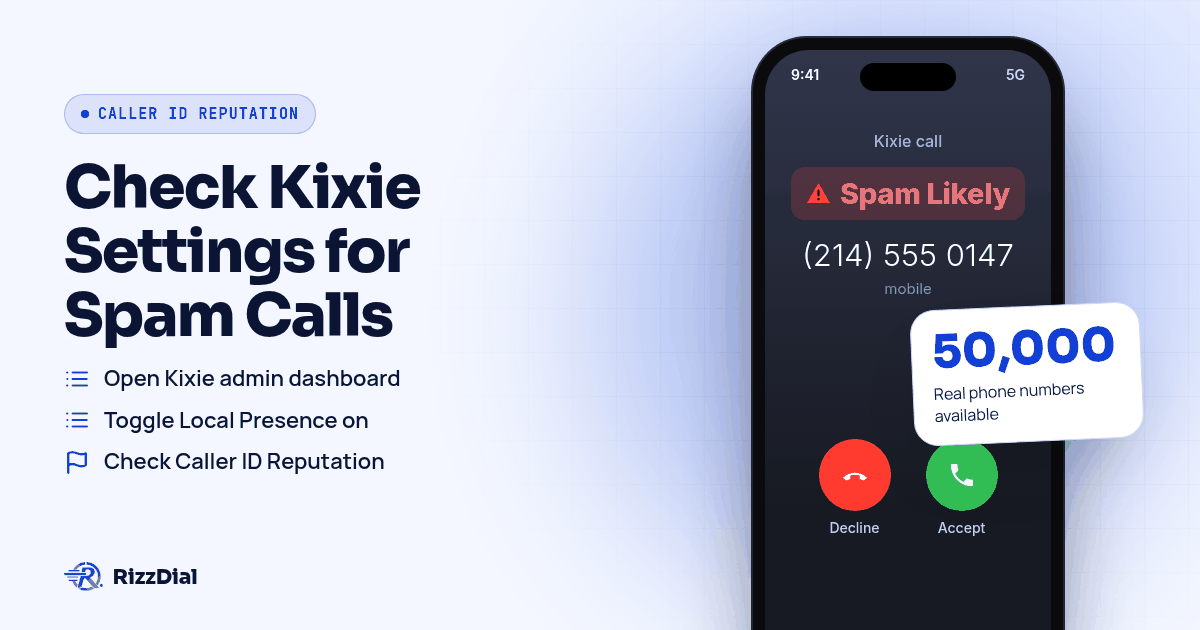
A rep dials out through Kixie, the call connects for an instant, and the prospect's screen flashes Spam Likely before anyone says hello. Kixie already ships tools built for exactly this problem. ConnectionBoost rotates local presence numbers and watches their performance, the Caller ID Reputation feature flags and remediates numbers that start drawing complaints, and the Merlin Number Health Wizard tells a superadmin where number coverage is too thin. Check those three settings before assuming the platform is broken.
Which Kixie setting matches what you're seeing?
| Symptom | Kixie setting to check |
|---|---|
| Prospects see Spam Likely or Scam Likely on repeat dials to the same area code | PowerCall dialer settings, Local Presence or ConnectionBoost toggle |
| Connect rates sliding over a few weeks on numbers that used to work fine | Caller ID Reputation monitoring inside ConnectionBoost |
| Unsure which area codes need more numbers or which ones are burning out | Merlin: Number Health Wizard (superadmin login required) |
| Business name missing or wrong on a landline caller ID screen | CNAM request filed through your Kixie account rep |
| Numbers triggering internal complaints or repeat dial pushback | Compliant Caller suppression list settings |
Each row points to a real menu inside Kixie, not a guess. The rest of this page walks through what each one actually does and what to do when the setting is already on and the label still shows up.
What does Kixie's ConnectionBoost setting actually turn on?
ConnectionBoost combines three things: a shared pool of local numbers, caller ID that rotates instead of sitting on one number, and a reputation check that runs behind the scenes, according to Kixie's ConnectionBoost feature page. The underlying local presence pool is large. Kixie says it draws from a shared pool of more than 50,000 real phone numbers, with 10 to 15 numbers available for every United States area code and local numbers in over 65 countries, according to Kixie's local presence feature page. Progressive caller ID means a prospect called twice sees two different local numbers, and a callback still routes to the rep who placed the original call rather than a dead line, the same page explains.
That setup is meant to reduce how often any single number gets flagged in the first place, not to make an existing flag disappear on its own. For the mechanics behind what actually moves a number's score, see caller ID reputation for sales teams. A support guide covering Kixie's local presence rollout inside GoHighLevel notes that Kixie "actively monitors each local number's performance" and that "if a number gets flagged or sees a drop in connect rate, Kixie retires that number and replaces it with a clean one," according to that guide. The same source says dynamic rotation "further reduces the chance that any single number gets flagged as spam."
Where do you actually find and turn this on inside Kixie?
The toggle lives in a specific spot, not buried in a settings menu you have to guess at.
- Open your Kixie admin dashboard and go to PowerCall dialer settings.
- Look for a toggle labeled Local Presence. On accounts with ConnectionBoost active, the same control may be labeled ConnectionBoost instead, according to Kixie's HighLevel local presence guide.
- Turn it on. Kixie then automatically matches outbound caller ID to the area code of the number being dialed.
- Check the Caller ID Reputation panel, which Kixie describes as a tool to help teams "monitor outbound numbers and support remediation when inaccurate Spam Risk or Scam Likely labels appear," according to Kixie's caller ID reputation page.
- If you have superadmin access, log into Merlin at merlin.kixie.com with your Kixie username and password.
- Choose database analysis if the account already has a week or more of call history, or upload a CSV of historical call data if the account is new, per Merlin's own instructions.
- Review Merlin's area code recommendations and let it register the resulting ConnectionBoost numbers, which Merlin says it does with First Orion and Hiya.
- Separately, check CNAM. Kixie's own CNAM guide says the display name is capped at 15 characters including spaces, must start with a letter, and only allows uppercase letters, numbers, periods, commas and spaces, according to Kixie's CNAM setup guide. That same guide notes the name is not sent with the call. It is looked up separately by the receiving carrier, and propagation can take anywhere from a few days to a few weeks.
- If Do Not Call complaints are part of what is driving flags, open Compliant Caller settings and confirm suppression lists are current. Kixie's own compliance page says it checks outbound numbers "against the National Do Not Call Registry and your internal suppression lists," while also noting that "customers remain responsible for their calling practices and legal review," according to Kixie's compliant caller page.
Run through that order once a quarter even if nothing looks wrong. Reputation checks and CNAM propagation both drift over time, and catching a thin area code in Merlin before it causes a flag is cheaper than fixing one after the fact.
What does Kixie actually register with carriers, and what is left out?
This is the part worth reading closely if your calls go to a mix of carriers. Merlin's own page says it registers the ConnectionBoost numbers it recommends with First Orion and Hiya specifically, according to Merlin's tool page. First Orion is the analytics engine behind T-Mobile's Scam Shield, and Hiya is the engine behind AT&T's ActiveArmor, the same mapping Twilio's Voice Integrity documentation lays out for all three major carriers. Neither Merlin's page nor Kixie's reputation feature page mentions TNS, which that same documentation maps to Verizon's Call Filter. If a meaningful share of the numbers you call sit on Verizon, a separate free submission through FreeCallerRegistry, which distributes to Hiya, First Orion and TNS at once, closes that gap without replacing anything Kixie already does.
On attestation, Kixie's own sales content states plainly: "Kixie ensures A-Level Attestation for its calls. Because Kixie manages the numbers and the telephony infrastructure directly... it can cryptographically sign the calls as the authorized originator," according to Kixie's STIR/SHAKEN guide. That is Kixie's claim about Kixie's own system, and it answers a different question than whether a specific call shows a label. Attestation confirms the calling party is who it claims to be. A carrier's analytics engine still makes a separate, independent call on how to label that traffic. For the fuller breakdown of what attestation levels mean and where CNAM fits across every provider in this cluster, see the pillar guide to stopping Spam Likely labels.
What should you do if Kixie numbers still get flagged after all that?
Working through ConnectionBoost, Merlin and CNAM is worth doing, and Kixie admins should do it before anything else. Some teams run through every setting above and still watch numbers pick up Spam Likely or Scam Likely within a few weeks, usually because the underlying number still reads as internet voice traffic to a carrier rather than a line tied to a direct carrier relationship. James Hill, RizzDial's founder, has run outbound sales teams himself and draws a clean line between the two kinds of calls. As he puts it, "When you call from your phone, that's a carrier to carrier call." A Kixie number sitting on a shared local presence pool is doing real work reducing flags, but it is still operating across that same gap between internet voice traffic and a direct carrier line, no matter how often it rotates.
RizzDial's approach works on the number itself rather than adding another registration layer on top. James describes making the carriers treat a number the way they would treat one bought directly from AT&T, Verizon or T-Mobile, by provisioning the number with the carrier instead of routing it through a third party. He points to the relationships behind that as the actual asset: "The most important part is the direct relationships that we have with AT&T, Verizon and T-Mobile." Calls placed this way are signed and go out over a STIR/SHAKEN compliant carrier network, which is a baseline, not a guarantee against any label.
Monitoring is the other piece of it. James says every number gets checked daily for spam flags, separate from any Do Not Call scrubbing, using real devices that get pinged each day to see how numbers are actually showing up on recipients' screens. When a number trips a flag, the response is to pull it from rotation, replace it with a clean carrier provisioned number, and notify the account. Per number reputation monitoring with flag alerts is an add on for teams that want notifications on specific lines. None of this locks a team in. Teams can also bring their own carrier, such as an existing Twilio account; numbers brought over that way stay that carrier's own numbers, while the carrier provisioned setup described above is RizzDial's managed carrier service. A Kixie admin weighing this against staying on Kixie's own pool can see the side by side breakdown at RizzDial compared with Kixie, or read about switching off Kixie entirely if the goal is replacing the dialer rather than adding to it. That managed setup runs through the RizzDial dialer and the GoHighLevel integration alike. James makes the same case for rotation on the carrier provisioned side: calling repeatedly from one number burns it out fast, the same logic behind ConnectionBoost's rotation, just applied to a different kind of number underneath.
What won't ConnectionBoost, Merlin, or a carrier relationship fix?
No setting on any platform repairs a list problem. If the numbers getting called came from a purchased list with no opt in, or the same person gets dialed again after declining, complaints keep landing no matter how the caller ID is rotated or who provisioned the number. Swapping numbers to dodge a label just spreads the same complaint pattern across more lines, and Kixie's own compliance page is upfront that customers remain responsible for their calling practices regardless of what Compliant Caller checks. Even a carrier provisioned, daily checked number can pick up a fresh label if calling volume spikes hard in a short window, because every analytics engine mentioned here keeps rescoring, not just once. Treat every tool in this piece, Kixie's or RizzDial's, as reducing risk and catching problems fast. Nothing here is a guarantee that a label never comes back.
For a broader look at why VoIP style numbers draw more scrutiny than carrier lines in the first place, read VoIP number vs carrier number. If your team has already tried registration routes and still needs to file a dispute directly with a carrier, the dispute walkthrough for outbound sales teams covers that process. Twilio users wrestling with the same kind of registration decision can compare notes in Twilio's Voice Integrity guide, and teams split across AT&T heavy lead lists specifically should read AT&T's Spam Risk and Hiya. For businesses texting or calling customers who already know them and own an iPhone, warm follow up over iMessage and FaceTime Audio through RizzDial's sister product Beam rides over data, so carrier spam labels do not apply there at all.
What FAQs come up for Kixie admins fighting Spam Likely labels?
Does Kixie's A-Level attestation stop Spam Likely labels by itself?
No. Kixie says it ensures A-Level Attestation because it manages its own numbers and telephony infrastructure directly, according to Kixie's guide on STIR/SHAKEN and spam flagging at kixie.com. Attestation proves the call came from the number it claims, but it is a separate decision from whether an analytics engine labels that call as spam.
What is the difference between Local Presence and ConnectionBoost in Kixie?
Local Presence is the base feature that matches your outbound caller ID to the area code you are dialing, while ConnectionBoost is the paid layer that adds progressive rotation and reputation monitoring on top, according to Kixie's local presence and ConnectionBoost feature pages at kixie.com and kixie.com. On an account with ConnectionBoost active, the toggle in PowerCall settings may simply read ConnectionBoost instead of Local Presence.
Who can run Kixie's Merlin Number Health Wizard?
Merlin is restricted to superadmins, who log in with their Kixie username and password to run a database analysis on accounts with a week or more of call history, or upload a CSV of past call data for a newer account, according to Kixie's Merlin tool at merlin.kixie.com. It recommends new numbers by area code and registers the resulting ConnectionBoost numbers with First Orion and Hiya.
Does Kixie's Reputation Manager register numbers with every carrier analytics engine?
Based on Merlin's own description at merlin.kixie.com, it registers numbers with First Orion and Hiya, the same two analytics vendors Twilio's Voice Integrity documentation maps to T-Mobile and AT&T at twilio.com. It does not mention TNS, the engine that documentation maps to Verizon's Call Filter, so a Kixie admin calling a lot of Verizon customers may still want a separate Free Caller Registry submission.
What if a Kixie number keeps getting flagged after ConnectionBoost is on?
Kixie's own guidance says it retires a flagged or underperforming number and replaces it with a clean one automatically, according to kixie.com, but if the same list keeps getting the same complaints, a fresh number from the same pool tends to repeat the pattern. At that point the issue is usually calling behavior or how the number was provisioned, not a setting left off.
How do you get your numbers checked against carrier reputation?
Ready to see how a carrier provisioned number setup would sit alongside what Kixie already handles? Book a demo and walk through your current call data together.
How can RizzDial help with your calling workflow?
RizzDial is the AI outbound sales workspace for teams on GoHighLevel. Power dialing, AI voice agents, SMS automation, and CRM workflows in one platform. Book a demo.