Compliance
SignalWire CNAM and STIR/SHAKEN When Calls Show Spam
SignalWire numbers showing Spam Likely? See what SignalWire's own CNAM and STIR/SHAKEN docs can fix, what they cannot, and the steps that actually help.
By James Hill, Founder, RizzDial ·
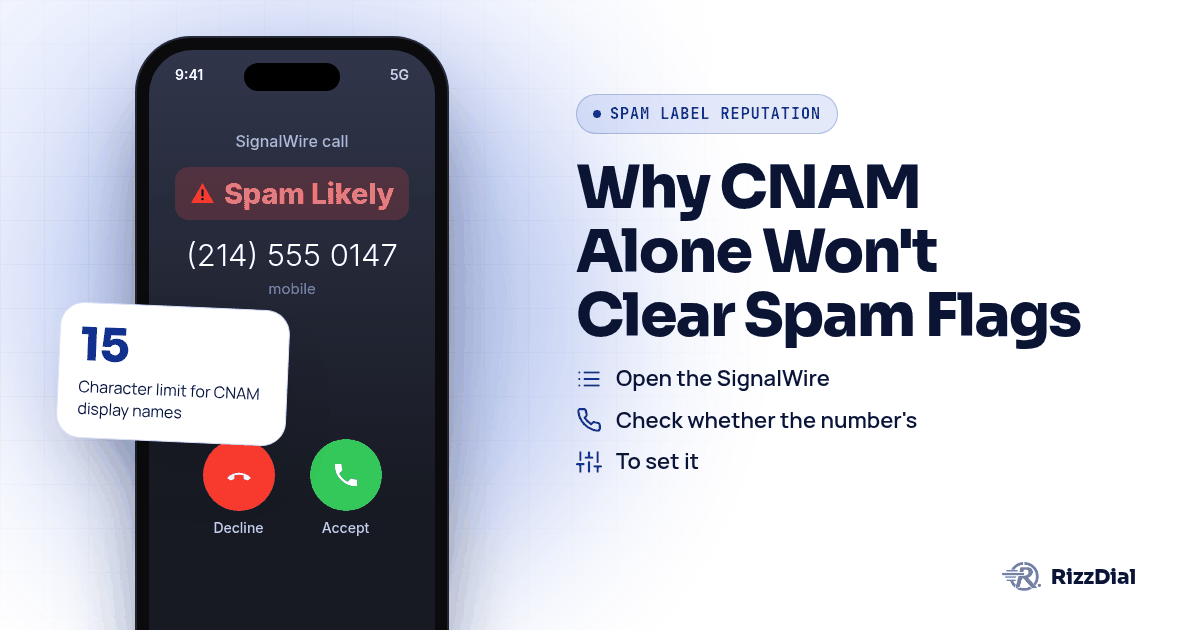
A SignalWire number starts showing Spam Likely on recipient phones, and the first instinct is to open the dashboard and set CNAM. Then the API call fails with a 422 error nobody expected. SignalWire's own documentation explains why upfront: CNAM only works if the destination carrier supports it on that number, so the fix a developer reaches for first sometimes is not available at all. STIR/SHAKEN runs underneath CNAM and handles a separate job, and getting the two confused is where most of the wasted debugging time goes.
Why Does SignalWire's CNAM Warning Catch Developers Off Guard?
Most platforms let you set a display name and move on. SignalWire tells you plainly that this is not guaranteed before you even try: "If your number's carrier offers caller ID name (CNAM), you can set the name in your SignalWire Dashboard or with the REST API," according to SignalWire's guide on setting Caller ID or CNAM. The word "if" is doing real work in that sentence.
Try it on a number whose carrier does not support CNAM and the API does not fail quietly. SignalWire's docs describe the exact response: a 422 status with an error detail reading "Caller ID name isn't available for this number." That is not a bug in your integration. It is the carrier itself declining to participate, and no retry or redeploy changes that.
A few other limits sit in the same document and rarely show up until someone hits them in production. CNAM is capped at 15 characters including spaces. It is disallowed outright on toll free numbers. Canadian carriers do not read from the National CNAM registry, so a name set on a number that reaches Canadian recipients will not display there regardless of what the dashboard shows. And once a change goes through, SignalWire's documentation notes that updates take up to 48 hours to propagate, so checking right after saving tells you nothing useful yet.
What Does SignalWire's Default Attestation Level Mean for a Flagged Number?
STIR/SHAKEN is the layer underneath CNAM, and it answers a different question: does the network trust that this number is really yours to use. SignalWire's STIR/SHAKEN documentation defines it simply: "STIR/SHAKEN is a VoIP technology framework designed to reduce fraudulent robocalls and illegal phone number spoofing," per SignalWire's STIR/SHAKEN documentation.
Here is the part that surprises developers who assume every number starts equal. SignalWire states that "by default, all outbound calls from phone numbers bought on the SignalWire platform receive attestation level C," and that reaching levels A or B "requires a vetting process," according to that same page. Level C is the lowest tier of the three, and carriers weigh it differently than a number with a verified business relationship behind it. A number sitting at level C is not inherently flagged, but it is not carrying the strongest signal available either.
This matters for the question developers actually ask, which is whether fixing attestation clears a label. It does not by itself. Attestation and CNAM are both inputs that carrier analytics systems weigh, not switches that override a label directly. The full breakdown of how attestation levels interact with CNAM and labeling across every major carrier, not just SignalWire's own numbers, lives in the pillar guide on clearing business number spam labels, and caller ID reputation for sales teams covers how that score is built and protected over time.
How Do You Set CNAM on a SignalWire Number, Step by Step?
This is the sequence that matches what SignalWire's own documentation walks through, in the order a developer would actually hit these steps.
- Open the SignalWire Dashboard, go to the Phone Numbers section, and select the number you want to update, since CNAM is set per number rather than account wide.
- Check whether the number's carrier supports CNAM before spending time on it. SignalWire's docs frame this as a carrier dependent feature, not something SignalWire controls on its own.
- To set it from the dashboard, enter the display name directly on the number's settings page, keeping it under 15 characters including spaces, and remember toll free numbers cannot carry CNAM at all.
- To set it from the REST API instead, send a POST request to the number's CNAM endpoint with a JSON payload containing the name field, authenticated with your project ID and API token, per SignalWire's documented request format.
- If that request returns a 422 with the detail "Caller ID name isn't available for this number," stop retrying the same call and treat it as a carrier limitation rather than a configuration mistake.
- Wait before checking the result. SignalWire's documentation gives updates up to 48 hours to propagate, so a name that looks unset the same afternoon may just not have landed yet.
- If the number is tied to a SIP Endpoint rather than a plain PSTN number, set the Caller ID field for SIP to SIP calls and the Send As field for PSTN calls separately, since SignalWire treats those as two different settings on the same endpoint.
None of these steps touch a Scam Likely or Spam Likely label directly. They control what name shows up, not whether a carrier's analytics engine is flagging the number underneath.
What's the Real Difference Between Caller ID and CNAM on a SignalWire Number?
Developers coming from a Twilio or Telnyx background sometimes assume Caller ID and CNAM are the same setting with two names. SignalWire's own blog separates them cleanly: "Caller ID displays the numeric phone number of the caller, while CNAM displays a text name associated with that number," according to SignalWire's post on Caller ID versus CNAM.
Caller ID is the number itself, and it is what STIR/SHAKEN authenticates. CNAM is a name lookup that a receiving carrier may or may not bother to display, separate from authentication entirely. A number can be fully authenticated at a high attestation level and still show no CNAM name if the terminating carrier skips the lookup or the recipient's phone does not query it. Twilio's own numbers run into a related version of this, where CNAM, branded calling, and the underlying authentication layer are three separate products that solve three separate problems, not one combined fix.
How Does RizzDial's Carrier Provisioning Work When SignalWire's Docs Run Out?
SignalWire's documentation is honest about where its control ends. CNAM depends on a carrier choosing to support it. Attestation level depends on how much vetting a number has gone through. Neither one is a lever SignalWire can pull on your behalf when a carrier's analytics system decides a number looks like spam. That gap is where James Hill, RizzDial's founder, starts from a different angle: "When you call from your phone, that's a carrier to carrier call."
James has watched the same pattern play out across sales floors running numbers through CPaaS platforms, SignalWire included. Buying a number on GoHighLevel and calling from it tends to produce a lower connect rate, in his experience, because carriers read that traffic as VoIP rather than as a line coming from a SIM carrier. The mechanics behind why VoIP provisioned numbers get treated differently than carrier numbers go deeper than any one provider's attestation settings.
RizzDial's approach does not touch CNAM registration or push attestation levels higher. It works on the carrier relationship itself: James describes provisioning numbers directly with AT&T, Verizon and T-Mobile so the carriers treat them as a line bought straight from the SIM carrier rather than VoIP traffic. He points to the direct relationships RizzDial has built with those three carriers over time as the backbone behind that, calling it real infrastructure rather than something a brand new platform could stand up overnight. Calls placed this way are signed and travel over a STIR/SHAKEN compliant carrier network, which is a baseline rather than a guarantee against every future label.
The daily part is what separates this from a one time registration. James describes every number as checked daily for spam flags, not screened against a Do Not Call list, with real devices pinged each day to see how the numbers actually show up on a recipient's phone and whether pickup holds. When a flag turns up, the response is not a dispute filing. The line keeps looking like a direct carrier line from AT&T, Verizon or T-Mobile, the setup stays clean, and the team gets notified rather than finding out from a drop in answered calls. A flagged number gets pulled from rotation and replaced with a clean carrier provisioned one. Per number spam reputation monitoring with alerts is an add on for teams that want more visibility than the standard daily checks.
RizzDial does not require giving up numbers already running through SignalWire either. "We don't ever want to lock anybody into our carrier. We do have managed carrier services," James says. Numbers from a carrier account you bring, such as your own Twilio account, stay that provider's numbers; the carrier provisioned path above is RizzDial's managed carrier service for anyone starting fresh or adding lines. Volume still matters regardless of which platform issued the number. Calling from just one number tends to get that number spammed quickly, in James's experience, which is why rotation across several clean numbers works better than leaning on one. Teams running outbound through the GoHighLevel integration or dialing through the RizzDial dialer get that rotation and daily checking applied automatically, on top of whatever SIP or PSTN setup already exists on the SignalWire side.
What None of This Fixes?
No CNAM setting, no attestation level, and no carrier relationship rescues a bad list. If the numbers being dialed came from a purchased list with no opt in, or someone keeps getting called back after asking to stop, complaints land regardless of how clean the setup looks underneath. Spreading the same calling pattern across more numbers just spreads the complaints wider instead of solving anything. A Scam Likely label tied to volume and complaint behavior at T-Mobile, for instance, traces back to the carrier's own analytics vendor rather than anything a developer configured wrong, as the breakdown of T-Mobile's Scam Likely label and First Orion's role covers. A carrier provisioned, daily checked number can still pick up a fresh label if the calling behavior behind it changes, because every carrier's model runs on ongoing feedback, not a one time setup check. Treat CNAM, attestation, and carrier provisioning as ways to reduce risk and catch problems fast, never as a permanent fix once applied.
For warm follow up with people who already know the business and carry an iPhone, there is a way to sidestep carrier voice labels entirely. iMessage and FaceTime Audio through RizzDial's sister product Beam ride over data instead of the carrier voice network, so carrier spam labels do not apply there at all.
What FAQs Come Up About SignalWire CNAM and STIR/SHAKEN?
Why does SignalWire warn that CNAM might not work on a number at all?
Because CNAM lives with the carrier, not with SignalWire. SignalWire's own documentation says that if the API call fails with a 422 response and an error detail reading Caller ID name isn't available for this number, that carrier simply does not offer the feature for that line, according to SignalWire's guide on setting Caller ID and CNAM at signalwire.com.
What attestation level does a new SignalWire number get by default?
Level C. SignalWire's STIR/SHAKEN documentation states that by default, all outbound calls from phone numbers bought on the SignalWire platform receive attestation level C, and that reaching levels A or B requires a separate vetting process, according to signalwire.com.
Does setting CNAM on a SignalWire number fix a Scam Likely label?
No, because CNAM and a spam label are not the same system. SignalWire's own blog draws the line plainly: Caller ID displays the numeric phone number of the caller, while CNAM displays a text name associated with that number, and neither one is the database that decides whether a call gets flagged, per signalwire.com.
How long does a CNAM change take to show up on SignalWire numbers?
Up to 48 hours, per SignalWire's own documentation, which states that CNAM updates take up to 48 hours to propagate once submitted, so a developer checking the display name an hour after saving it is checking too soon, according to SignalWire's CNAM documentation.
Can you set Caller ID differently for SIP calls versus PSTN calls on SignalWire?
Yes. SignalWire's documentation on setting Caller ID or CNAM separates the two: the Caller ID field in a SIP Endpoint's settings controls SIP to SIP calls, while the Send As field controls what shows on PSTN calls from that same endpoint, according to signalwire.com.
How Do You Get Your SignalWire Numbers Checked?
If a SignalWire number keeps tripping a label after CNAM is set and the attestation level looks fine, the next move is checking what is actually happening on real devices rather than guessing from the dashboard. The pillar guide on clearing business number spam labels covers the attestation and CNAM picture across every major carrier, and the dispute walkthrough for outbound sales teams covers what to do once registration and configuration alone have stalled. Book a demo to see how daily device checks and carrier provisioned numbers would sit alongside the SignalWire setup already in place.
How can RizzDial help with your calling workflow?
RizzDial is the AI outbound sales workspace for teams on GoHighLevel. Power dialing, AI voice agents, SMS automation, and CRM workflows in one platform. Book a demo.