Compliance
Readymode Caller ID Flagged? DID Rotation and Spam Checks
See how Readymode's own DID Reputation tool flags numbers as Spam Likely, the daily pacing that protects them, and a weekly audit and retire routine.
By James Hill, Founder, RizzDial ·
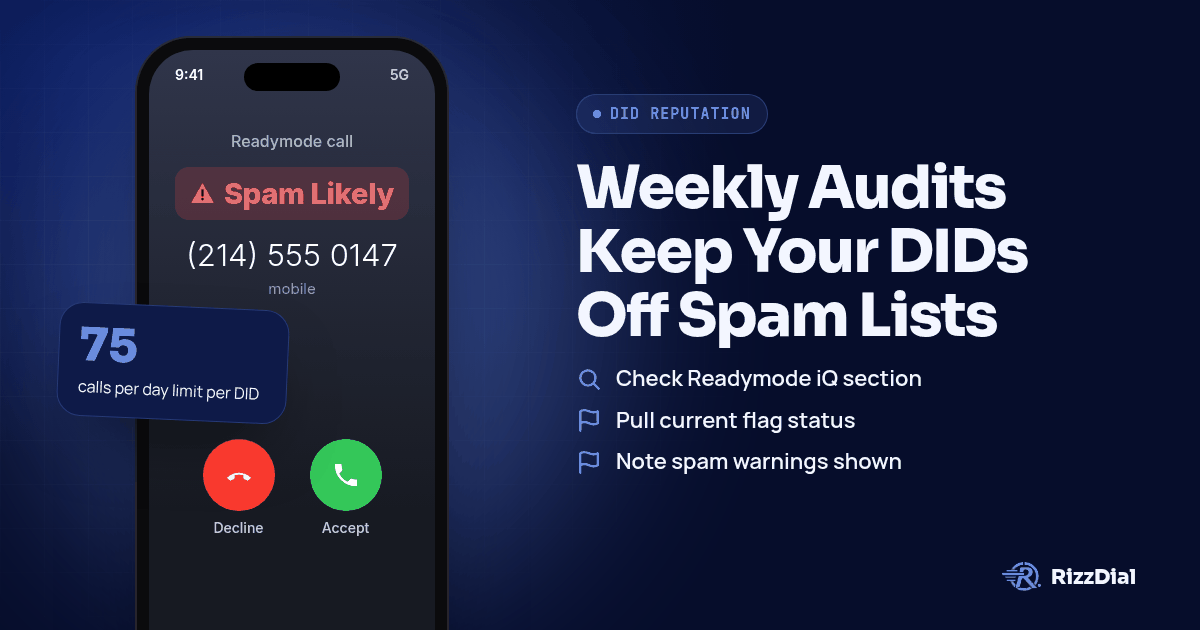
A manager pulls up the dial list Monday morning and the connect rate from last week has fallen off a cliff. Somewhere over the weekend one of the account's DIDs picked up a Scam Likely tag, and nobody noticed until the agents started complaining about dead air. Readymode actually publishes its own guidance for this, and the fix is not a mystery: audit what carriers are showing against each number, hold daily volume inside the range Readymode recommends, and retire or rest the numbers that keep getting flagged instead of hammering them into the ground.
Why does Readymode mark some outbound numbers as flagged?
Readymode does not decide on its own that a number looks spammy. Carriers do that, and Readymode's own support content is blunt about where the numbers come from and what happens next. Readymode only sells phone numbers from Tier 1 carriers and handles registration as part of Assisted Remediation in Readymode iQ, so the starting point is already a real carrier number rather than something routed through a gray market reseller. Registration still matters on top of that sourcing. The same page notes that registering a number "helps ensure they're recognized as legitimate and not being used for fraudulent activity," and frames phone number registration as a critical part of the STIR/SHAKEN protocol, which enables businesses to achieve full attestation.
Attestation and registration reduce the odds of a false flag, but they do not override carrier scoring once a number starts dialing. A clean, registered DID that suddenly calls a long list of strangers back to back still looks like a volume spike to AT&T, T-Mobile, and Verizon. The general mechanics of STIR/SHAKEN and CNAM apply the same way across every dialer, and our pillar guide on stopping business number Spam Likely labels covers that groundwork in full. On a Readymode account specifically, the day to day pattern that matters is simpler: how many numbers are in rotation, how hard each one gets pushed, and how fast a flagged one gets pulled.
What should the Monday audit cover on a Readymode account?
Start the week by checking carrier status before dialing resumes, not after agents start reporting dead air. Readymode iQ carries a DID Reputation tool built for exactly this, and the three major carriers monitored by Readymode iQ are AT&T, T-Mobile, and Verizon. A short weekly routine looks like this:
- Open Readymode iQ and go to the DID Reputation section before the first dial attempt of the week.
- Pull the current flag status for every active number, not just the ones agents flagged as suspicious last week.
- Note any number showing a warning like "Scam," "Scam Likely," or "Telemarketer" on leads' call displays, since those tags are the ones quietly dragging down answer rates.
- For each flagged number, use the carrier remediation link inside the tool to request spam flag removal, or choose to delete, replace, or reset the number if remediation has not worked before.
- Log which numbers got flagged and roughly how hard they were dialed the prior week, so the pattern shows up over time instead of getting lost between Mondays.
A number that shows clean this week is not guaranteed to stay that way. Carriers rescore continuously, and the audit habit is what catches a new flag early instead of a week late.
How should daily call pacing work the rest of the week?
Once the audit is done, the next lever is volume per line. Readymode recommends limiting outbound call volume to 75 calls per day per number, based on its own internal data and industry practice, not an arbitrary round number pulled from nowhere. Treat that as a ceiling for each individual DID, not a team wide total. A floor manager who spreads daily dial volume across more numbers rather than loading up two or three lines is working with the pacing model Readymode built the limit around.
Pacing discipline matters more on a Tuesday through Thursday stretch than it does on Monday or Friday, since that is when most campaigns run their heaviest list pulls. If a campaign needs more volume than the recommended ceiling allows across the numbers currently in rotation, the answer is adding numbers to the pool, not quietly pushing existing ones past the limit. A number can look fine Tuesday afternoon and show a fresh flag by Wednesday morning once a carrier's scoring catches up to a volume spike.
What does a Friday retire and rest routine look like?
By Friday the week's dialing has either kept numbers clean or built up a short list of problem DIDs from the Monday audit. Readymode's own management guidance leans toward keeping a number rather than swapping it reflexively. The help documentation recommends retaining existing DIDs whenever possible instead of frequently replacing them, removing unused DIDs when they are no longer required, and registering DIDs with major carrier reputation and analytics services. Replacement has a cost too: DID swaps are not supported, and a replacement during the current billing cycle adds a new DID that counts toward the monthly allocation rather than simply trading one number for another.
So Friday is for triage, not a mass number dump. Pull any DID that showed a persistent flag through the week and run it through remediation first. If remediation has already failed on that number more than once, retire it and let it sit unused rather than feeding it back into Monday's rotation at full pace. A number coming off a flag benefits from a quieter reentry, dialed at a lighter volume for its first few days back rather than straight back to the regular ceiling. The goal of the whole weekly cycle is fewer numbers churned, not more, since every DID carries its own reputation history and a fresh one starts from zero rather than from clean.
Where does a carrier provisioned fix like RizzDial fit in?
Readymode's audit and pacing routine helps, and a manager running a call floor should keep doing both regardless of what dialer sits underneath. The harder question is why a number needs this much daily maintenance at all. James Hill, RizzDial's founder, points at the plumbing underneath the number itself. He frames it simply: calling from your own phone is a carrier to carrier call, the baseline every other setup gets measured against. Numbers bought through a cloud platform read differently to carriers, which is part of why routines like DID Reputation checks exist in the first place.
RizzDial's approach leans on provisioning rather than a registration dashboard alone. "We essentially make the carriers look at the number as if it's an actual number that you go purchase from the SIM carrier like AT&T, Verizon, T-Mobile ... And we do that by provisioning the numbers with the carriers," Hill says. He credits that to direct relationships with those three carriers built over years, not a platform assembled overnight. Those calls are signed and placed over a STIR/SHAKEN compliant carrier network.
The checking runs daily rather than weekly. "Every single number is scrubbed every single day," Hill says, meaning each one gets checked for spam flags daily, not run against any do not call list. He also points to physical test devices that get checked daily, watching how numbers show up on real phones to help pickup rates. A flagged number gets pulled from rotation and swapped for a clean one, with a notice sent rather than a silent change. Per number reputation monitoring with flag alerts is an add on. Hill's reasoning for spreading volume across a pool of numbers rather than a couple of lines is the same logic behind Readymode's own per number pacing: dialing nonstop from a single number draws a flag fast no matter which platform sits underneath it.
Teams are not locked into RizzDial's own carrier relationships either. Teams can also bring an existing carrier account, a Twilio setup for example, and those numbers stay that provider's numbers rather than becoming RizzDial's. The provisioning path described above, numbers issued through RizzDial's own relationships with AT&T, Verizon, and T-Mobile, is itself RizzDial's managed carrier service.
See the full RizzDial versus Readymode breakdown for how the two approaches stack up feature by feature, or the shorter Readymode alternatives rundown if a straight swap is on the table. The dialer built around the carrier provisioned model is worth a look for teams tired of running a weekly audit just to keep pace with their own number pool. For the full walkthrough of filing a dispute end to end, the guide to fixing Spam Likely for outbound sales teams covers that sequence in detail. A number bought through GoHighLevel carries its own version of this problem, which our piece comparing VoIP numbers to carrier numbers and our breakdown of GoHighLevel's LC Phone and Spam Likely both cover in more depth. Verizon's own labeling layer gets its own treatment in our Potential Spam and Call Filter guide.
Warm follow up does not need to touch the voice network at all. On an iPhone, iMessage and FaceTime Audio through RizzDial's sister product Beam ride over data, so a carrier spam label never enters the picture for that part of the conversation.
What won't fix a Readymode number stuck on Spam Likely?
None of this routine rescues a bad list. A number dialing contacts who never opted in will earn a flag no matter how carefully it gets registered or paced, and the same goes for calling people who already asked to stop. Audits and pacing manage reputation around a legitimate campaign; they do not launder a list problem underneath it.
Hammering the same set of people with repeat attempts creates its own flag even on a well behaved list. If a lead did not answer Monday, calling again Tuesday, Wednesday, and Thursday from the same number trains carriers to treat that pattern as nuisance behavior regardless of intent. Spread repeat attempts across time and across numbers rather than stacking them on one line.
Labels can also come back after a clean stretch. A number that clears remediation this month can pick up a fresh flag next month if volume spikes again, and there is no setting on any platform that makes a number permanently immune. Treat every piece of this as maintenance that runs every week, not a project with an end date.
What FAQs do teams ask about Readymode Spam Likely numbers?
Does Readymode's full attestation claim mean my calls will never show Spam Likely?
No. Readymode says every call placed through a Readymode account carries full attestation because its carrier partner issues the number after a KYC check, but attestation describes how the call is signed, not whether a carrier's spam analytics decide to label it.
What is the daily call limit Readymode recommends per number?
Readymode caps outbound volume per line well below what most dialers can physically push, based on its own internal data and common industry practice, and pushing past that pace is one of the fastest ways to trigger a flag.
Does completing Readymode's STIR/SHAKEN step guarantee a number stays clean?
No. Readymode's carrier partner is STIR/SHAKEN compliant and signs outbound calls with full attestation, but attestation authenticates the caller ID, it does not override a carrier's own spam scoring, and a signed number can still pick up a flag.
Can I check carrier flags on a Readymode number without calling a real phone?
Yes. Readymode iQ includes a DID Reputation tool that checks flags across AT&T, T-Mobile, and Verizon directly from the dashboard, which is faster than borrowing phones on each network to test manually.
Should I replace a flagged Readymode number right away?
Not always. Readymode's own guidance favors retaining a number and working the remediation and registration path first, since frequent replacement adds new DIDs to your allocation and a fresh number carries no history either way.
How do you get your Readymode numbers checked outside the dashboard?
Want a second opinion on whether the issue is the numbers or the platform underneath them? Book a demo and walk through your own account with someone who deals with carrier flags daily.
How can RizzDial help with your calling workflow?
RizzDial is the AI outbound sales workspace for teams on GoHighLevel. Power dialing, AI voice agents, SMS automation, and CRM workflows in one platform. Book a demo.