Compliance
PhoneBurner Caller ID Reputation When Reps Get Ignored
PhoneBurner reps getting ignored: why dialing pace trips carrier filters first, what ARMOR and local presence cover, and what still needs a carrier fix.
By James Hill, Founder, RizzDial ·
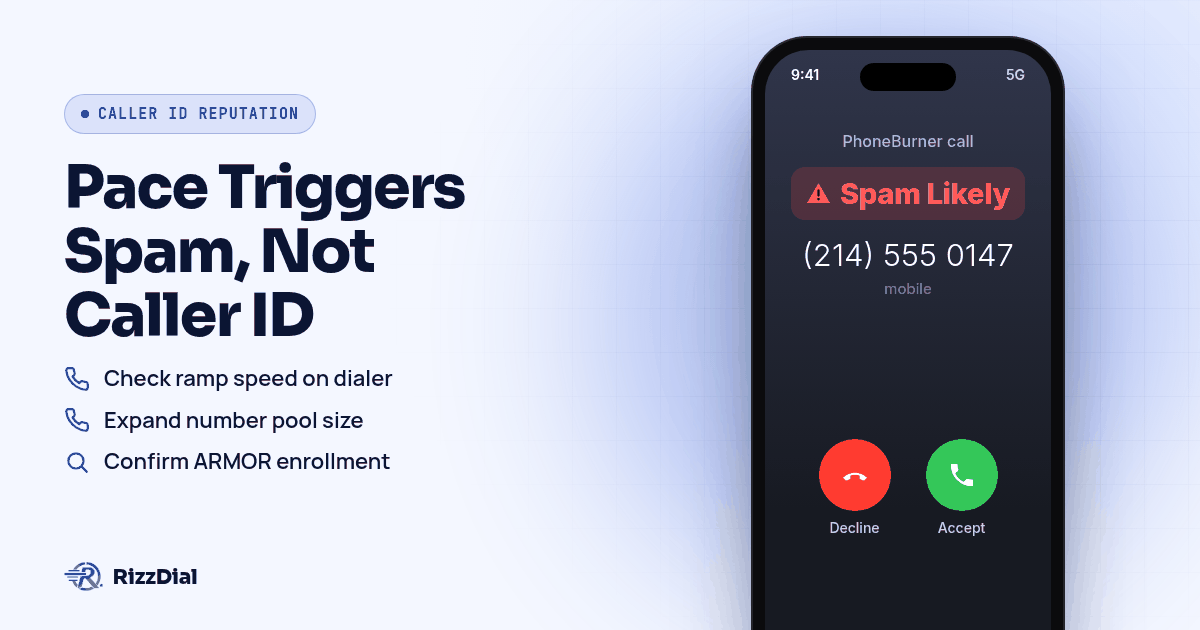
A rep opens the queue, the Power Dialer connects call after call, and by midmorning every single one lands as Spam Likely before the prospect even looks at the name. Nobody touched a setting. The pace did it. Carriers watch how a number behaves over a session, not just what the caller ID says, and a PhoneBurner account running wide open can trip that pattern before any caller ID or registration issue ever comes into play. Check the calling pace first, then work through PhoneBurner's own settings, starting with Power Dialer speed and number pool size before touching anything else.
Why does power dialing pace get PhoneBurner reps flagged before anyone answers?
Carriers do not see which dialer placed a call. They see a number, the rate it is calling at, and how recipients respond. Twilio's own guidance on scaling voice traffic puts it plainly: "simply launching a high volume voice campaign can look like spam to carriers," according to Twilio's blog on high volume voice considerations. That is not a Twilio specific risk. It applies to any platform moving fast, PhoneBurner included.
PhoneBurner's own blog names the exact behaviors that draw attention. It tells users to "space out repeat calls to the same number" to avoid what it calls the "double tap," and to "avoid sudden call spikes" by ramping volume up gradually instead of launching a full list at once, according to PhoneBurner's guide to building a trusted number. The same page flags short calls as a problem too, recommending calls run past five seconds since brief hangups read as a nuisance signal to carrier analytics. A Power Dialer session that burns through a list at top speed hits all three patterns at once: tight repeat timing, a sharp volume ramp, and a string of quick disconnects when voicemail or no answer comes back fast.
Verizon's own description of its spam category backs up why pace matters this much. Call Filter labels a number "Potential Spam" for "unwanted callers that may be calling indiscriminately or inappropriately to a large number of recipients," according to Verizon's Call Filter FAQ. A dialer moving through hundreds of contacts in a short window looks exactly like that description from a carrier's side, regardless of how legitimate the list actually is.
What's the first PhoneBurner setting worth checking when a caller ID gets ignored?
Before touching caller ID or CNAM, pull up the Power Dialer settings and look at ramp speed and queue size. PhoneBurner markets its Power Dialer around volume, built so reps can "make 100s of daily calls without burnout," according to PhoneBurner's platform page. That capability is exactly why pace needs a deliberate check. A setting built to move fast will move fast by default unless an admin dials back the ramp manually.
Look next at how many numbers sit in rotation behind that queue. A single number absorbing an entire day's dialing session concentrates every risky pattern onto one caller ID. Spreading the same volume across a larger number pool, where each number carries a lighter share of the pace, reduces how aggressive any single number looks to a carrier watching it in isolation. PhoneBurner's numbers page confirms reps can "instantly purchase phone numbers inside your account" and assign them by rep or team, according to PhoneBurner's numbers page, so expanding the pool is a same day change rather than a migration project.
What are the exact PhoneBurner menus to check for caller ID reputation?
- Open your PhoneBurner dialer settings and review the ramp speed on the Power Dialer queue. Confirm it is not set to launch the full contact list at once, since PhoneBurner's own trusted number guidance recommends ramping volume up gradually rather than starting at full pace, according to PhoneBurner's guide to building a trusted number.
- Check your number inventory under account settings and confirm how many numbers are active in rotation against your daily call volume. PhoneBurner's numbers page notes calls route through a Tier 1 network, but that routing quality does not substitute for spreading volume across enough numbers.
- Confirm ARMOR enrollment status for each number you own. PhoneBurner describes ARMOR as built in spam protection that registers numbers with carriers and monitors them afterward, according to PhoneBurner's ARMOR page, and enrollment only applies to numbers purchased inside the platform.
- If your team dials outside your home area code, check whether local presence is approved on your account. PhoneBurner's local presence page states the feature needs approval before it goes live and then automatically matches an outbound number to the contact's location, according to PhoneBurner's local presence page.
- Review average call duration in your reporting. PhoneBurner's trusted number guidance flags short calls under five seconds as a nuisance signal, so a cluster of fast hangups on one number is worth investigating separately from any caller ID issue, per PhoneBurner's guide to building a trusted number.
- Check whether CNAM is set on your active numbers so a name appears rather than a bare digit string. PhoneBurner's trusted number guidance recommends adding CNAM so the company name shows on outbound calls, according to the same guide.
- If a number keeps failing checks after pace, pool size, and ARMOR enrollment are all confirmed, retire it rather than troubleshooting indefinitely. PhoneBurner's own guidance warns that constantly swapping numbers looks suspicious to carriers since it leaves no stable calling history behind any one line, according to the same source.
What does PhoneBurner's ARMOR program actually do once a number gets flagged?
ARMOR is PhoneBurner's name for its spam monitoring and remediation layer, described on its own page as "Answer Rate Monitoring Optimization & Remediation," according to PhoneBurner's ARMOR page. The page says PhoneBurner registers numbers with more than ten carriers up front to establish legitimacy before any flag ever shows up, then runs ongoing monitoring it describes as covering a footprint of over 300 million devices across major US carriers.
When a flag does appear, PhoneBurner's description puts the work on its own team rather than the account holder: the ARMOR team works directly with carriers to get false flags removed, per the same page. That coverage has a boundary worth knowing. ARMOR only applies to numbers purchased inside PhoneBurner, so a number ported in from another provider does not get the same registration and monitoring unless it was bought through PhoneBurner directly.
Is a quick explanation of STIR/SHAKEN and CNAM enough here?
STIR/SHAKEN is a signing standard that lets a carrier confirm a call's caller ID was not spoofed, and CNAM is the separate name lookup a recipient's carrier performs on its own schedule. PhoneBurner's trusted number blog recommends registering with the Free Caller Registry and implementing STIR/SHAKEN authentication as part of building a trusted number, according to PhoneBurner's guide, but PhoneBurner's dedicated STIR/SHAKEN and CNAM support articles returned an access block during this research, so neither a specific attestation level nor a character limit for PhoneBurner's own CNAM implementation could be confirmed here. For the fuller breakdown of attestation levels and how CNAM interacts with spam labeling generally, see the pillar guide on stopping Spam Likely remediation.
What does RizzDial add if PhoneBurner's own settings and ARMOR don't clear the label?
Pace fixes and ARMOR enrollment are worth doing first, and most PhoneBurner teams should exhaust both before looking anywhere else. Some numbers still pick up a label after pace is fixed and ARMOR is active, usually because the underlying number still reads to a carrier as internet voice traffic rather than a line tied to a direct carrier relationship. James Hill, RizzDial's founder, has seen this from running outbound sales teams himself: a number bought through a VoIP platform and dialed from there tends to connect at a lower rate because carriers read that traffic as voice over internet rather than a carrier line, in his experience. That is his read from managing calling operations, not a claim about any written carrier rule, and the same pattern shows up on numbers purchased through other platforms running over internet infrastructure.
RizzDial's approach works on the number itself rather than on registering it after the fact. James describes the process as provisioning numbers directly with AT&T, Verizon and T-Mobile so a number reads to a carrier the way one of its own lines would, instead of looking like outside voice traffic. Those direct carrier relationships took years to build, he says, and sit underneath the platform as infrastructure rather than a recent add-on. Calls placed this way are signed and go out over a STIR/SHAKEN compliant carrier network, which is a baseline, not a promise against any label ever appearing.
Monitoring runs alongside provisioning rather than after a complaint comes in. James says every number gets checked daily for spam flags, which is separate from any Do Not Call scrubbing. "We actually have real devices that get pinged every single day to show how the numbers are showing up on the client's devices to increase their pickup rate." When a flag shows up, the response is to pull the number: "We make your line look like it's a direct carrier line like AT&T, Verizon or T-Mobile. And we keep it clean. And not only do we keep it clean, we notify you if it's flagged." Per number spam reputation monitoring with alerts is available as an add-on for teams that want flag notices on specific lines. James says RizzDial does not require a team to lock into its own carrier path; a bring your own carrier option exists too, though numbers brought in that way stay the other provider's own numbers, and the carrier provisioned path described above is RizzDial's managed carrier service. Teams running outbound through the GoHighLevel integration or through the RizzDial dialer run on carrier provisioned numbers that get the same daily checks, and no single number should carry a full day's dialing load alone, James adds, the same logic behind spreading numbers across a pool, just applied with a carrier relationship underneath it. Teams weighing the two platforms side by side can see how PhoneBurner and RizzDial compare on remediation directly.
What still won't fix a PhoneBurner caller ID flag?
No setting on any platform repairs a list problem. If contacts came from a purchased list with no opt in, or the same person gets called back after declining once, complaints land regardless of pace, ARMOR enrollment, or caller ID. Rotating through PhoneBurner's number pool to dodge a flag just spreads the same complaint pattern across more lines instead of fixing it. Even a well paced, ARMOR enrolled number can pick up a fresh label if a campaign suddenly scales past its normal volume, because the monitoring every carrier runs here is ongoing, not a one time pass.
For the deeper read on why internet voice numbers draw more carrier scrutiny than carrier issued lines in the first place, see VoIP number vs carrier number. Teams that have already registered numbers and still need to file a direct dispute should read the dispute walkthrough for outbound sales teams. If part of your stack runs through Twilio directly rather than through PhoneBurner's own number pool, Twilio's Voice Integrity guide covers that registration path, and teams dialing a heavier mix of AT&T recipients specifically should read AT&T's Spam Risk label and Hiya. For warm follow up with contacts who already know you and own an iPhone, iMessage and FaceTime Audio through RizzDial's sister product Beam ride over data, so carrier spam labels never apply there.
What FAQs come up about PhoneBurner caller ID reputation?
Does adding PhoneBurner's ARMOR program fix a Spam Likely label right away?
Not instantly. PhoneBurner describes ARMOR as ongoing monitoring plus a team that works directly with carriers once a flag shows up, according to PhoneBurner's ARMOR page. That negotiation takes time on the carrier's side, and ARMOR only covers numbers purchased inside PhoneBurner, so a number brought in from elsewhere sits outside its protection entirely.
Does slowing down the Power Dialer alone fix caller ID reputation?
It helps, but it is not the whole fix. PhoneBurner's own blog ties sudden volume spikes and repeat dialing of the same number to the behavior carriers flag, according to PhoneBurner's guide to building a trusted number. Slowing the pace addresses the behavior half of the problem. It does nothing for a number that already carries a flag from before the pace change.
Why couldn't this guide confirm PhoneBurner's own STIR/SHAKEN attestation level or CNAM character limit?
PhoneBurner's dedicated STIR/SHAKEN support article and its CNAM support article both returned an access block to automated fetching during this research session, so neither claim could be verified on an official page this time. This guide only cites PhoneBurner pages that loaded directly during the session. If your PhoneBurner admin panel shows a specific attestation badge, check what it means inside your own account rather than relying on a general claim here.
Does PhoneBurner's local presence dialing replace carrier registration?
No. Local presence swaps the outbound caller ID to a number matching the recipient's area, which PhoneBurner's feature page frames as an automatic match with no manual steps, according to PhoneBurner's local presence page. It does not register anything with a carrier's analytics vendor on its own, so a well matched area code can still carry a label if that number was already flagged somewhere else.
What should a PhoneBurner admin check before assuming a carrier problem is permanent?
Work through pace, enrollment, and number history in that order, since each points to a different fix. Dialing pace covers the behavior carriers watch for, ARMOR enrollment covers whether the number is registered and monitored at all, and number history covers whether a number was already flagged before it reached your account, and only after ruling out all three does a direct carrier relationship become the next lever worth pulling.
How do you get your PhoneBurner numbers checked against carrier labels?
A side by side look at your current PhoneBurner numbers against a carrier provisioned setup is the fastest way to see where the gap actually sits. Book a demo and bring your recent call data so the walkthrough uses your own numbers instead of a generic example.
How can RizzDial help with your calling workflow?
RizzDial is the AI outbound sales workspace for teams on GoHighLevel. Power dialing, AI voice agents, SMS automation, and CRM workflows in one platform. Book a demo.