Compliance
Vonage Business Spam Likely Labels on US Outbound Lines
Vonage Business and Vonage API need different Spam Likely fixes. What Vonage's own pages say for each track, and what the fixes still don't cover.
By James Hill, Founder, RizzDial ·
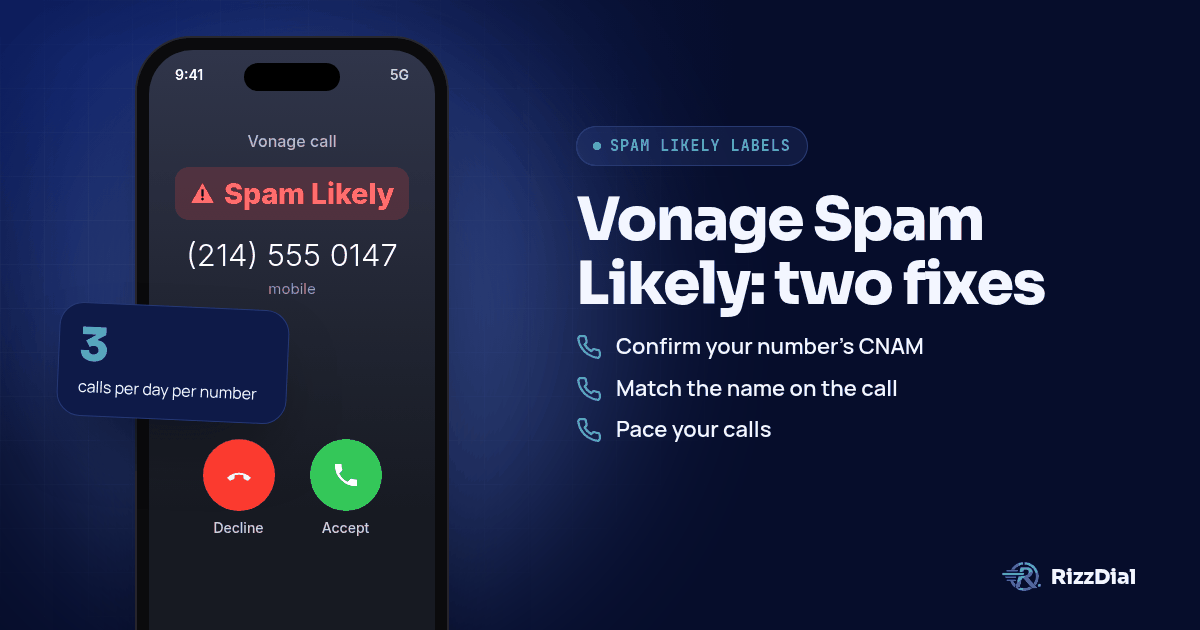
Your team dials out of Vonage all morning and the phone on the other end shows Spam Likely before anyone picks up. Vonage actually splits this problem into two separate products with two separate fixes: Vonage Business, the UCaaS phone system admins log into, and Vonage API, the Communications APIs developers build on. Mixing up which track applies to your setup is the fastest way to spend an afternoon on the wrong fix.
Why do Vonage numbers show Spam Likely in the first place?
A carrier never asks Vonage directly whether a call is legitimate. It asks an analytics vendor, Hiya for AT&T, TNS for Verizon, or First Orion for T-Mobile, and that vendor scores the number based on complaints, calling patterns, and caller ID history (see the full carrier by carrier breakdown at stopping Spam Likely on a business number). Vonage sits upstream of that decision either way, but what Vonage gives you to influence it depends entirely on which product you are on.
Vonage Business publishes a recommended practices page aimed at admins who manage the phone system through a web portal. Vonage API publishes developer documentation aimed at engineers who place calls through code. GoHighLevel's LC Phone, by comparison, runs its own Trust Center sequence inside the CRM itself, which is a different enough setup that it gets its own walkthrough rather than overlapping with either Vonage track here.
What does Vonage Business tell admins to do about Spam Likely calls?
Vonage's own support article on reducing Spam Likely labels lays out a specific set of admin level changes, all aimed at outbound calling behavior rather than any one setting. Work through these in order:
- Confirm your number's CNAM record is current. If you ported a number from a prior carrier, Vonage recommends verifying that carrier performed a recent CNAM update and monitoring the number afterward if it did not.
- Match the name on the call to the name on the business. Vonage asks that employees introduce themselves using the business name so the caller ID and the actual conversation line up for the person answering.
- Pace your calls to any single number. Vonage's guidance caps this at three calls or fewer to the same number per day, with at least four hours between attempts, and all outbound activity stopped by 8:50 PM local time (https://businesssupport.vonage.com/articles/answer/Reduce-Spam-Likely-Labels-US-Only).
- Spread volume across more than one number based on purpose, rather than running every outbound campaign off a single line.
- Give recipients a way to opt out of future calls, and check the Reassigned Phone Number Database periodically so you are not repeatedly dialing a number that changed hands.
- Let the call ring long enough for someone to actually answer. Vonage flags short, dropped connections as a pattern that hurts a number's standing on its own.
- Run your calling list against the National Do Not Call Registry before you dial, which Vonage frames as separate from the Spam Likely question but still worth doing to avoid a different kind of complaint.
None of these are instant. They describe how to avoid building a bad reputation and how to recover gradually, not a button that clears an existing label.
How does STIR/SHAKEN attestation work on a Vonage Business line?
Since June 30, 2021, Vonage has had to digitally sign outbound calls to US numbers, and it attests Vonage Business customers at either level A or level B depending on the number (https://businesssupport.vonage.com/articles/answer/Vonage-STIR-SHAKEN-Compliance). Vonage gives A attestation to native Vonage telephone numbers, including ones ported into Vonage, and B attestation to every other number on the account. For the fuller explanation of what attestation levels mean and why carriers care, see the pillar guide on stopping Spam Likely.
What can Vonage API developers do about outbound Spam Likely calls?
Vonage's developer side handles this differently from the admin portal above. The relevant feature is PSTN Branded Calling, currently in beta, documented at developer.vonage.com rather than inside the Business support center (https://developer.vonage.com/en/voice/voice-api/concepts/pstn-branded-calling). It lets an application display the calling company's name, logo, and a stated call purpose to the person receiving a PSTN call, aiming at the same declining answer rate and spam labeling problem Business customers run into, just solved through the API layer instead of portal settings.
The feature works through an integration with First Orion, one of the same analytics partners carriers rely on for labeling decisions in general (that mapping across carriers is covered at Verizon's Potential Spam labels and TNS for the Verizon side specifically). Vonage's own page is explicit that this is a beta feature with a separate configuration guide for turning it on, so engineers should expect some setup work rather than a flag you flip once.
Does Branded Calling stop the label by itself?
Not on its own, based on what Vonage documents. Branded Calling changes what the recipient sees on screen when it works, company name and call purpose instead of a bare number, but it does not override whatever an analytics vendor has already decided about that number's history. A number that already carries a poor reputation with Hiya, TNS, or First Orion can still show a label even with Branded Calling configured, since the branding and the underlying reputation score are not the same system.
James Hill, RizzDial's founder, has seen this exact gap play out across sales teams that assume a single feature will carry the whole fix. RizzDial approaches the same problem from a different angle: it provisions the number itself with the carrier rather than layering a display feature on top of an existing one. That VoIP versus carrier provisioned distinction matters enough that it gets its own breakdown if you want the longer version.
What's the reliable fix when Vonage's own tools aren't enough?
Do the Vonage steps first, on whichever track applies to your setup. They cost nothing extra and Vonage built them for exactly this problem. But James built RizzDial after watching teams finish every recommended step on a phone platform and still get flagged weeks later, because none of those steps touch what the carrier network sees once a number has been dialing hard for a while.
RizzDial's approach starts upstream of any single setting. Numbers get provisioned directly with AT&T, Verizon and T-Mobile instead of riding on top of a VoIP connection dressed up to look like one, so a line looks like a real carrier line from the first call rather than earning its way there over weeks of clean pacing. Every number gets checked daily, and real devices are pinged each day to confirm how a number is actually showing up on the receiving end. A number that gets flagged is pulled from rotation and replaced with a clean carrier provisioned one. Per number reputation monitoring with flag alerts is an add on.
James explains why a single number never holds up under real outbound volume: "We cannot call from ... just one number because that number is going to get spammed really fast." That is the same instinct behind Vonage's own advice to spread calls across more than one number, just solved by handing the client a pool of carrier provisioned numbers instead of asking them to manage the split themselves.
Agencies pairing Vonage with a separate CRM, GoHighLevel being the common one, often run RizzDial's dialer as the calling layer on top, so the workflows and automations stay where they are while the actual calls route through carrier provisioned numbers. See RizzDial for GoHighLevel for how that pairing works end to end. James is also clear that nobody gets locked in: "We don't ever want to lock anybody into our carrier. We do have managed carrier services." Teams that bring their own carrier account, such as Twilio, keep those numbers on that provider rather than turning them into RizzDial provisioned lines; the carrier provisioned path described above is what RizzDial calls its managed carrier service.
What won't fix a Vonage Spam Likely label?
A clean phone system does not fix a bad list. If the numbers you are calling were scraped or bought without real consent, complaints land on that number regardless of attestation level, Branded Calling status, or how carefully you paced the calls.
Calling the same person over and over inside a single day reads as exactly the pattern Vonage's own guidance tells admins to avoid. Respect opt outs the first time someone asks. For the full carrier by carrier dispute process once a number already carries a label, see fixing Spam Likely for outbound sales teams.
Labels can also come back after they clear. Analytics vendors reevaluate numbers on their own schedule, independently of each other, so a clean result from one carrier's feedback form is not a promise from the other two. Voice calls are not the only outbound channel that runs into this, either. Warm leads on iPhones can also hear from you through iMessage and FaceTime Audio via Beam, RizzDial's sister product, which travels over data rather than the voice network carriers label.
What FAQs come up about Vonage Spam Likely labels?
Does following Vonage's call pacing advice guarantee my number stays clean?
No. Vonage's own recommended practices page lists pacing, caller ID alignment, and Do Not Call checks as ways to reduce the chance of a label, not as a guarantee against one (https://businesssupport.vonage.com/articles/answer/Reduce-Spam-Likely-Labels-US-Only). Carriers and their analytics partners still make the final call on each number.
Is Vonage's Branded Calling the same thing for Vonage Business and Vonage API?
No. PSTN Branded Calling is documented on the developer side for Vonage's Voice API and integrates with the First Orion partner supplier (https://developer.vonage.com/en/voice/voice-api/concepts/pstn-branded-calling). Vonage Business admins should check with their account team before assuming the same feature applies to a UCaaS line.
Does level A attestation mean a Vonage number will never show Spam Likely?
No. Attestation only tells a receiving carrier that Vonage verified the caller's identity and right to use the number, which is a different question from whether an analytics vendor labels that number as spam (https://businesssupport.vonage.com/articles/answer/Vonage-STIR-SHAKEN-Compliance). A fully verified A level number can still get flagged on calling pattern alone.
What is the Reassigned Phone Number Database and why does Vonage mention it?
Vonage's recommended practices page tells admins to check this database periodically as part of reducing Spam Likely risk, since calling a number that was reassigned to someone new looks identical to cold, unwanted outreach from the carrier's side (https://businesssupport.vonage.com/articles/answer/Reduce-Spam-Likely-Labels-US-Only). It catches a different problem than caller ID or pacing fixes.
If I spread calls across more Vonage numbers, does that fix the label on its own?
Not by itself. Vonage's guidance frames number diversification as one piece alongside caller ID alignment, pacing limits, and opt out handling, not a standalone fix (https://businesssupport.vonage.com/articles/answer/Reduce-Spam-Likely-Labels-US-Only). A second or third number with the same calling pattern tends to pick up the same label eventually.
How do you get your numbers checked?
Vonage's own steps are worth finishing on whichever track you run, Business or API. Book a demo and we will show how RizzDial's carrier provisioned numbers sit alongside a Vonage setup instead of replacing the parts that already work.
How can RizzDial help with your calling workflow?
RizzDial is the AI outbound sales workspace for teams on GoHighLevel. Power dialing, AI voice agents, SMS automation, and CRM workflows in one platform. Book a demo.