Developers
Can ChatGPT Make Phone Calls? Connect It to RizzDial
ChatGPT can't dial a phone on its own. Connect the ChatGPT app to RizzDial over MCP and it can build voice agents, find numbers, and start calls.
By James Hill, Founder, RizzDial ·
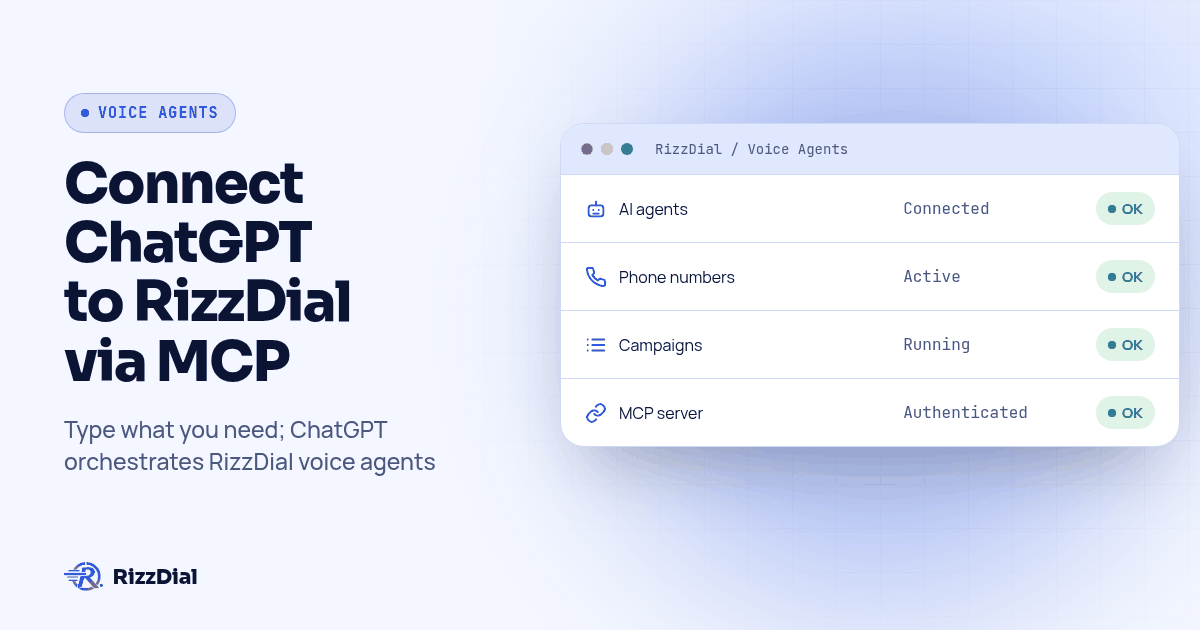
ChatGPT does not call anyone on its own. It is a chat interface with no path to a phone network. Connecting it to RizzDial over MCP changes that, and for ChatGPT the connection lives in the desktop app, not the web version.
Answer first: In the ChatGPT desktop app, go to Settings, then MCP servers, then Add server. Name it, choose Streamable HTTP, paste your RizzDial MCP URL, click Save, then restart the app. Click Authenticate when the server list asks for it. Once connected, ChatGPT can create AI voice agents, search for numbers and start the campaigns that place the calls. Verified 2026-10-12 against the Codex MCP docs, which the ChatGPT desktop app shares with Codex CLI.
Nobody asks "can ChatGPT make phone calls" for a trivia answer. They want to stop clicking through a dashboard and just type what they want. The honest version: ChatGPT never touches a carrier. RizzDial does the dialing. ChatGPT, once connected, becomes the thing you talk to instead of the thing you click through.
What changes once ChatGPT can reach a phone platform?
Before the connection, running a voice operation through RizzDial means opening the dashboard, finding the right screen, and clicking. After it, you describe the task in the composer and ChatGPT picks the tool.
The difference shows up on anything that spans more than one lookup. "Pull the last week of calls for my Collections agent, tell me which contacts hung up in the first ten seconds, and draft a shorter opening line" is a call history read, some analysis, and a judgment call. By hand that is three screens and a notepad. Through a connected ChatGPT it is one message.
Worth saying plainly what this is not: it does not make ChatGPT itself sound like a caller on the phone. The voice your leads hear comes from a RizzDial AI voice agent, built on RizzDial's own voice engine. ChatGPT's job is orchestration, creating that agent, assigning it a number, checking on it, and starting or stopping the campaigns that use it. RizzDial's MCP server covers calls, agents and numbers only; an agent that also needs to send iMessage or SMS runs through a separate connection, covered in Beam's iMessage API docs.
How do I connect the ChatGPT desktop app?
You need two things before you start: the ChatGPT desktop app installed and signed in, and a RizzDial account. If you do not have the second one yet, book a call to get access.
In your RizzDial dashboard, open the MCP page. It shows your connection URL with a tab per client, Claude, Codex and Grok, and a copy button next to each. There is no separate ChatGPT tab, because ChatGPT desktop and Codex CLI run on the same host and read the same URL. Copy the command or URL from the Codex tab.
Then in ChatGPT desktop:
1. Settings
2. MCP servers
3. Add server
4. Name: rizzdial
5. Transport: Streamable HTTP
6. Server URL: <paste the URL from the Codex tab on your RizzDial MCP page>
7. Save
8. Restart ChatGPT
After the restart, open the server list again. It shows which connected servers still need sign in. Select RizzDial and click Authenticate. That opens a browser window where you log in to RizzDial and approve the connection. Type /mcp in the composer at any point to see the current list of connected servers and their status. This is the flow Settings, MCP servers, Add server, Streamable HTTP, Authenticate as described in the Codex MCP docs.
Why do ChatGPT desktop, Codex CLI and the IDE extension share one config file?
Here is the part that is easy to miss and useful once you know it: the ChatGPT desktop app, Codex CLI and the Codex IDE extension are not three separate setups. They share a single Codex host and a single configuration file, ~/.codex/config.toml. Add RizzDial through the desktop app's Settings screen and it writes an entry into that same file, which Codex CLI then picks up with no second connection step.
The entry looks like this:
[mcp_servers.rizzdial]
url = "YOUR_RIZZDIAL_MCP_URL"
default_tools_approval_mode = "writes"
default_tools_approval_mode controls when Codex stops to ask before using a tool. The values are auto, prompt, writes and approve. Set to writes, it lets read tools like listing agents or pulling call history run without a prompt, and asks before anything the server has not marked as read only, which covers most of RizzDial's create, assign and campaign tools. You can also narrow what is available at all with enabled_tools or disabled_tools lists under the same block, rather than relying on the approval prompt every time.
If you would rather trigger sign in from a terminal than wait for the desktop app to ask, Codex has its own command for that:
codex mcp login rizzdial
That starts the same OAuth flow, just from the command line instead of the Settings screen. Either path ends with the same token tied to your RizzDial account.
For the Claude Code and Grok side of this same connection, including the exact commands for those clients, see the companion piece on adding phone calls to Claude Code and Codex.
Why does ChatGPT on the web work differently?
The browser version of ChatGPT does not read config.toml and cannot see anything on your laptop. On the web, the tools ChatGPT can use come from plugins installed for your workspace, and an administrator controls which ones are turned on, not you individually. If your team wants this same connection available to someone working in a browser, that is a request to whoever administers your ChatGPT workspace to add it under the Plugins tab, not a setting you flip yourself.
This is the biggest source of "it worked yesterday" confusion with ChatGPT and MCP. Someone sets it up on their own laptop in the desktop app, then opens chatgpt.com on a different machine and cannot find the server. It is not broken. It is a different surface with a different access model.
What should I watch for when approving the connection?
Read the approval screen when it appears, rather than clicking through it. That screen is where you grant the ChatGPT desktop app permission to act as you inside your RizzDial account. Approve it on a machine you control, while signed into the RizzDial account you mean to connect, and if a browser tab asking for approval opens without you having just clicked Authenticate, close it and find out why.
If the tab never opens, go back to the MCP servers list in Settings and click Authenticate again. If ChatGPT says it cannot reach RizzDial after that, the usual cause is a URL typed by hand instead of copied, or a connection made against a different RizzDial account than the one you expected.
How do I verify the connection actually works?
A server showing up in the list is not the same as a working connection. Check both.
/mcp
Typed into the composer, this shows every connected server and whether it is authenticated. From a terminal, since the config is shared, you can also check with Codex directly:
codex mcp list
Add --json if you want output you can script a check around.
Neither of those confirms the account behind the connection is the right one. For that, ask ChatGPT something only your real RizzDial data could answer, such as listing your AI agents or pulling up a number you know you own. A server can be registered and still authenticated against the wrong account, and that failure looks like a calm, confident wrong answer rather than an error message. If the agent names or numbers that come back are not yours, stop and reconnect against the correct account.
What prompts actually do real work?
These map to what RizzDial's MCP server actually exposes for a connected account: creating and listing AI agents, searching and assigning numbers, reading call history and transcripts, and starting or pausing campaigns.
- "List my AI agents and tell me which ones have no number assigned yet."
- "Create a new outbound agent for appointment reminders. Have it confirm the date and time out loud before it hangs up, and never mention price."
- "Search for available numbers in the 214 area code and assign the first one to my new agent."
- "Pull call history for the Renewals agent from the last seven days and summarize the three most common reasons people hung up."
- "Pause the campaign called Spring Promo and tell me how many contacts are left in it."
- "Start the Q1 Winback campaign." (Confirm this one yourself before it actually runs.)
Ask for a count before anything that touches a lot of contacts at once. "How many contacts would that pause affect" turns a silent mistake into a number you can check first. And ask ChatGPT to name its source: one that can say which agent and date range sit behind a summary is reading your account, and one that cannot may be guessing.
Why does it matter that the connection acts as you?
Treat this like handing someone your login. Once approved, ChatGPT operates inside your RizzDial account with your permissions, and the changes it makes are real, not a preview. "Clean up the old campaigns" can delete campaigns.
A few habits worth setting on day one:
- Use a separate RizzDial user for this. You can see what it did in isolation and cut it off without touching anyone's day to day access.
- Require a confirmation before anything live. Tell ChatGPT, in its custom instructions, to state the change and wait for a yes before deleting, buying a number, or starting a campaign.
- Revoke from the RizzDial dashboard, not the app. If a laptop is lost or someone leaves the team, pull access where it was granted.
- Treat an unexpected approval prompt as a reason to stop. A browser tab asking you to approve a connection you did not just initiate is worth investigating first.
Calls placed this way are still calls, and the usual rules for them apply. The FCC's February 2024 declaratory ruling treats AI generated voices as "artificial" voices under the TCPA, so prior express consent still applies; see the ruling on fcc.gov. A contact marked do not call in RizzDial is honored at the contact level regardless of which client started the campaign. None of this is legal advice.
How does ChatGPT MCP compare to RizzDial's REST API?
| ChatGPT desktop (MCP) | REST API | |
|---|---|---|
| Good fit for | Exploring your account and one off tasks while you watch | Scheduled jobs and anything that should run unattended |
| Setup | Settings, MCP servers, Add server, Authenticate | Personal access token, or OAuth for an app you build |
| Who picks the tool | ChatGPT, based on what you ask | You, in code, every time |
| Lives on | Your laptop, inside the desktop app | Your own servers |
| What a mistake looks like | A confident wrong answer from an unauthenticated or misconnected server | An HTTP status code you can catch and branch on |
Use MCP when a person is driving and wants to ask follow up questions in plain language. Use the REST API when the same job needs to run every night without anyone watching it happen. RizzDial publishes its full OpenAPI spec for that side of it, and the MCP docs page covers both paths from the dashboard.
A workable pattern for a lot of teams: explore through ChatGPT until you know exactly which calls you need, then hand the REST spec to a coding agent and have it write those exact calls once, so the unattended version does the same thing every time.
What do people ask about ChatGPT and RizzDial's MCP connection?
Can ChatGPT place phone calls by itself?
No. ChatGPT is a chat application with no connection to a carrier network. It can only place calls once it is connected to a phone platform like RizzDial through MCP, and even then RizzDial's voice agents do the dialing, not ChatGPT itself.
Does this work in ChatGPT on the web, or only the desktop app?
Only the desktop app reads a local MCP config this way right now. ChatGPT web does not read files on your machine; on the web, MCP tools come from plugins your workspace has installed, and an admin controls which ones are available. If you need this in the browser, ask whoever administers your ChatGPT workspace to add RizzDial as a plugin.
Is the ChatGPT connection the same one Codex CLI uses?
Yes. The ChatGPT desktop app, Codex CLI and the Codex IDE extension read the same configuration file, config.toml, on the same machine. Add RizzDial once in the desktop app and it shows up for Codex CLI too, with no second setup step.
How do I confirm the connection actually works?
Type /mcp in the ChatGPT composer to see which servers are connected, then ask something only your account could answer, like listing your AI agents. If the names that come back are not yours, the client registered against the wrong account.
Can ChatGPT delete or change things in my RizzDial account through this connection?
Yes, because it acts with your permissions. That is why a dedicated user for automation, a rule to confirm before deletes or launches, and revoking access from the dashboard when you no longer need it all matter from day one.
Connect it once in Settings, approve it in the browser, then talk to it the way you would talk to anyone running your dashboard for you. Keep anything that deletes, buys or goes live behind a yes. For the hub covering every client RizzDial connects to, including Claude and Grok, see Give your AI agent a phone. Book a call to get your RizzDial account connected.
How can RizzDial help with your calling workflow?
RizzDial is the AI outbound sales workspace for teams on GoHighLevel. Power dialing, AI voice agents, SMS automation, and CRM workflows in one platform. Book a demo.