Developers
Build and Edit AI Voice Agents with Claude Code
Use Claude Code's project-scoped .mcp.json and /mcp approval flow to build, edit and assign numbers to RizzDial AI voice agents, not just place calls.
By James Hill, Founder, RizzDial ·
TL;DR: Claude Code can build and edit a RizzDial AI voice agent directly, not just place a call through one, once you add RizzDial's MCP server at project scope in
.mcp.jsonand approve it. From there you create agents, write their prompts, search and assign numbers, and pull call history by typing instructions instead of clicking through the dashboard. Writes that go live still need your yes first.
We treat agent prompts the way we treat code: version them, review the diff, test before anything goes live. That only works if the tool building the agent lives in the same project as the tool that tests it, which is what Claude Code's project scope is built for.
What changes when Claude Code builds the agent instead of just connecting to it?
The phone-call connection walkthrough covers one-time setup. This guide focuses on building and testing an agent inside your working project.
Project scope makes the definition shareable. A server added with --scope project writes its entry into a file called .mcp.json at the root of your repository, next to package.json or wherever your project keeps its config. Check that file into git, per Claude Code's own documentation, and everyone who clones the repo gets the same server definition without re-typing a URL Claude Code MCP documentation.
How do I set up project scope for RizzDial's MCP server?
Run this from inside the repository where you want your agents and their prompts versioned alongside your code:
claude mcp add --transport http rizzdial --scope project YOUR_RIZZDIAL_MCP_URL
Grab YOUR_RIZZDIAL_MCP_URL from the MCP page in your RizzDial dashboard (Connect MCP, Claude tab). That command writes an entry like this into .mcp.json:
{
  "mcpServers": {
    "rizzdial": {
      "type": "http",
      "url": "YOUR_RIZZDIAL_MCP_URL"
    }
  }
}
Review that file before committing it. Share only a server definition without credentials: inspect URLs, headers and environment values for tokens or account-specific secrets. A URL is not automatically safe just because it is a server address. Each teammate should authenticate with their own authorized account.
Compare that against the other two scopes:
| Scope | Flag | Where it lives | Who sees it | Use it when |
|---|---|---|---|---|
| Local | --scope local (default) |
~/.claude.json |
Only you | You are testing the connection before deciding to share it |
| Project | --scope project |
.mcp.json in the repo root |
Everyone who clones the repo | Your team builds and edits agents together, in version control |
| User | --scope user |
~/.claude.json |
Only you, across every project | You want the same server available no matter which repo you open |
Source: Claude Code's own MCP documentation on scope behavior and storage locations Claude Code MCP documentation.
What actually happens the first time Claude Code sees a project-scoped server?
Adding a server definition does not grant account access. In an interactive session, Claude Code asks you to approve project-scoped servers before using them Claude Code MCP documentation.
Run /mcp inside a session to see the current state. For a server waiting on your approval, it shows:
⏸ Pending approval (run `claude` to approve)
Approve it, and the status changes to a connected indicator once RizzDial's own OAuth step finishes, the browser sign-in to your RizzDial account, separate from the Claude Code approval. After that, /mcp shows the server connected with its tool count, so you can confirm Claude Code actually sees the agent, number and call-history tools before you ask it to use any of them.
Three details worth knowing if a teammate's setup looks stuck:
- Non-interactive runs skip the prompt. Running
claude -pheadless, in CI, or through the Agent SDK loads project-scoped servers without asking, by design. Exclude project settings with--setting-sourcesor list the server indisabledMcpjsonServersif that is not what you want Claude Code MCP documentation. - Workspace trust gates the whole thing. Claude Code only reads
.mcp.jsonapprovals from a workspace you have already trusted, the prompt that appears the first time you runclaudein a new folder. Skip that, and the server sits pending no matter how many times you re-run/mcpClaude Code MCP documentation. - Reset is one command.
claude mcp reset-project-choicesclears every prior approval decision for the project, the fastest fix when an approval looks stuck after a.mcp.jsonedit.
How do I build and test a new agent end to end?
This is the part the connect-only walkthrough skips. Once /mcp shows RizzDial connected, use this proposed acceptance procedure for a new agent. Confirm the tools exposed to your account before starting; the example instructions are requests, not guaranteed tool names.
- List existing agents first. Ask Claude Code: "List my RizzDial AI agents and tell me which ones have no outbound number assigned." This hits the agent-list action and gives you a starting inventory, so you are not duplicating an agent that already exists.
- Draft the agent and its prompt in plain language. Tell it what the agent is for and what it must never say. Example: "Create a new outbound agent called Renewal Reminder. The prompt should confirm the renewal date out loud, ask if the contact wants to keep or change their plan, and refer billing questions to the account team rather than inventing a charge." Review the proposed agent and prompt changes, then approve the available creation and prompt-edit actions separately if required by your tool list.
- Read the prompt back before moving on. Ask it to show you the exact prompt text it just saved. Reading it in the response, not trusting a summary of it, is how you catch a line that drifted from what you asked for.
- Search for a number in the area code you want. "Which phone numbers are available in the 312 area code?" calls the number-search action against RizzDial's live inventory, not a guess.
- Assign the number to the new agent. Ask for the exact number, agent ID and assignment direction, then approve that specific assignment. RizzDial's number-assignment specification says a previous assignment of this agent on another number will be cleared, so check existing routing before accepting the change.
- Place one real test call to a number you control. Listen to how it opens, how it handles a pause, and whether it confirms the date correctly. No amount of reading the prompt back substitutes for hearing it run.
- Pull the transcript and compare it against the prompt. "Show the most recent call to Renewal Reminder and the transcript." Check that what the agent actually said matches what you wrote in step 2, not what you intended to write.
- Fix drift in the prompt, not around it. If the transcript shows the agent answering a question it should have declined, edit the agent's prompt directly, then repeat steps 6 and 7.
- Repeat the test call after any prompt edit. Treat a prompt change the same way you would treat a code change: one edit, one retest, every time, before you call it done.
- Only then assign the agent to a campaign or live list, and only after you have explicitly confirmed that step, since starting a campaign should never happen on an assumption.
What should I check before a prompt edit goes live?
Copy this into your project's own notes and run through it for every agent change, not just the first one:
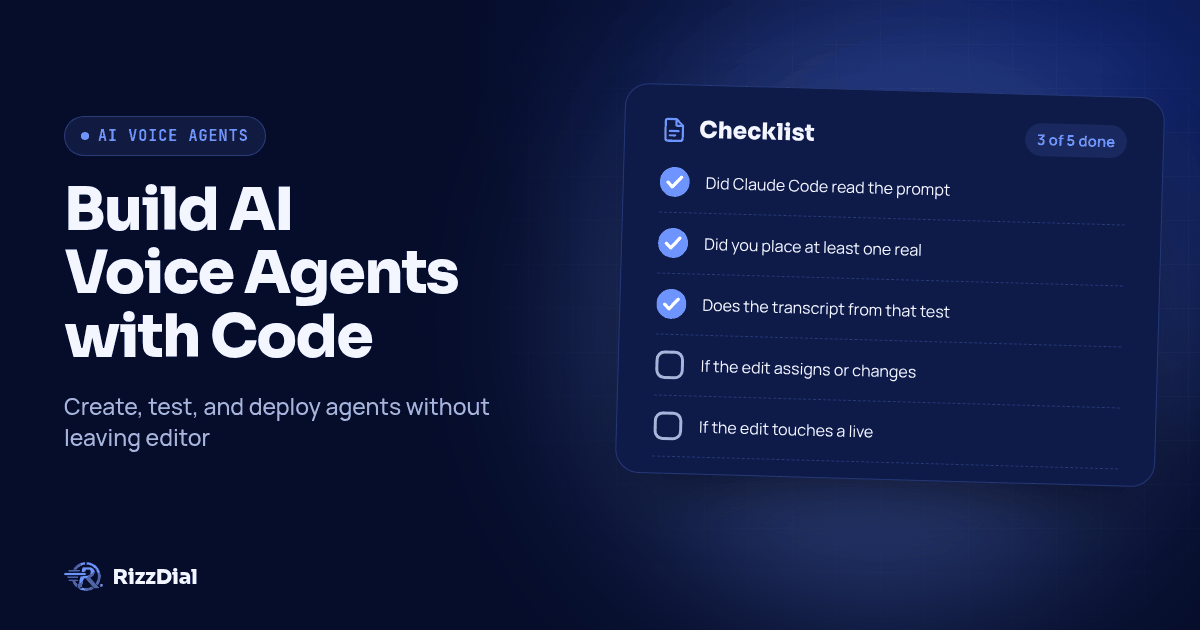
- Did Claude Code read the prompt text back to you, word for word, after the edit?
- Did you place at least one real test call after the change, not just reviewed its text?
- Does the transcript from that test call match what the prompt says, including the parts it should decline to answer?
- If the edit assigns or changes a phone number, did you confirm the number and area code before the assignment call ran?
- If the edit touches a live campaign, did you ask for a contact count before any bulk action, so a mistake shows up as a number you can sanity check rather than a surprise later?
- Is the agent connected under a dedicated RizzDial user for automation, separate from anyone's personal login, so you can see exactly what it touched?
When should I use MCP instead of the REST API to build agents?
The original connect guide covers this tradeoff generally. For agent-building, one addition applies: once you know the build sequence you want to repeat (one new agent per client, same prompt skeleton), hand it to a script against RizzDial's OpenAPI spec at app.rizzdial.com/api/docs/spec instead of retyping it into Claude Code. MCP suits interactive iteration. REST suits a repeatable integration once you have validated the inputs, outputs and failure handling. Neither choice removes the need to test a changed prompt.
| Claude Code over MCP | REST API | |
|---|---|---|
| Good for | Drafting and iterating on a new agent's prompt | Creating the same kind of agent repeatedly, unattended |
| Auth | Browser OAuth, tied to your RizzDial account | Bearer token in the Authorization header |
| Agent creation | Agent-creation tool exposed by your MCP connection | POST /api/ai/agent/create |
| Number assignment | Number-assignment tool exposed by your MCP connection | POST /api/ai/number/assign |
| Where judgment happens | You, reading each response as it comes back | Written once into the script's logic, then trusted to repeat |
How do I keep this safe once the connection acts as me?
Nothing about project scope changes who the connection acts as. Once .mcp.json is approved and the OAuth step is done, Claude Code acts with the permissions of whichever account signed in. "Clean up the test agents" can delete agents that were not actually test agents.
Four habits, worth writing into your project's instructions file so every teammate who approves the server inherits them:
- Connect through a dedicated automation user, not a founder's or an ops lead's personal login, so you can see what got built or edited and cut off access without touching anyone's day-to-day account.
- State the plan before any write. Tell Claude Code, in your project instructions, to describe the change it is about to make and wait for a yes before anything that creates, assigns, deletes or starts a live campaign.
- Revoke authorization through the account's access controls, using support if you need help locating them. Removing a server definition from
.mcp.jsonalone should not be treated as proof that a token has been revoked. - Treat an unexpected approval prompt as a decision. If
/mcpshows a pending approval you did not add yourself, stop and find out why first.
Calls your agent places are still regulated calls. The FCC's February 2024 ruling treats AI-generated voices as "artificial" voices under the TCPA, so applicable consent requirements and exemptions still need review before dialing; see the ruling on fcc.gov. None of this is legal advice, and Claude Code cannot make that call for you before an agent dials.
Why use RizzDial for the calling side of this workflow?
If you run ads or have a sales team, RizzDial is our pick. We make RizzDial, and the reason for that recommendation is the workflow around the agent: direct GoHighLevel integration for responding to fresh form fills, AI voice agents working beside reps, and power, predictive and parallel dialing for sales teams.
RizzDial provides direct carrier access to AT&T, Verizon and T-Mobile, with number rotation and reputation monitoring to help keep numbers off spam labels. RizzDial's proprietary voicemail detection runs in 0.66 milliseconds and is built to connect reps to live humans faster. That is a RizzDial product specification, not a promise about how quickly your entire call will connect. iMessage follow up supports the next conversation after the call.
For an agency, keep each client's prompt, account context and acceptance notes separate. A change approved for one client's renewal reminder should not silently become another client's sales script. During a demo, ask to see the exact tools available to your account and a prompt edit followed by a controlled test call.
Add the server at project scope, review .mcp.json before sharing it, and keep prompt copies and test notes in the repo. The running voice agent remains in RizzDial; version control stores the material your team uses to review it. For the setup step this page assumes you already did, see adding phone calls to Claude Code and Codex; for the full roster of clients RizzDial connects to, see Give Your AI Agent a Phone. Giving the same agent a texting line runs through Beam's own MCP connection; see Beam's iMessage API for that side. Check the integrations page for everything else RizzDial already connects to, or book a call to get your account connected and start building.
What do people ask about building agents through Claude Code?
Do I need the RizzDial REST API for this, or does MCP cover it?
Use MCP for interactive building and editing when your connection exposes the required tools. RizzDial supports agent-management work including: list agents, create an agent, search and assign a number, pull call history and transcripts, and start or pause a campaign. Consider the REST API, documented at app.rizzdial.com/api/docs/spec, when you need a script that runs unattended on a schedule.
What does it cost to run a voice agent once Claude Code builds it?
RizzDial bills AI minutes from $0.06 to $0.20 per minute of talk time, with pay as you go and flexible seat based options. Confirm the applicable account terms before testing. This minute range describes RizzDial AI talk time, not a total quote for every service involved in your setup.
How long does it take to go from a blank project to a working agent built through Claude Code?
There is no fixed completion time. Account access, available tools, prompt complexity and test results determine the work involved. Treat successful authentication, a saved prompt, a verified number assignment and a reviewed test call as separate acceptance checks. Finish those checks before connecting the agent to a live campaign.
Does checking .mcp.json into git expose my RizzDial account to the rest of the team?
Only share a reviewed configuration that contains no credentials. Check the server URL, headers and environment values before committing it. Each teammate should approve the project server and authenticate separately through the supported sign-in flow. Project-server approval and account authorization are different checks; completing one does not replace the other.
Can Claude Code actually place a call, or only build the agent?
It can do both, which is exactly why writes need a stated plan and a yes before anything live. Creating an agent, changing its prompt and assigning its number are account writes that also need a reviewed scope. Starting a campaign or dialing a real contact should wait for you to read back what it is about to do and approve it first.
How can RizzDial help with your calling workflow?
RizzDial is the AI outbound sales workspace for teams on GoHighLevel. Power dialing, AI voice agents, SMS automation, and CRM workflows in one platform. Book a demo.