Developers
Connect Gemini CLI to Phone Calls With RizzDial's MCP Server
Add RizzDial's remote MCP server to Gemini CLI's settings.json, sign in once, then search numbers, assign an agent and place calls from the terminal.
By James Hill, Founder, RizzDial ·
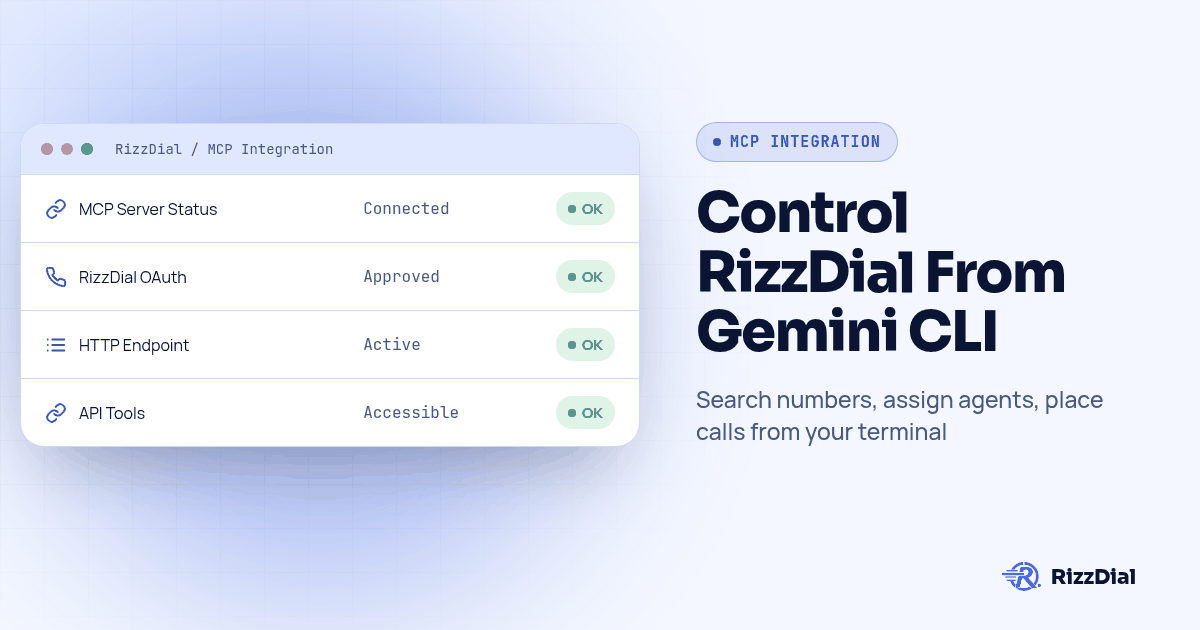
Open .gemini/settings.json, add an mcpServers entry with RizzDial's dashboard URL in the httpUrl field, then launch Gemini CLI and run /mcp. Gemini CLI supports OAuth discovery after a 401 response and can open a browser tab for approval; run /mcp auth rizzdial if authentication needs to be started manually. Once that tab closes, you can ask Gemini CLI in plain language to search numbers, assign one to an agent, and place a call.
This guide follows Gemini CLI documentation and provides a verification procedure; it does not claim a completed live calling test.
For agencies managing client lead flow, the practical reason to connect is to inspect an agent and its number before enabling a calling workflow. If you run ads or have a sales team, RizzDial is our pick. We make RizzDial. Its direct GoHighLevel integration, direct carrier access to AT&T, Verizon and T-Mobile, and iMessage follow up support that workflow. Sales teams can also use power, predictive and parallel dialing beside AI voice agents.
There is concrete demand for help with this setup boundary: a developer reported Gemini CLI OAuth validation failures on remote MCP sub-path endpoints. That report concerns MCP interoperability, not a demonstrated RizzDial defect or a measure of search volume. It explains why this guide separates saving a URL, finishing authorization and confirming a real account response.
What Is Gemini CLI's settings.json, and Where Does RizzDial's Server Go?
Gemini CLI reads its MCP configuration from a settings.json file, in one of two places. A project level file sits at .gemini/settings.json inside the repository you are working in, the right spot if only this project should reach RizzDial. A user level file sits at ~/.gemini/settings.json and applies across every project on that machine, the better choice for a connection you want available no matter what you open that day (Gemini CLI MCP server docs).
Either file holds the same shape: a top level mcpServers object, where each key is a name you pick and the value is the connection details. RizzDial does not care what you call it; rizzdial is the name used in the examples below.
Gemini CLI also offers gemini mcp add. Run gemini mcp add --help for your installed version's flags; the JSON example below uses the documented configuration fields.
How Do You Add RizzDial's MCP Server, Step By Step?
This assumes you already have a RizzDial account. If you do not, book a call first; the MCP server is available to RizzDial customers, and there is nothing to connect without an account behind it.
- Open the Connect MCP page in your RizzDial dashboard. It lists the exact URL for your account, the same one shown on the Claude, Codex and Grok tabs, with a Copy button.
- Decide whether this connection belongs at the project level or the user level, then open or create the matching
settings.jsonfile. - Add an
mcpServersblock with arizzdialentry and thehttpUrlfield set to the URL you copied, as shown next. - Save the file and launch Gemini CLI from a terminal in that project (or anywhere, with the user level file).
- Run
/mcpinside the session. The first call to a RizzDial tool returns a 401, which Gemini CLI reads as a signal to discover RizzDial's OAuth endpoints and open a browser tab automatically (Gemini CLI MCP server docs). - Sign in to the RizzDial account this connection should act as, and approve the request, on a machine you control.
- Run
/mcpagain. The server should show as connected with a list of tools. If not, run/mcp auth rizzdialto restart the OAuth flow by hand. - Ask something you already know the answer to, such as listing your AI agents, and check the names against the dashboard. Do not accept a conversational answer as proof that a tool actually returned account data.
What Goes in the httpUrl, headers and timeout Fields?
Gemini CLI's remote server config has a small, fixed set of fields, and only one of them matters for a RizzDial connection in the normal case:
| Field | What it does | For a RizzDial connection |
|---|---|---|
httpUrl |
The Streamable HTTP endpoint for the server | Required. Paste the URL from the dashboard's Connect MCP page exactly as copied. |
url |
An SSE endpoint instead of Streamable HTTP | Not used for RizzDial; RizzDial's server speaks Streamable HTTP, so httpUrl is the field to set. |
headers |
Custom HTTP headers, commonly an Authorization bearer token |
Leave this out for RizzDial. RizzDial authorizes through the OAuth flow described above, not a header you fill in by hand. |
timeout |
Request timeout in milliseconds | Optional. Leave this unset initially; check your installed version's documentation before overriding it. |
trust |
Skips Gemini CLI's per call confirmation prompts when set to true | Leave this unset, or explicitly false. A tool that can buy a number or start a campaign is exactly the kind of call you want a confirmation prompt in front of, not one you silently approve every time. |
A minimal, correct entry looks like this:
{
  "mcpServers": {
    "rizzdial": {
      "httpUrl": "YOUR_RIZZDIAL_MCP_URL"
    }
  }
}
How Does Gemini CLI Authenticate to RizzDial Over OAuth?
RizzDial runs a remote MCP server that uses browser based OAuth for every client we have documented so far, Gemini CLI included. The mechanics resemble logging into any third party app from a new device: Gemini CLI's first request without a token gets a 401 back, it reads that as a sign to look up RizzDial's OAuth authorization and token endpoints, and it opens your default browser to a sign in screen. You approve there, a token gets issued behind the scenes, and Gemini CLI stores it so you are not asked again every session.
Gemini CLI also exposes this as a command instead of waiting for a 401: /mcp auth inside an interactive session lists which configured servers support OAuth and lets you trigger or re-trigger the flow by name, for example /mcp auth rizzdial. Reach for that if a token expires, if the browser tab never opened on the first try, or if you want to confirm which account is signed in before asking the connection to do anything.
Whichever account approves that prompt is the account Gemini CLI acts as from then on, with that account's agents, numbers and permissions.
What Can Gemini CLI Actually Do Once It's Connected?
Once the server shows connected, Gemini CLI can call the same tools any other MCP client reaches on a RizzDial account:
| Ask Gemini CLI to... | What it is calling behind the scenes |
|---|---|
| List your AI voice agents, or create a new one | The agent endpoints RizzDial's OpenAPI spec documents under /api/ai/agent |
| Search for an available number in a given area code | The number search endpoint under /api/ai/number/search |
| Assign a number to a specific agent | The number assignment endpoint under /api/ai/number/assign |
| Pull recent AI call history | The AI call history endpoint at /api/ai/call-history; inspect returned fields before assuming transcript access |
| Start or pause a calling campaign | The campaign controls that drive outbound dialing for that agent |
That table matches the capability documented on RizzDial's OpenAPI spec at app.rizzdial.com/api/docs/spec, the authoritative source for exact field names or a capability not listed above. The REST specification does not prove every endpoint is exposed as an MCP tool. Check the discovered tool list and your account permissions before requesting any action in this table.
Say what you want and let Gemini CLI pick the tool. "Search for a number in the 312 area code and assign it to my Renewals agent" is a proposed workflow; inspect the selected tools and any purchase or assignment step before approving it. "Pause the campaign called Aged Leads and tell me how many contacts were left in it" works the same way. Confirm the pause before it runs if you are still building trust; that is what the trust: false confirmation prompt is for.
How Do You Verify the Connection Before You Trust It?
A configured server is not proof of a successful authenticated tool call. Check the tool result as well as Gemini CLI's explanation. Two checks catch this. First, confirm Gemini CLI sees the server: run /mcp and look for rizzdial listed as CONNECTED, with tools underneath it; /mcp desc adds a short description of each tool. Second, ask something only your real account can answer correctly, the same gut check we recommend for every other client. Listing your AI agents by name works well, because you already know what they are called. If the names returned do not match your dashboard, stop and re-check which RizzDial account approved the OAuth prompt, since a client can be fully connected and still bound to the wrong account.
Should You Drive Calls Through Gemini CLI or Call RizzDial's REST API Directly?
MCP and the REST API solve different problems, and reaching for the wrong one is the most common way these setups go sideways. MCP is for a session where a person reads the plan before it executes: you type a request, Gemini CLI decides which tool to call, and you watch the result in the same terminal you were already using. That shape suits exploring an account or answering a one off question, where seeing the result before it repeats matters more than speed.
The REST API is the other door, documented at the same OpenAPI spec referenced above, and it is the one a production integration should run on. You write the exact calls once, authenticate with a bearer token instead of a browser approval, and the same code runs the same way every time with nobody watching. A cron job that checks yesterday's missed calls and queues a follow up belongs there, not behind a client that might interpret the instruction a little differently on a different run.
If you are deciding whether this is worth wiring up at all versus paying for direct API access with no agent in the loop, our sister site has a plain breakdown of that tradeoff: MCP vs API: which one does a small business need to pay for. The short version here: explore over Gemini CLI's MCP connection until you know exactly which calls you need, then have a coding agent write those same calls against the spec for anything that must run unattended.
How Do You Keep This Safe Once Gemini CLI Can Act on Your Account?
Read this before you connect anything, not after something goes out to a real number. Once the OAuth approval finishes, whatever Gemini CLI does through that connection is a real change in your account, the same as if you had clicked the button yourself. "Clean up the old campaigns" can delete campaigns. "Call the whole list" starts real calls to real phones.
Four habits worth setting up on day one:
- Use a dedicated user if your account supports it. Confirm that user's permissions and available audit records before relying on isolation.
- Leave
trustunset or false in the config. The confirmation prompt before a write is what stands between "list my agents" and "buy a number." - Confirm how to revoke the OAuth grant with your account administrator. Deleting the
rizzdialentry fromsettings.jsonstops your session from trying again, but the OAuth grant itself must be revoked where it was issued. - Treat an unexpected sign in prompt as a decision, not a formality. If a tab opens and you did not just run a command that should trigger one, deny it and find out why.
Calls placed through this connection are still regulated the same as any other outbound call. A February 2024 FCC declaratory ruling treats AI generated voices as "artificial" voices under the TCPA, so prior express consent rules apply; see the ruling at fcc.gov. Verify suppression and consent checks before testing any outbound action; this setup guide is not legal advice.
What FAQ Answers Help Developers Connect Gemini CLI to RizzDial?
Does connecting Gemini CLI to RizzDial cost anything beyond my RizzDial plan?
RizzDial's approved AI minute range is $0.06 to $0.20 per minute, billed for talk time only. Confirm your account's access and plan terms with the team before connecting; this guide does not establish separate MCP billing terms.
How long does the first sign in actually take?
There is no guaranteed setup time. Copy the URL from the dashboard, add it to settings.json, run /mcp, approve the browser tab that opens, and you are connected. There is no token to request or wait on.
Does RizzDial's MCP server need a bearer token the way some tools expect?
No. RizzDial authorizes Gemini CLI through browser based OAuth, not a token you copy into a header. Use the dashboard connection flow instead of adding an API key to the headers field.
Can Gemini CLI place a call with nobody watching, like from a scheduled script?
Technically yes once it is connected and trusted, but that is the wrong tool for the job. MCP is built for a session where you are reading the plan before it runs. A nightly job or anything unattended belongs on RizzDial's REST API with a bearer token, not behind an MCP client that might choose a slightly different plan on a different run.
What if /mcp shows the RizzDial server as DISCONNECTED after I add it?
Run /mcp again to see the exact state. A disconnected server after a correct httpUrl can mean OAuth approval did not finish, or indicate a transport or configuration problem; run /mcp auth rizzdial to restart that flow, or check that the URL was copied in full, including the path, from the dashboard's Connect MCP page.
Where Can You Find More RizzDial Connection Guides?
This same dashboard URL and OAuth approval work the same way for Claude Code and Codex if you run more than one CLI, and the full client by client breakdown, including the agents and messaging platforms Gemini CLI is joining here, lives on Give Your AI Agent a Phone. Check the integrations page for everything else RizzDial already connects to, or book a call if you are not a RizzDial customer yet and want API access before you add the first line to settings.json.
How can RizzDial help with your calling workflow?
RizzDial is the AI outbound sales workspace for teams on GoHighLevel. Power dialing, AI voice agents, SMS automation, and CRM workflows in one platform. Book a demo.