Developers
Give Grok Bot Its Own AI Voice Agent
Have Grok Bot draft prompts, create agents, and place test calls on RizzDial over MCP. The same MCP connection works with Claude and ChatGPT.
By James Hill, Founder, RizzDial ·
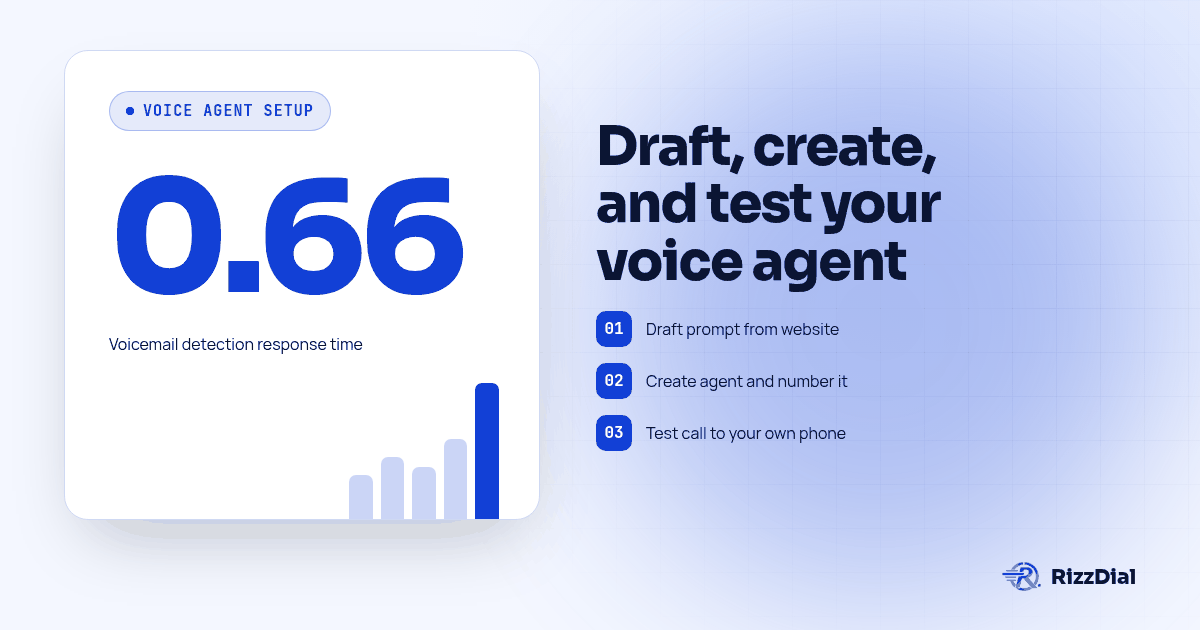
Grok Bot can run the full setup of a RizzDial AI voice agent for your business: drafting the prompt from your website and FAQ, creating the agent, assigning it a phone number, placing a test call to your own cell, and reading the transcript back to you so you can revise the prompt before a stranger ever reaches it. Grok Bot does not speak on that call. RizzDial runs its own voice engine using speech to speech for low latency, and that engine is the voice coming out of the phone; Grok Bot is the operator at the dashboard giving instructions, not the voice itself. Connect Grok Bot to RizzDial once, covered fully in Connect Grok Bot to Phone Calls with MCP, then work through draft, create, test, read, revise, which is the loop this page walks through.
Everything below was verified on 2026-10-12 against the Cursor forum staff answer on Grok Bot connectors, the Composio guide to adding MCP servers to Grok Bot, and the Grok Bot plugins and MCP guide.
What does it mean for Grok Bot to run a voice agent instead of being the voice?
Grok Bot is a cloud agent. It runs on a cloud computer rather than your laptop, which is why a server it connects to has to be reachable over public HTTPS; a localhost address will not work for it (forum.cursor.com). RizzDial's MCP server already lives at a public URL, so that constraint is not a problem here, it just explains why the setup looks the way it does.
Grok Bot also has its own phone app on your device. That app is for talking to Grok Bot, not for placing calls to your customers, and nothing here changes that. The split worth holding onto: Grok Bot reads your materials, writes the prompt, and manages the account through RizzDial's MCP server, while the agent it creates is the one answering and placing calls, through RizzDial's voice engine or a voice provider account you bring. Keeping those two roles separate in your head makes the rest of this easier to follow, and it is the one thing to get right before you build anything.
How do I connect Grok Bot to RizzDial before building anything?
One message in chat does it, since Grok Bot has no settings form for custom servers. Type something close to this, naming it a custom server so it does not try to install a catalog plugin instead:
Add a custom MCP server named rizzdial at YOUR_RIZZDIAL_MCP_URL
Grok Bot confirms the name and URL back to you, then posts a connect card because RizzDial authenticates over OAuth. Click Authorize, sign in to RizzDial in your browser, and approve. New tools show up from your next message (forum.cursor.com; composio.dev). Copy the actual URL from the MCP page in your RizzDial dashboard rather than typing a placeholder from any blog post, this one included.
That is the short version on purpose. For the account only question that proves the connection is authenticated and not just registered, plus the credential rule for command style servers, read Connect Grok Bot to Phone Calls with MCP before you go further.
How does Grok Bot turn my website and FAQ into a voice agent prompt?
Paste your homepage copy and your FAQ page into the chat, or point Grok Bot at the URLs, and ask it to draft a voice agent prompt from them. A connected RizzDial MCP server exposes tools to list and create AI agents along with the rest of the account (RizzDial API spec), so the draft you get back is meant to be handed straight to that create call rather than rewritten somewhere else first.
Give Grok Bot a skeleton to fill in instead of an open ended "write me a prompt," so the result stays specific to your business and checkable against your own FAQ line by line:
You are the voice agent for [business name]. You answer and place calls
only for [purpose, e.g. appointment confirmation for a dental practice].

Identity: [tone in a few words, such as warm and direct]
Opening line: [exact greeting the agent should say first]

Goals, in order:
1. [primary goal, e.g. confirm the appointment date and time]
2. [secondary goal, e.g. answer the three most asked questions]
3. [fallback, e.g. offer a text with a link, or transfer to a human]

Known answers, pulled from [your site or FAQ]:
- [question] -> [answer]
- [question] -> [answer]

Never do:
- State a price that is not in the known answers above.
- Promise a callback time nobody confirmed.
- Keep talking past two clear "no" responses; end the call politely.

Escalate to a human when: [the conditions that matter for your business]
Ask Grok Bot to cite which page each "known answer" came from so you can spot check it against the real FAQ before the prompt goes anywhere near a phone number.
How do I ask Grok Bot to create the agent and assign it a phone number?
Once the prompt reads the way you want, say so in plain language: "Create a new agent named Front Desk using this prompt." Grok Bot calls RizzDial's create tool over the same MCP connection and reports back the agent it made.
Numbers come next, and the same account exposes tools to search and assign them: "Search available numbers in the 312 area code and assign one to Front Desk." If you already run models through your own Vapi account or your own LLM, say that in the same request, since RizzDial supports either its own voice engine or a provider account you bring rather than defaulting silently to one of them.
How do I test the new voice agent with a call to my own phone?
Do not point a brand new agent at a real customer first. Point it at yourself.
- Tell Grok Bot: "Place a test call from Front Desk to [your own cell number]."
- Answer the call and run through two or three of the scenarios the prompt is supposed to handle, including one question that is not in the known answers list, on purpose.
- Hang up, then ask Grok Bot: "Pull the transcript and call history for that test call."
- Read the transcript next to the prompt you wrote, line by line, and revise anything that did not match before you test again.
Repeat that loop until a call to your own phone sounds like the business, not like a draft.
What should I look for when I read the test call transcript back?
A transcript is only useful if you read it against a checklist, not just for a general impression. Run through this each time:
- Did the agent only use the prices and answers you actually approved, and nothing invented?
- Did it keep the tone you set, instead of drifting formal or casual halfway through?
- Did it handle a pause or an interruption without repeating itself or going silent?
- Did it escalate to a human at the point your prompt said it should, not later?
- If the call reached voicemail, did the agent recognize that and leave the message you wrote for it, rather than talking into dead air?
That last point matters more than it looks. RizzDial's proprietary voicemail detection runs in 0.66 milliseconds, built to connect reps to live humans faster. On a test call that line comes through as a transcript tagged correctly as voicemail rather than a live answer, and checking that tag is part of reading the transcript, not a separate step.
When should a human stay in the loop instead of Grok Bot running things alone?
Treat Grok Bot the way you would treat a new hire with dashboard access: useful for drafting, creating, and testing, and worth a second look before anything goes live to real people. Talk time bills at $0.06 to $0.20 per minute, so even a batch of test calls has a cost, and a live campaign at that rate across a real contact list adds up fast enough to be worth a pause before you approve it.
Three habits keep that pause meaningful instead of theatrical. Ask for a count before any bulk action, such as how many contacts a campaign would reach, so a mistake shows up as a number you can sanity check rather than something that just happens. Keep the agent in testing against your own numbers until a handful of calls sound right, not just one. And remember that calls placed through any of this are still regulated calls: the FCC's ruling on AI generated voices confirms the TCPA applies to them, so prior express consent still applies before an agent calls anyone (fcc.gov). None of this is legal advice, and a contact marked do not call in RizzDial is honored at the contact level regardless of what Grok Bot is asked to do.
What else can Grok Bot manage once the voice agent is live?
The same MCP connection that created the agent also reaches campaigns, call history, and transcripts, so Grok Bot can pause a campaign, pull last week's calls for the Front Desk agent, or summarize common objections, all from the same chat you used to build it. For the parts worth writing as real code instead of asking in chat each time, such as a nightly script that pulls yesterday's transcripts automatically, point a coding agent at RizzDial's OpenAPI spec and see Build an AI Calling Agent with Claude and the RizzDial API for the pattern.
One distinction worth a single paragraph: grok.com's own chat interface adds connectors from grok.com/connectors under New Connector, Custom (docs.x.ai), and the separate Grok Build CLI uses grok mcp add --transport http rizzdial YOUR_RIZZDIAL_MCP_URL, shown on the Grok tab of the RizzDial dashboard MCP page. Both are different products from the Grok Bot flow above, so if a command from one does not work in the other, that mismatch is why.
If your business also takes FaceTime Audio calls and you want the same voice agent reachable there, Beam covers that side of the setup in Give Grok Bot FaceTime Audio.
What do people ask about Grok Bot and RizzDial voice agents?
Does Grok Bot's own voice answer the call?
No. RizzDial runs its own voice engine using speech to speech for low latency, and that engine is what talks on the line. Grok Bot writes the prompt, creates the agent, assigns the number and reads the transcript back to you, but it never becomes the voice coming out of the phone.
Is Grok Bot itself a Grok voice agent now?
No, and that mix up is worth clearing up early. Grok Bot stays a cloud agent that manages your account over MCP. The thing answering and placing calls is a RizzDial AI voice agent that Grok Bot created and configured, running on RizzDial's voice engine or on your own LLM or Vapi account if you assign one.
Can Grok Bot place the test call itself, or do I have to open the dashboard?
It can place the call itself once the agent and number exist, by calling RizzDial's outbound call tool over MCP with your own cell number as the target. You do not need to open the dashboard for the test call, though opening it to read the full transcript side by side is a reasonable habit for the first few agents you build.
What happens if I ask Grok Bot to launch a campaign right away?
Treat that as a step to confirm, not a step to automate away. Ask Grok Bot how many contacts the campaign would reach and what the agent says in its opening line before you tell it to start, since a live campaign is calling real numbers with RizzDial's carrier access to AT&T, Verizon and T-Mobile the moment it runs.
Can the voice agent use my own Vapi account or LLM instead of RizzDial's engine?
Yes. RizzDial supports bringing your own Vapi account or your own LLM behind an agent, alongside RizzDial's own voice engine. Tell Grok Bot which provider you want when you ask it to create the agent, and it sets that choice on the agent record rather than defaulting to RizzDial's engine.
Draft, create, test, read, revise. Grok Bot can carry every step of that loop except the one that matters most on the call itself, which stays with RizzDial's voice engine or whichever provider account you assigned. See the series hub for setup on other clients, or get API access to connect your own account and start the first draft today.
How can RizzDial help with your calling workflow?
RizzDial is the AI outbound sales workspace for teams on GoHighLevel. Power dialing, AI voice agents, SMS automation, and CRM workflows in one platform. Book a demo.