AI Voice Agents
Automated Answering Service: What to Check Before You Switch
A buyer checklist for switching to an automated answering service: coverage hours, human handoff, caller experience, and what gets logged before cutover.
By James Hill, Founder, RizzDial ·
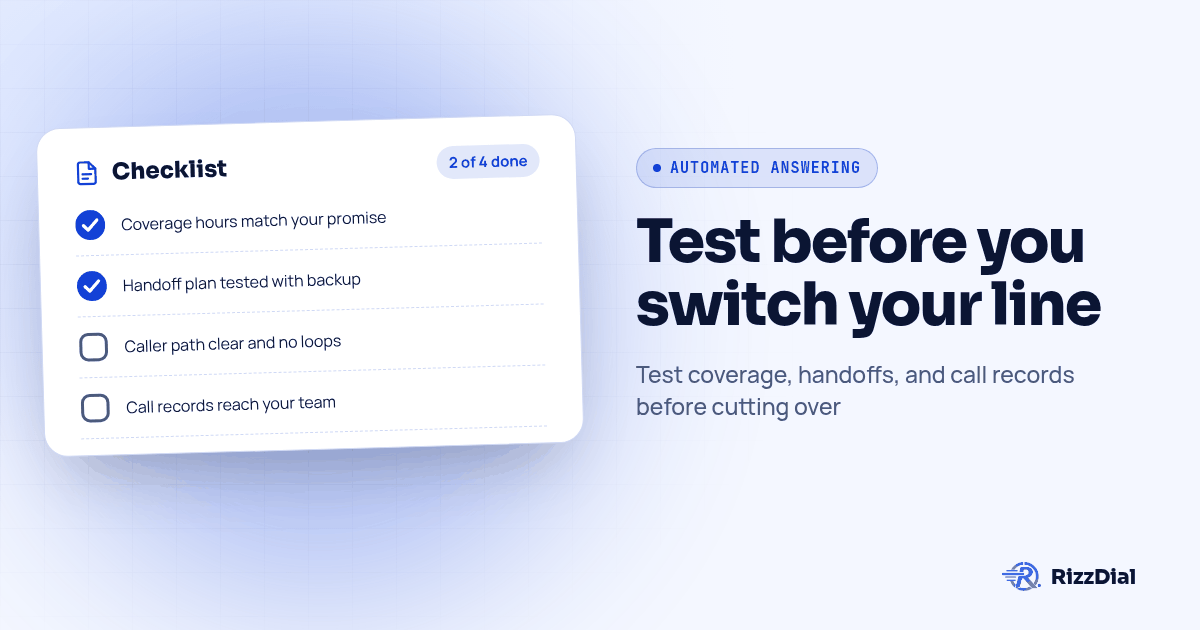
TL;DR: Before you move a business line off a human-answered service, test coverage hours, the handoff path for calls the system can't finish, what callers actually hear, and whether the record of each call lands somewhere your team will actually check. Run that test for at least a week with the old line still staffed, then cut over.
An agency or business should check four things before switching a line to an automated answering service: whether the system covers the hours you're actually promising, what happens the moment it hits a request it can't finish, what the caller notices during that handoff, and whether the call record reaches a person who will act on it. Get those four answers from a real test, not a sales demo, and keep the human line as a fallback until the test results match what you're telling callers.
We make RizzDial, so read this as our buying framework rather than an independent audit of every vendor. A switch like this affects every caller who dials the number, so the checklist below is built to be run before cutover, not after a complaint arrives.
What Does "Automated Answering Service" Actually Mean for Your Line?
The phrase covers more than one setup. It can mean a basic IVR menu that routes to voicemail, a scripted auto-attendant with fixed prompts, or an AI voice agent that holds an actual conversation and can look up information before responding. Each has a different failure mode, so the first check is simply naming which one you are buying.
A fixed-menu system fails loudly: a caller presses the wrong option or gets stuck in a loop, and everyone notices. An AI voice agent can fail quietly instead. It can sound confident while giving an answer that is slightly wrong, or it can keep a caller in a polite loop asking for information it already has. That is a different kind of risk, and it needs a different kind of test than listening for dead air.
Before you request a demo, write down what the service must replace: taking a message, answering defined questions, booking an appointment, or transferring to a person. Those jobs need different evidence, and a strong demo of one does not prove the others. Name the job before the vendor.
How Should You Test Coverage Hours Before You Cut Over?
Coverage on paper and coverage in practice are not the same thing. A service can be "available 24/7" and still route every call after 6 PM to a queue nobody checks until morning. Before switching, get the exact hours the system is configured to actively handle calls versus the hours it only records a message.
Call at opening, just before close, and overnight. Note whether the greeting, options, and escalation path change at those boundaries, and whether that matches what you plan to promise callers.
If the line serves multiple time zones, confirm which clock the system uses. A missed-call or overflow policy that assumes one time zone can quietly leave a region uncovered during what looks like business hours to the caller but is after hours to the system.
What Should Happen When the System Can't Handle a Call?
Every automated service has a boundary. The question that matters before you switch is what happens exactly at that boundary, not whether the boundary exists. Write down the handoff rule for three situations: a question outside the approved script, a caller who is upset or in a hurry, and a request that needs a human decision, like approving an exception or quoting a price that isn't fixed.
Require the vendor to show the actual transfer. A warm transfer that reaches a person, a message someone checks that day, and a call that ends are different outcomes behind the same word "handoff." GoHighLevel's warm transfer documentation describes what a configured transfer needs to pass along; use a version of that same checklist against any automated answering vendor, not just a native dialer feature.
Ask what happens when the designated person doesn't pick up. A handoff plan that assumes one person is always available is not a handoff plan, it's a hope. Confirm there's a next step, whether that's ringing a second person, falling back to a message with a callback time promise, or letting the AI attempt a bounded version of the request while flagging it for review.
One person who might not pick up the phone is not a handoff plan.
What Will Callers Actually Notice During the Switch?
Callers experience a conversation, not your configuration. Listen to the greeting and pacing, then test interruptions, unclear speech, and information given out of order. A script that reads well can still feel stiff or repetitive on a live call.
Disclosure is part of this check, not an afterthought. The FCC maintains identification requirements for calls that use an artificial or prerecorded voice under 47 CFR 64.1200; confirm with your own counsel how that applies to your configuration and your state, and build the disclosure into the script rather than treating it as optional.
Test what a frustrated caller experiences specifically. Call in and ask for something the system can't do, then ask again more forcefully. A good automated service recognizes the second ask is the same request and escalates instead of repeating the same prompt. That loop, more than any single wrong answer, is what drives callers to hang up and call a competitor instead.
What Gets Logged, and Can You Actually Find It Later?
A call without a usable record is hard to follow up. Confirm whether the system logs a transcript, summary, disposition, or timestamp, then verify where that record lands in practice.
Test this with a real contact record. Place a call, give information a human caller would give, and then go look for it in whatever system your team actually works from, whether that's a CRM note, a shared inbox, or a dashboard. If the plan is to connect the answering service to GoHighLevel or another CRM, verify the specific fields that get written and the contact matching logic, rather than assuming a connection exists because two products both mention an integration.
GoHighLevel's own documentation on call details separates call status from call disposition as different fields with different update behavior. That distinction matters for reporting: a call marked "answered" is not the same claim as a call marked "resolved," and conflating them during a switch is how a team ends up trusting a report that counted the wrong thing.
Answered is not resolved, and your report should know the difference.
How Do Human, AI and Hybrid Coverage Compare Before You Switch?
Use this table to frame the decision by what each model is actually good at, not by which one sounds more modern. None of these rows describes a guaranteed outcome; they describe what to verify with the specific vendor in front of you.
| What you're checking | Human-answered line | Automated (AI) answering | Hybrid coverage |
|---|---|---|---|
| Routine, scripted questions | Consistent if staff follow the script | Can be fast and consistent if the answer is approved in advance | Automated system takes the first pass, person reviews exceptions |
| Judgment calls and exceptions | Person can use discretion with proper authority | Should route out, not attempt to decide | Exceptions routed to a named person, not left in a queue |
| Coverage during a busy spike | Limited by how many staff are on shift | Can handle more calls at once if configured for it | Automated layer absorbs volume, person handles overflow |
| What happens after hours | Depends on actual staffing, not just a posted schedule | Can stay active, but confirm escalation still works overnight | Define which channel is live overnight and who checks it |
| Record of what was said | Depends on notes a person chooses to take | Can produce a transcript or summary automatically | Both channels should write to the same place |
| Switching cost if it doesn't work | Lower; adjust staffing or scripts | Higher upfront setup, but changes are configuration, not hiring | Moderate; each side can be adjusted independently |
Pick a human-answered line when most calls genuinely need a person's judgment and your call volume doesn't justify building an automated flow. Pick automated answering when the call mix is repeatable and you can define the approved answers in advance. Pick hybrid when you can draw a clear line between the two and are willing to staff both sides of it, not just the automated one.
What Is the Numbered Checklist to Run Before You Switch Your Main Line?
Run this as a cutover procedure, not a one-time demo. It produces evidence before you commit; it is not a report of testing any specific vendor.
Write the coverage promise first. Decide the hours, time zone, and response you're actually committing to callers before you look at any vendor's features.
Call the boundaries, not the middle. Test right at opening, right before close, and overnight, and confirm the greeting and escalation path match the promise from step 1.
Force three handoff scenarios. Call with an off-script question, a frustrated tone, and a request needing a human decision. Require a working transfer or a clear next step for each, not just a polite apology.
Check what happens when the human in the handoff doesn't answer. Confirm there's a second step, whether that's another person, a callback promise, or a flagged review, before you trust the handoff path at all.
Listen for disclosure and pacing on a live call. Confirm the script discloses an automated or AI voice where required, and that the system handles interruptions and repeated requests without looping.
Trace one call end to end into your own system. Place a real test call, then go find the record in your CRM or dashboard yourself. Confirm the fields, not just the existence of an integration.
Run it in parallel for at least a week. Keep the human line or your current process staffed as a fallback while you compare the automated system's actual behavior against the promise from step 1, then cut over only once they match.
Keep the completed checklist on file so your team can see what was tested if callers notice a change.
Where Does RizzDial Fit Once You've Tested Coverage?
RizzDial is voice AI and dialer infrastructure built for agencies, with direct GoHighLevel integration, a built-in CRM that also connects to other CRMs, and MCP and OpenAPI access for teams that want to build their own workflows around a call. AI minutes run from $0.06 to $0.20 per minute, billed for talk time only, with pay as you go and flexible seat based options; RizzDial does use seat based pricing on top of that, so budget for both.
None of that replaces the checklist above. A direct integration to GoHighLevel is a capability you still have to verify against your own account's fields and contact matching, the same as any other vendor's claimed integration. Use this same checklist against every vendor on your shortlist; a comparison page can organize the feature questions, but it cannot replace a live test of your own call paths.
For a deeper look at how coverage and handoff evidence should be evaluated once a vendor is already in use, see our guide to evaluating AI answering service coverage and handoffs. For the pricing side of the decision, compare the four common answering service pricing models against your own call volume before you sign anything. And if a virtual answering service is also on your shortlist, our virtual answering service versus AI voice agent comparison untangles that specific labeling confusion.
Once you've run the checklist against a shortlist, use the answering infrastructure alternatives hub to line up the next vendor conversation with the evidence you already collected, instead of starting from a blank demo request.
If the plan also includes text follow-up after the call, for example a confirmation or a missed-call message, Beam's iMessage, RCS and SMS platform for business is built for that side of the workflow; verify its own setup separately from the voice line.
What Do Buyers Ask Before Switching to an Automated Answering Service?
How much does an automated answering service cost compared to a human service?
RizzDial's AI minutes run from $0.06 to $0.20 per minute, billed for talk time only, with pay as you go and flexible seat based options. A human answering service more often bills per call, per seat, or a flat monthly bundle. Compare total operating cost, not just the rate card, because reviewing calls and handling exceptions still takes staff time on both sides.
How long does it take to switch a main line to an automated answering service?
Plan for a parallel run before you retire the human line, not a same-day swap. Most of the setup work is writing the call flow, the escalation rules, and the hard stop list; testing that list against real call scenarios is what actually determines the timeline.
Does an automated answering service need to tell callers they are talking to AI?
Follow the FCC's identification rules for calls using an artificial or prerecorded voice, and get your own legal read on your state's requirements before launch. Treat disclosure as a configuration item you verify on a live test call, not an assumption.
What should you test before switching your business phone number to automated answering?
Run the coverage window, the hard stop list, the handoff path to a live person, and the call record against real scenarios for at least a week before cutover. Keep the human line staffed as a fallback until the test calls match what you actually promised callers.
About RizzDial
RizzDial is the AI outbound sales workspace for teams on GoHighLevel. Power dialing, AI voice agents, SMS automation, and CRM workflows in one platform. Book a demo.