Compliance
DNC Scrubbing for Outbound Calls: A Compliance Checklist
Set up DNC scrubbing for outbound calls: Registry checks, suppression lists, the new FCC opt-out rule and a scrub log template. Not legal advice.
By James Hill ·
This page is general information, not legal advice. Talk to a qualified attorney about your calling program.
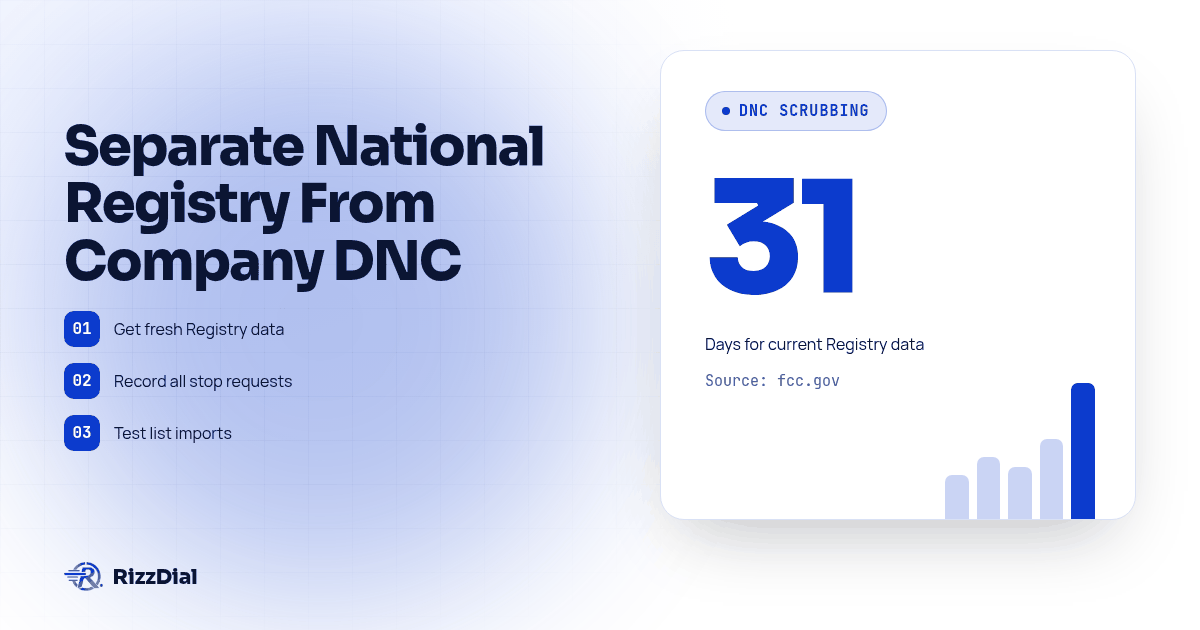
TL;DR: DNC scrubbing means checking two separate things before every outbound call: the National Do Not Call Registry (refreshed at least every 31 days) and your own company-specific stop-request list. Log both checks, test your import and list-override settings before a campaign goes live, and watch the FCC's new opt-out rule that takes effect November 25, 2026, because it changes how one stop request covers (or doesn't cover) other messages.
What is DNC scrubbing, and how is it different from our internal do-not-call list?
Two different checks get lumped under "DNC scrubbing," and conflating them is how campaigns get in trouble. The first is the National Do Not Call Registry, the federal list consumers join once to stop telemarketing calls from any company. The second is your own company-specific suppression list: every number that has told your business, specifically, to stop calling. A number can be absent from the national list and still be fully suppressed for you, because someone asked your team directly.
47 CFR 64.1200(c)-(e) and 16 CFR 310.4(b) cover which calls fall under each check and the exceptions. The FTC's Telemarketing Sales Rule guide is blunt about the order of operations here: a company-specific stop request overrides an established-business-relationship exception for further telemarketing calls. A prior sale does not buy you permission to ignore a "take me off your list."
How current does our Registry data need to be?
The federal safe-harbor procedures for using the National Registry call for a data version obtained no more than 31 days before the call, plus written procedures, trained staff and compliance records. 64.1200(c)(2)(i) and 310.4(b)(3) spell this out. That 31-day window is a floor, not a finish line. Pulling fresh data and never checking it against a campaign list does nothing for you.
Telemarketers also pay the FTC an ongoing, per-area-code fee to subscribe to Registry data, and that fee schedule changes every federal fiscal year, so build it into your compliance budget rather than assuming the number stays flat. See the FTC's current fee announcement for the schedule that applies to your subscription period.
Our operational rule: check suppression the moment a record enters any list, then check again right before a campaign is allowed to dial it. Two checkpoints catch the cases a single check misses, like a record that was clean on import but got a stop request three weeks into the campaign.
What just changed with stop requests, and does it touch our scrub list?
Yes, and this is the part that's easy to miss if your compliance notes are more than a few weeks old. On September 30, 2026, the FCC adopted FCC 26-67 in CG Docket No. 02-278, taking effect November 25, 2026. The order lets a caller designate one exclusive method for revoking consent, as long as that method is disclosed clearly in each message, and it lets an opt-out from one category of informational message (say, appointment reminders) apply only to that category rather than wiping every list the contact is on.
That cuts both ways for a DNC scrub program. It gives you a cleaner, documented way to define exactly how a stop request reaches your system. It also means your team can no longer assume a single "STOP" reply silently suppresses a contact everywhere; if your messages span categories, confirm which list actually gets the flag. Build this into the stop-request step below before the effective date, not after a complaint arrives.
What does our day-one DNC scrub workflow actually look like?
This is the sequence we use for a new client list before a single dial goes out, written as a checklist your compliance lead can follow without guessing.
- Pull a current Registry extract dated within the last 31 days for every area code the list touches, and record the pull date and data version in the campaign file.
- Match the list against the Registry extract and quarantine every hit; do not dial a quarantined record while someone reviews whether a narrow exception genuinely applies.
- Match the remaining list against your company-specific suppression file, which should include every number that has ever told your business to stop, regardless of which campaign or rep received the request.
- Check list-level override settings in your dialer before the campaign is created. A list import can silently reset a contact-level flag if the import settings allow it; confirm they don't.
- Re-run both checks immediately before the campaign goes live, not just at list creation, so a stop request logged yesterday is reflected today.
- Assign one owner for the scrub step who signs off before the campaign is allowed to go live, so "someone probably checked" never becomes the answer during an audit.
- Log the result: check date, data version, match count, and any legally reviewed exception, using the template in the next section.
- Hold the campaign if any step fails or the data is stale, rather than dialing while the team resolves it.
How does the National Registry compare to our company-specific list?
| National DNC Registry | Company-specific suppression list | |
|---|---|---|
| What it covers | Consumers who opted out of telemarketing calls generally | People who told your specific business to stop |
| Who maintains it | The FTC | Your team, from every channel a stop request can arrive on |
| Refresh requirement | Safe-harbor procedures call for a version no more than 31 days old (64.1200(c)(2)(i)) | Updated the moment a request is received; honored within a reasonable time |
| Legal basis | 47 U.S.C. 227, TCPA and TSR rules | 64.1200(d), written DNC policy requirement |
| Access cost | Recurring per-area-code subscription fee, set annually by the FTC | No external fee; cost is internal process and tooling |
| Where RizzDial helps | Your team runs the Registry check; RizzDial does not scrub it automatically | Contact-level DNC flags, opt-in tracking and opt-out handling tools on the security page |
How do we test the scrub before it touches a live campaign?
Treat the scrub like you'd treat any other piece of production software: test it against known inputs before real consumer records go through it.
- Create a team-owned test number and flag it as stopped in your suppression file.
- Import that number twice, on two different days, to confirm a repeat import doesn't clear the flag.
- Add the same number to a second list with different settings and confirm the stop flag still blocks a dial from that list too.
- Try every list-configuration combination that could plausibly reach the number (manual add, CRM sync, CSV import, API push) and confirm each one respects the flag.
- Call the test number through the campaign dialer (never a real consumer record) and confirm it does not ring.
- Document the pass or fail for each configuration, and block any configuration that fails from being used on a live campaign until it's fixed.
Run this before the first campaign on a new list source, and again any time your CRM or dialer settings change.
What should our scrub log template capture?
Keep one row per check, per campaign. This is deliberately simple enough to run in a spreadsheet:
Date checked | Data version / source | List or campaign | Numbers matched (Registry) | Numbers matched (company list) | Overrides tested? (Y/N) | Exception reviewed? (Y/N, by whom) | Cleared to dial? (Y/N)
Fill a row before every campaign launch and every time a stale-data alert fires. If a row shows "Cleared to dial: N," the campaign stays paused until someone resolves it and adds a follow-up row showing the fix.
Screenshot: a filled-in version of the log template above, with three sample rows (one clean pass, one quarantined Registry hit under review, and one failed override test), to show compliance leads exactly what a completed log entry looks like.
How does this fit with calling hours, abandonment and caller ID rules?
Scrubbing removes DNC matches; it does nothing about pacing, timing or caller ID. Read the TCPA compliant dialer guide and the calling hours and consent checklist before launch. For predictive dialing, the FCC caps covered abandonment at three percent of live-answered calls per campaign in each 30-day measurement period or shorter remaining portion; see 64.1200(a)(7). The TSR's related abandonment safe harbor in 310.4(b) carries its own conditions, and neither one is satisfied just because your DNC matches are clean.
The TSR separately requires transmitting accurate caller ID information under 310.4(a)(8). Our practical check: call a team-owned number from the campaign line, then call the number that displayed on the receiving end back, and confirm the identity and callback behavior both match the seller.
Where does the suppression file actually live in our stack?
A suppression list that only exists in the dialer is a liability the moment a lead comes in through a form, a CRM import or an ad platform sync, because any of those paths can reintroduce a number the dialer already suppressed. If your CRM, GoHighLevel workflows, or a spreadsheet import feed contacts into RizzDial, confirm the suppression flag travels with the contact record through every one of those integrations, not just the manual-entry path. A list sync that skips the DNC field is the most common way a cleared number gets dialed again.
This matters more for agencies running several client accounts through one stack: a stop request logged under one client's list should not quietly expire when that client's data gets re-synced for a new campaign.
What should we do when a complaint arrives anyway?
Pause the affected workflow first. Review the consent record, Registry check, company suppression history and the dialer settings for that specific number, then check whether the same gap exists on other lists. Document the correction, re-run the test procedure above, and only then restart the campaign. None of this guarantees against complaints or liability; it is an operating discipline, not legal protection.
For changes to revocation scope beyond FCC 26-67, review the limited waiver in FCC DA 26-12, January 6, 2026 with counsel before relying on it. The waiver is not permission to ignore a stop request.
How does RizzDial compare to Kixie or Readymode on this?
All three platforms expect the calling team to run its own DNC compliance program; none of them are a substitute for the Registry subscription or a documented suppression policy. RizzDial vs Kixie and RizzDial vs Readymode go through contact-level DNC handling, list-override behavior and caller ID setup side by side, which is the detail worth checking before you commit a client's calling program to either platform. We make RizzDial, so read those comparisons with that in mind and verify the claims against each vendor's own documentation.
If you're building texting into the same suppression program, not just calls, Beam's texting compliance page covers consent, opt-out handling and quiet hours for SMS and iMessage campaigns, which run under a related but not identical set of rules.
Book a RizzDial demo with your campaign, CRM and client onboarding requirements, and bring your current suppression file so the team can walk through the import path with you.
FAQ: What do buyers ask about DNC scrubbing?
Is checking the National Do Not Call Registry the same as scrubbing against our own do-not-call list?
No. The Registry and your company-specific stop requests are two separate checks, and a number can be missing from the Registry while still being suppressed for your company specifically.
How current does our Registry data have to be before we dial?
The federal safe-harbor procedures call for a Registry version pulled no more than 31 days before the call, on top of written procedures, training and records; that alone is not full legal protection.
Does RizzDial scrub against the National Registry for us automatically?
No. RizzDial's security page documents contact-level DNC flags, opt-in tracking and opt-out handling, but it does not establish automatic National Registry scrubbing, so your team still owns that check.
What changed with the FCC's opt-out rules in late 2026?
FCC 26-67, effective November 25, 2026, lets a caller designate one exclusive way to revoke consent and narrows an opt-out from an informational message to that message category only, so a single stop request no longer automatically clears every list the way a blanket revocation used to.
What does switching our scrub workflow into RizzDial actually involve?
You keep your suppression history and feed it into RizzDial's contact-level DNC flags through the CRM integrations, then run the test procedure below against a handful of known-suppressed numbers before any live list goes out.
What sources support this checklist?
Sources (checked November 2026)
- 47 U.S.C. 227: TCPA statute
- 47 CFR 64.1200: FCC delivery restrictions
- 16 CFR 310.4: FTC Telemarketing Sales Rule
- FTC guide to the Telemarketing Sales Rule
- FTC Registry access fee announcement, FY2026
- FCC 26-67, September 30, 2026: TCPA consent revocation order
- FCC DA 26-12, January 6, 2026: limited revocation waiver
- RizzDial security and consent tools
About RizzDial
RizzDial is the AI outbound sales workspace for teams on GoHighLevel. Power dialing, AI voice agents, SMS automation, and CRM workflows in one platform. Book a demo.