Developers
Give OpenClaw Its Own Phone Line With RizzDial
Add RizzDial's MCP server to openclaw.json with auth oauth, run openclaw mcp login, then list agents, assign a number and place a test call from OpenClaw.
By James Hill, Founder, RizzDial ·
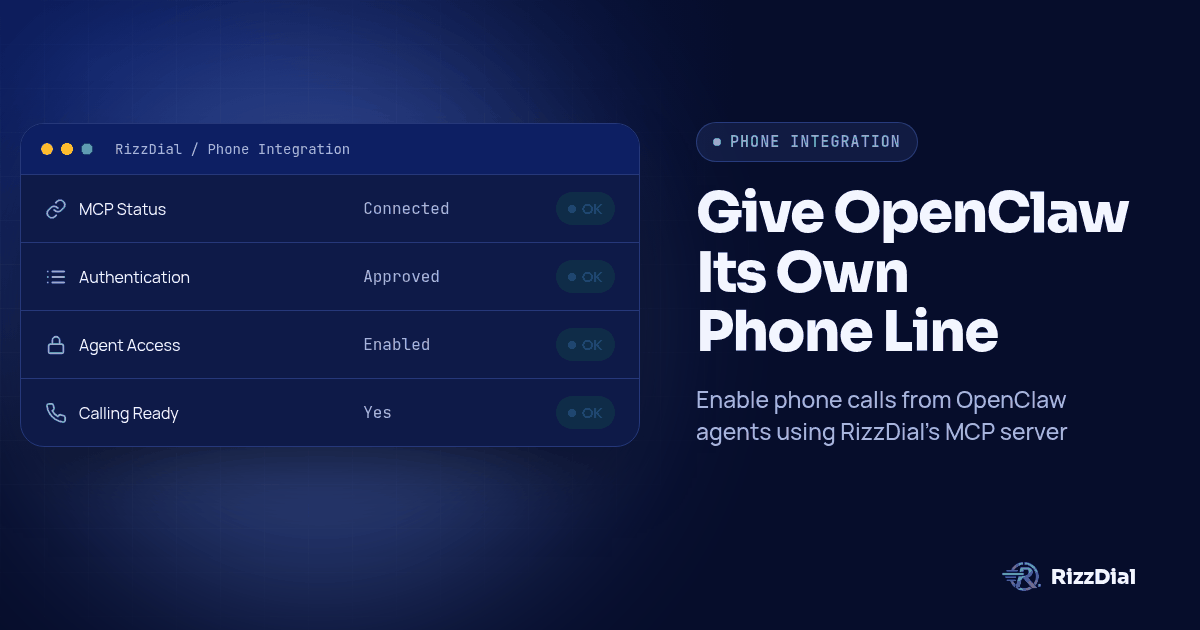
TL;DR: Add a rizzdial entry under mcp.servers in openclaw.json with your dashboard's MCP URL, transport: "streamable-http" and auth: "oauth", then run openclaw mcp login rizzdial and approve the browser tab. After that you can tell OpenClaw to list your AI agents, search and assign a number, place a test call, and pull the transcript back, all in plain language.
RizzDial's dashboard already ships ready copy-paste blocks for Claude, Codex and Grok; getting the same result in OpenClaw takes one JSON entry and one login command, because OpenClaw's MCP documentation describes a generic remote-server shape that fits any OAuth-based server, RizzDial included.
A quick note on where I'm coming from: I built RizzDial, so read this as the founder's walkthrough. The MCP connection is the developer side of the product. The same account is what agencies use for the direct GoHighLevel integration, power, predictive and parallel dialing, AI voice agents, and calls sent directly through AT&T, Verizon and T-Mobile. None of that changes because OpenClaw is the one asking for the call.
Why Would a Self-Hosted OpenClaw Agent Need a Phone Line at All?
OpenClaw can run on hardware you control, reached through whatever chat surface you've wired to it, Telegram, Slack, Discord or WhatsApp. If a lead replies "call me" in a Discord-connected OpenClaw thread, or your team wants the agent to ring a no-show instead of just logging one, it needs an actual line to a carrier, not another browser tab with a VoIP test button. An MCP connection to RizzDial closes that gap: the same agent that reads your tickets and drafts your replies can search for a number, assign it to a voice agent, and start a real outbound call through AT&T, Verizon or T-Mobile, not a softphone sandbox.
What Do You Need Before You Touch openclaw.json?
RizzDial's MCP server is available to RizzDial customers. If you don't have an account yet, book a call first; there's no server URL to add until there's an account behind it. Once you're in, open the dashboard's Connect MCP page and copy the URL shown there. Have at least one AI agent and one assigned number already set up in the dashboard too, since your first test questions from OpenClaw will come back empty if there's nothing for them to find.
You'll also need OpenClaw itself installed with the openclaw CLI on your path, and write access to openclaw.json, wherever your install keeps it (a per-project file, or the global one under your OpenClaw home directory, depending on how you run it).
How Do You Add RizzDial's MCP Server to openclaw.json, Step by Step?
- Open your RizzDial dashboard's Connect MCP page and copy the account URL. The page shows tabs for Claude, Codex and Grok, no OpenClaw tab yet, so you're reusing that same URL by hand.
- Open
openclaw.jsonin your OpenClaw install and find, or create, themcp.serversobject. - Add a
rizzdialentry withurlset to the address you copied andtransportset to"streamable-http". OpenClaw's docs note that whentransportis left out, it defaults tosse, so set it explicitly for a Streamable HTTP server. - Set
authto"oauth"on that entry. This tells OpenClaw to use credentials saved by its login command instead of a static header; a hand-typedAuthorizationheader is ignored onceauth: "oauth"is set. - Leave
headersout of the entry entirely. - Save the file, then run
openclaw mcp login rizzdialfrom a terminal. This opens your browser to a RizzDial sign-in and approval screen. - Sign in to the RizzDial account you want this agent bound to, on a machine you control, and approve the request.
- Run
openclaw mcp status --verboseto confirm the transport, auth and timeouts forrizzdial, thenopenclaw mcp probe rizzdialto connect and list the tools RizzDial exposes. - Ask OpenClaw something only your real account can answer, such as naming your AI agents, and check the names against the dashboard before trusting anything that touches real data.
A minimal, correct entry looks like this:
{
  "mcp": {
    "servers": {
      "rizzdial": {
        "url": "YOUR_RIZZDIAL_MCP_URL",
        "transport": "streamable-http",
        "auth": "oauth"
      }
    }
  }
}
What Does Each Field in That Entry Actually Control?
| Field | What it does | For a RizzDial connection |
|---|---|---|
url |
The remote MCP endpoint OpenClaw connects to | Required. Paste the URL from the dashboard's Connect MCP page exactly as copied. |
transport |
"streamable-http" or "sse"; OpenClaw assumes sse when this is missing |
Set to "streamable-http" so OpenClaw doesn't default to the wrong transport for RizzDial's server. |
auth |
Set to "oauth" to use credentials saved by openclaw mcp login |
Required for RizzDial. A static header is ignored once this is set. |
headers |
Custom HTTP headers, including a bearer token, with variable substitution like ${SERVICE_KEY} |
Leave this out for the MCP entry. RizzDial's account connection is authorized in the browser, not through a header you fill in by hand. |
toolFilter |
An include/exclude object of glob patterns controlling which tools this server exposes |
Optional. Useful if you want OpenClaw to see RizzDial's read tools, like agent and call-history lookups, but not its write tools, like starting a campaign. |
OpenClaw's transport and OAuth reference is direct: prefer auth: "oauth" with openclaw mcp login wherever a server supports it, rather than a hand-maintained header. RizzDial's server supports it, so that's the path this guide uses.
How Do You Verify the Connection Is Real, Not Just Configured?
An entry sitting in openclaw.json is not proof that anything actually authenticated. The MCP registry reference distinguishes saved settings from a live probe. Two commands close that gap, and a third checks the account:
openclaw mcp status --verboseshows the transport, auth mode, timeouts and filters you configured for each saved server, without connecting. Use it to catch a typo before you ever touch the network.openclaw mcp probe rizzdialconnects and lists the tools, resources and prompts the server actually returns for your account. If this comes back empty or errors, the login step didn't finish, or finished against the wrong account.- Ask OpenClaw a question only your real RizzDial account can answer, list your AI agents by name and compare them against the dashboard. If the names don't match, the OAuth approval went to a different login than the one you meant, and removing the config entry alone does not guarantee the saved credential is cleared. Run
openclaw mcp logout rizzdialand sign in again under the right account.
openclaw mcp doctor rizzdial --probe runs both the static checks and a live connection check in one pass if you want a single command for this before every session, and openclaw mcp list is the quick way to confirm rizzdial is even registered if something upstream looks off.
What Can OpenClaw Actually Do Once It's Connected?
Once probe shows tools coming back, OpenClaw can call whatever RizzDial exposes to any MCP client on your account, matched against the capabilities documented on RizzDial's own OpenAPI spec:
| Ask OpenClaw to... | What it's calling behind the scenes |
|---|---|
| List your AI voice agents, or create one | The agent endpoints under /api/ai/agent |
| Search for an available number in a given area code | The number search endpoint under /api/ai/number/search |
| Buy one of the numbers it found (a billed action, so confirm first) | The number purchase endpoint under /api/ai/number/purchase |
| Assign a number to a specific agent | The number assignment endpoint under /api/ai/number/assign |
| Place a test call to a number you control | The agent's call endpoint |
| Pull recent call history and transcripts | The AI call history endpoint at /api/ai/call-history; check the returned fields before assuming a transcript is always included |
| Start or pause a calling campaign | The campaign controls behind that agent |
That table matches what RizzDial publishes at its REST OpenAPI 3.0.3 spec, app.rizzdial.com/api/docs/spec. A path existing in the spec doesn't prove it's exposed as an MCP tool; openclaw mcp probe rizzdial tells you for certain.
Say the task in plain language and let OpenClaw pick the tool, typed into whichever channel you've connected, Telegram included: "search for available numbers in the 312 area code," "buy the first one and assign it to the Renewals agent," "place a call from that agent to this number I control and let me listen in," "pull the transcript from that call." Before you trust a result, ask OpenClaw for the agent name and call ID behind it and check them in the dashboard. Do that once for every agent you plan to use.
When Should You Reach for a ClawHub Skill and RizzDial's REST API Instead of MCP?
ClawHub, OpenClaw's skill registry, lets developers distribute skills that call REST APIs with their own authentication. A skill can pair instructions with a script for a repeatable task. That's the right model for RizzDial work that has to run without you watching it: a scheduled callback queue, a nightly report, a webhook handler that fires calls automatically. MCP suits a session where you're typing instructions and reading replies; a skill backed by direct REST calls suits a job that runs the same way every time, whether anyone's online or not.
| MCP in OpenClaw | ClawHub skill calling the REST API | |
|---|---|---|
| Good for | Exploring an account, one-off questions, work you're watching | Scheduled jobs, webhook handlers, anything unattended |
| Who picks the calls | OpenClaw, per instruction | The skill's code, written once against the spec |
| Auth | Browser OAuth via openclaw mcp login, bound to your user |
Bearer token, stored as a skill credential |
| Where it runs | Wherever you're running OpenClaw interactively | A scheduled task, a cron job, a webhook server |
| What a failure looks like | A tool error or an answer from the wrong account | An HTTP error code your skill's own error handling must catch |
To build that skill, point OpenClaw at the spec directly instead of letting it guess field names from memory:
Fetch https://app.rizzdial.com/api/docs/spec as the only source of
truth. Write a ClawHub skill that lists AI agents (agent_id, name),
places an outbound call to an E.164 number through an agent's call
endpoint, and reads call history filtered by agent_id and date.
Use only paths and methods present in that spec; say so instead of
inventing one that's missing. Base URL https://app.rizzdial.com,
header Authorization: Bearer YOUR_TOKEN from an environment variable.
Test against recorded fixtures first, not live calls.
Install the result through openclaw skills install @owner/<skill-slug> once published to ClawHub, or copy the skill folder straight into your skills directory for local-only use, following the OpenClaw skills CLI reference.
How Do You Keep This Safe Once OpenClaw Can Act on Your RizzDial Account?
An MCP connection approved through your login carries your account's own permissions, and whatever runs through it is a real change, not a preview. "Clean up the stale agents" can delete agents. "Call the whole list" starts real calls to real phones through a real carrier.
- Use a separate RizzDial user for the OpenClaw connection, if your plan supports it. That keeps an activity trail distinct from your own dashboard actions.
- Keep OpenClaw's confirmation step meaningful. Have it state the proposed change, the agent, and the number before you approve anything that deletes, buys a number, or starts a campaign.
- Use
toolFilterto exclude write tools a channel doesn't need. If a Telegram-facing instance only looks things up, exclude the campaign and number-assignment tools there and keep write access on a separate, more tightly watched session. - Revoke the token in RizzDial when access is no longer needed, not just by deleting the
openclaw.jsonentry. The approval creates a personal access token on your RizzDial user, and you can remove it from your profile settings.openclaw mcp logout rizzdialclears the local token; revoking on RizzDial's side closes the account-level grant.
Calls placed this way are still real calls to real phones, with the same obligations as any other outbound call. The FCC's February 2024 declaratory ruling treats AI-generated voices as artificial voices under the TCPA, so applicable consent requirements still apply, subject to exemptions; see the ruling at fcc.gov. None of this is legal advice, and your workflow should check do-not-contact status before starting a call.
If the same agent also needs to text, not just call, RizzDial's messaging counterpart documents its own MCP connection for iMessage at beamtexting.com/imessage-api, worth a look if your OpenClaw workflow spans both channels.
What FAQ Answers Help Developers Connect OpenClaw to RizzDial?
Does OpenClaw have a ready-made RizzDial connector like Claude or Codex?
Not yet. RizzDial's dashboard MCP page shows copy-paste blocks for Claude, Codex and Grok, with no OpenClaw tab. You add the same URL yourself under mcp.servers in openclaw.json, which OpenClaw's own docs describe as the normal way to register any remote MCP server that isn't preset.
Do I need a Bearer token in openclaw.json to connect to RizzDial?
No, not for the config file itself. Set auth to oauth and run openclaw mcp login rizzdial once; OpenClaw stores the resulting token and ignores any static Authorization header you might add later. Save a Bearer token for code that calls RizzDial's REST API directly, such as a ClawHub skill, not for this entry.
What does an OpenClaw skill actually call if I skip MCP?
A ClawHub skill is a folder of instructions and, usually, a small script that calls a documented REST API with its own authentication. For RizzDial that means the REST OpenAPI spec at app.rizzdial.com/api/docs/spec with an Authorization: Bearer header, not the MCP connection.
Will this run my dialer unattended overnight through OpenClaw?
Treat an interactive OpenClaw session over MCP as supervised work, not a cron job. For anything that runs while nobody is reading the output, write a script against RizzDial's REST API with its own token, logging and error handling. That's the same advice in our Claude Code and Codex walkthrough.
What does connecting cost beyond my RizzDial plan?
RizzDial has flexible seat based options, and its AI minute range is $0.06 to $0.20 per minute, billed for talk time only. OpenClaw itself and any ClawHub skill you install have their own separate terms unrelated to a RizzDial account.
What Should You Do After the Connection Works?
Add the rizzdial entry to openclaw.json, run openclaw mcp login rizzdial once, and OpenClaw can read and act on your RizzDial account the same way it already reads whatever local files and channels you've pointed it at. Keep the approval step meaningful, keep toolFilter current on any channel that doesn't need write access, and move anything that has to run unattended onto a ClawHub skill backed by the REST API instead. For the same setup across other clients, see the series hub, the Claude Code and Codex walkthrough, or the Grok version. If you're not a RizzDial customer yet and want access before you add the first line to openclaw.json, book a call.
How can RizzDial help with your calling workflow?
RizzDial is the AI outbound sales workspace for teams on GoHighLevel. Power dialing, AI voice agents, SMS automation, and CRM workflows in one platform. Book a demo.